User Manual of WAP-252N/WAP-552N
-49-
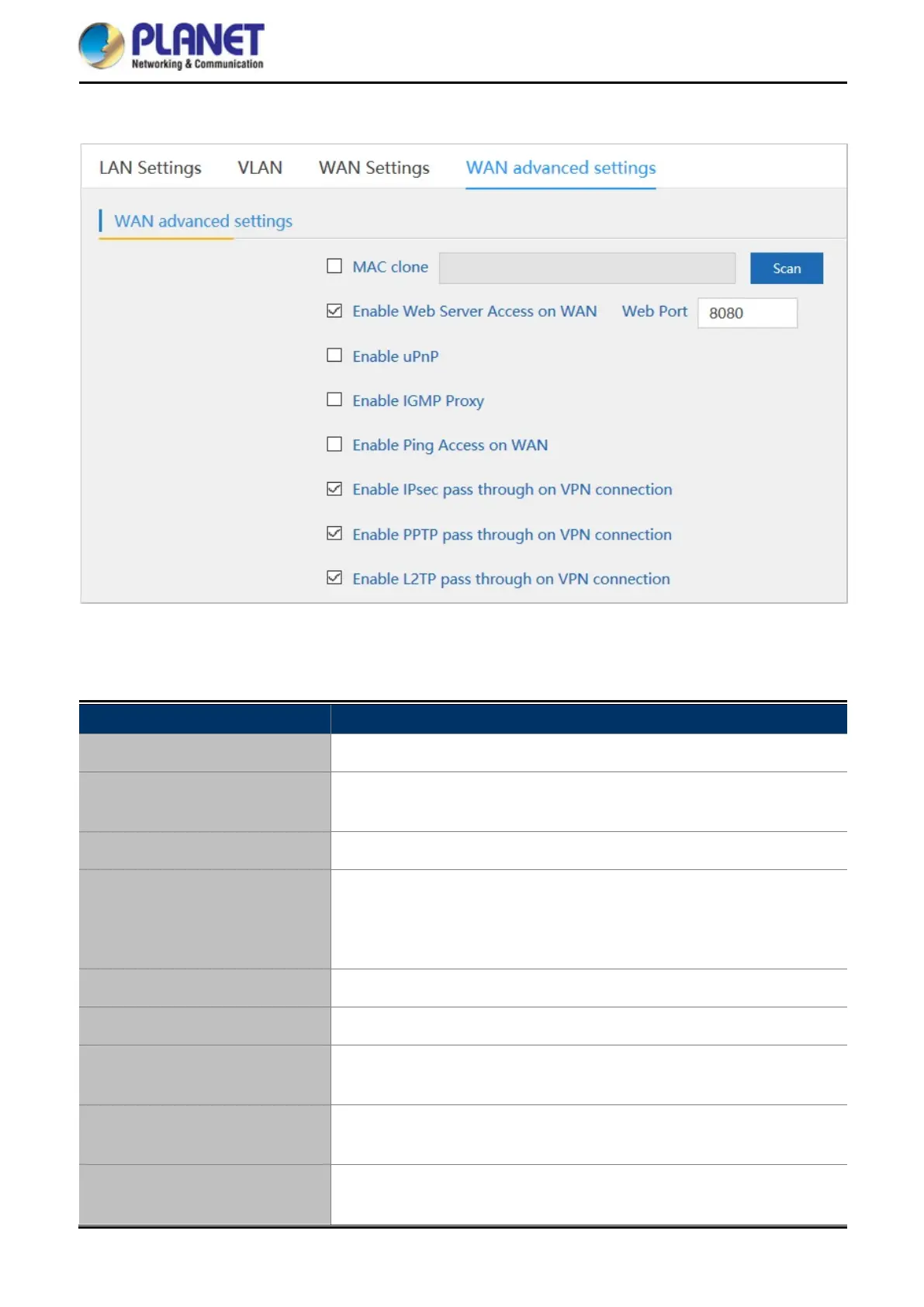
5.7.3.5. WAN advanced settings
Figure 5-35 WAN advanced settings
The page includes the following fields:
Object Description
MAC clone
Enable and scan to clone the MAC address
Enable Web Server Access
on WAN
Enable to access from WAN
Web Port
Enter the web port to access
Enable uPnP
Check to enable the UPnP function.
The UPnP feature allows the devices, such as Internet computers, to
access the local host resources or devices as needed. UPnP devices can
be automatically discovered by the UPnP service application on the LAN.
Enable IGMP Proxy
Check to enable the IGMP Proxy function.
Enable Ping Access on WAN
Enable or Disable this function.
Enable IPsec passthrough on
VPN connection
Enable or disable IPSec to pass through IPSec communication data.
Enable PPTP passthrough on
VPN connection
Enable or disable PPTP to pass through PPTP communication data.
Enable L2TP passthrough on
VPN connection
Enable or disable L2TP to pass through L2TP communication data.














 To Next Page