User Manual of WAP-252N/WAP-552N
-15-
Summary:
Set up the TCP/IP Protocol for your PC.
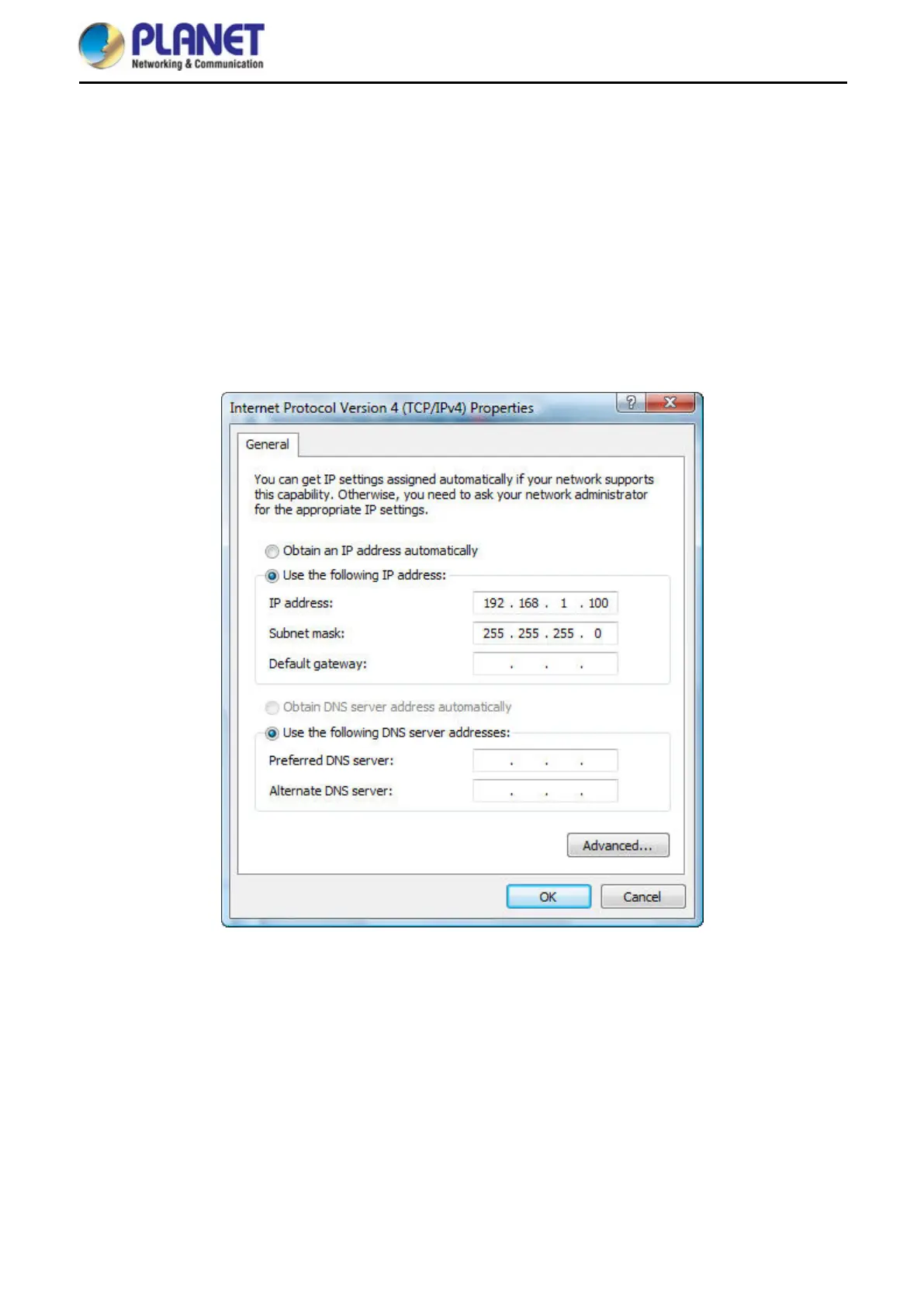
Configure the network parameters. The IP address is 192.168.1.xxx (If the default IP address of the
WAP-252N/WAP-552N is 192.168.1.253, and the DSL router is 192.168.1.254, the "xxx" can be
configured to any number from 1 to 252.) and subnet mask is 255.255.255.0.
1 Select Use the following IP address, and then configure the IP address of the PC.
2 For example, as the default IP address of the WAP-252N/WAP-552N is 192.168.1.253 and the DSL router
is 192.168.1.254, you may choose from 192.168.1.1 to 192.168.1.252.
Figure 4-1 TCP/IP Setting
Now click OK to save your settings.
Now, you can run the ping command in the command prompt to verify the network connection between your
PC and the AP. The following example is in Windows 10 OS. Please follow the steps below:
1. Click on Start > Run.
2. Type “cmd” in the Search box.














 To Next Page