User Manual of WAP-252N/WAP-552N
-50-
5.7.4 Firewall
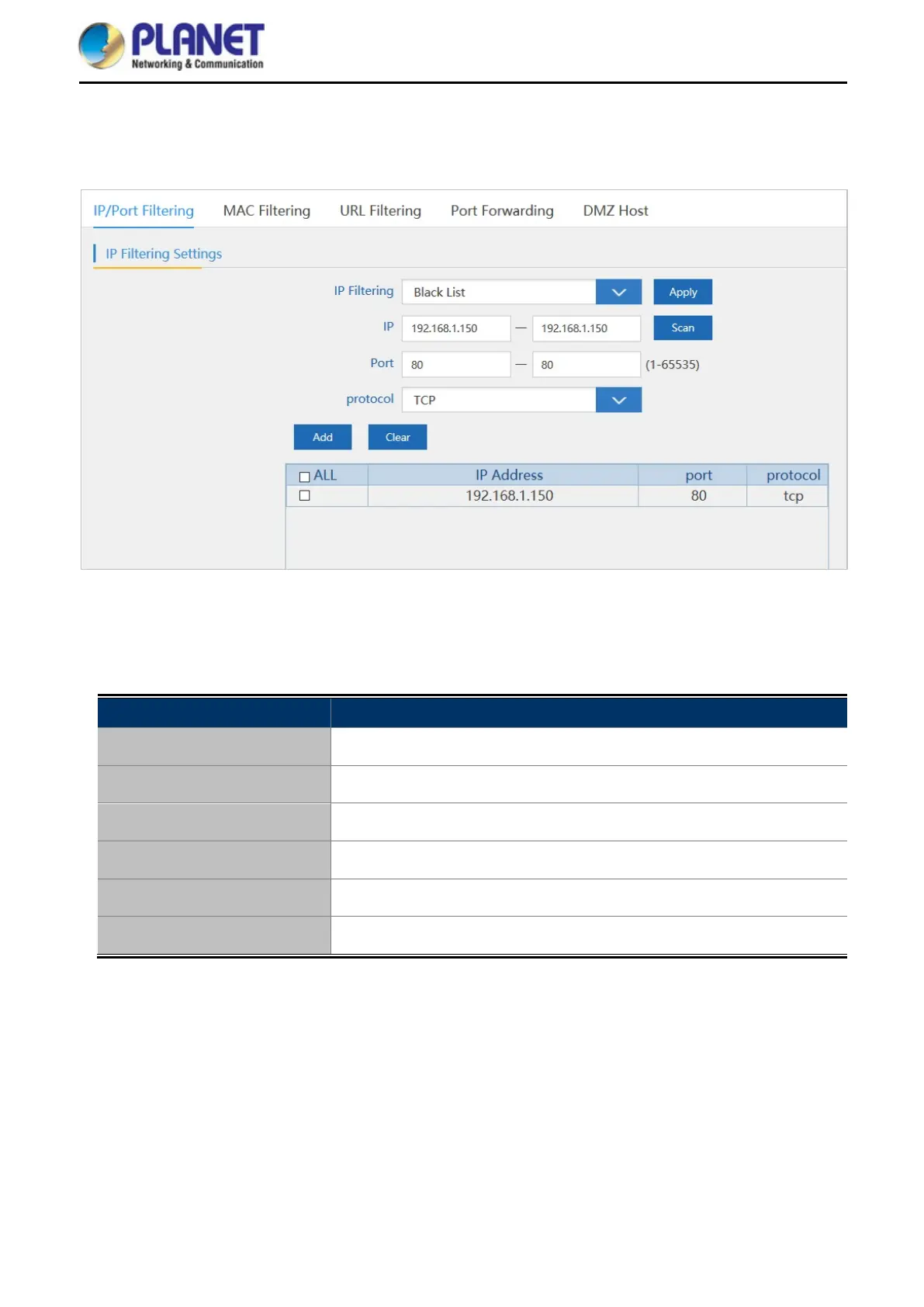
5.7.4.1. IP/Port Filtering
Figure 5-36 IP/Port Filtering
The page includes the following fields:
Object Description
IP Filtering
Select Black List or White List.
IP
Enter the IP that you need to put in black or white list.
Port
Enter the web port to access.
Protocol
Select TCP, UDP or TCP+UDP.
Add
Press to add in the black or white list.
Clear
Press to delete the black or white list.














 To Next Page