User Manual of WAP-252N/WAP-552N
-55-
The page includes the following fields:
Object Description
SSID
Select the SSID you need to check by pressing the Scan AP button.
MAC
It shows the MAC address of the tracked AP.
Signal Strength
It shows the signal strength of the AP.
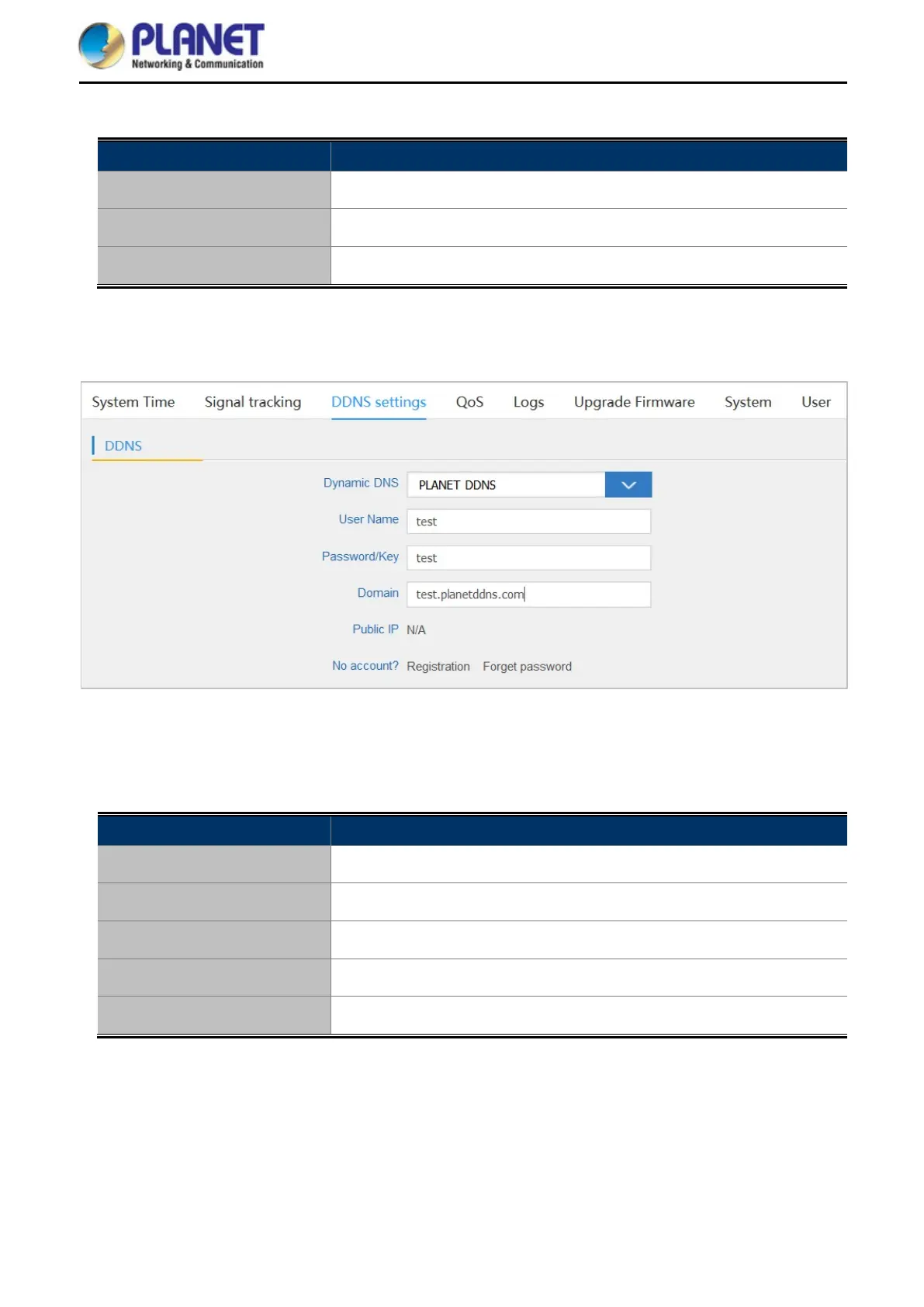
5.7.5.3. DDNS settings
Figure 5-43 DDNS settings
The page includes the following fields:
Object Description
Dynamic DNS
Select PLANET DDNS or PLANET Easy DDNS.
User Name
Enter the DDNS user name of the DDNS account.
Password/Key
Enter the DDNS password of the DDNS account.
Domain
Enter the domain name provided by PLANET DDNS.
Public IP
It shows the public IP if you connect to the DDNS successfully.














 To Next Page