User Manual of WAP-252N/WAP-552N
-28-
WISP Mode (Client Router) 5.4
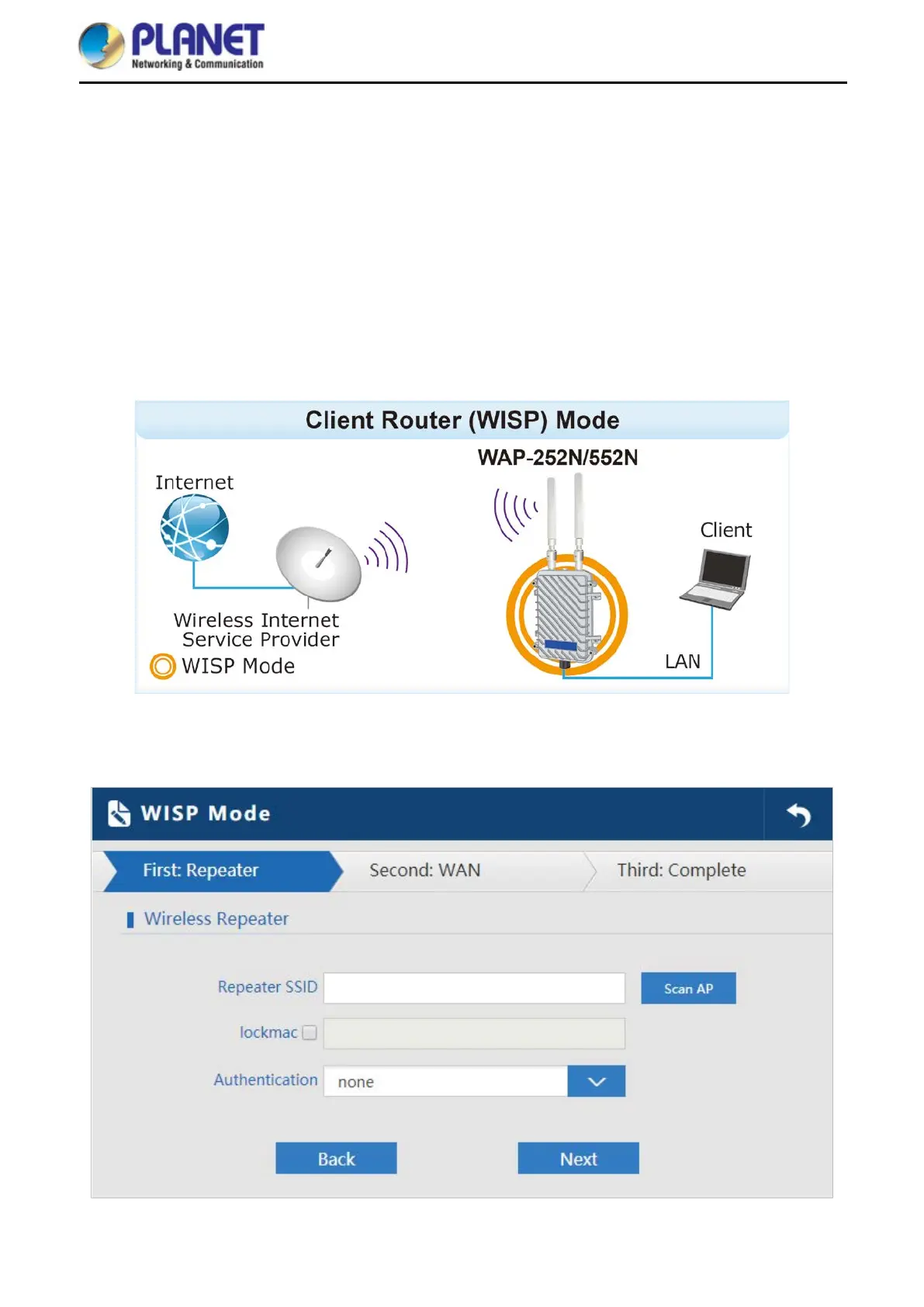
In WISP mode, all Ethernet ports are bridged together and wireless client will connect
ISP access point.
The NAT is enabled and PCs in Ethernet port share the same IP to ISP through wireless
LAN.
User must set the wireless to client mode first and connect to the ISP AP in Site-Survey
page.
The connection type can be set up on the WAN page by using PPPoE, DHCP client and
static IP.
Click “Wizard” “WISP Mode” and the following page will be displayed. This section allows you to configure
the WISP mode.
Figure 5-11 WISP Mode














 To Next Page