User Manual of WAP-252N/WAP-552N
-27-
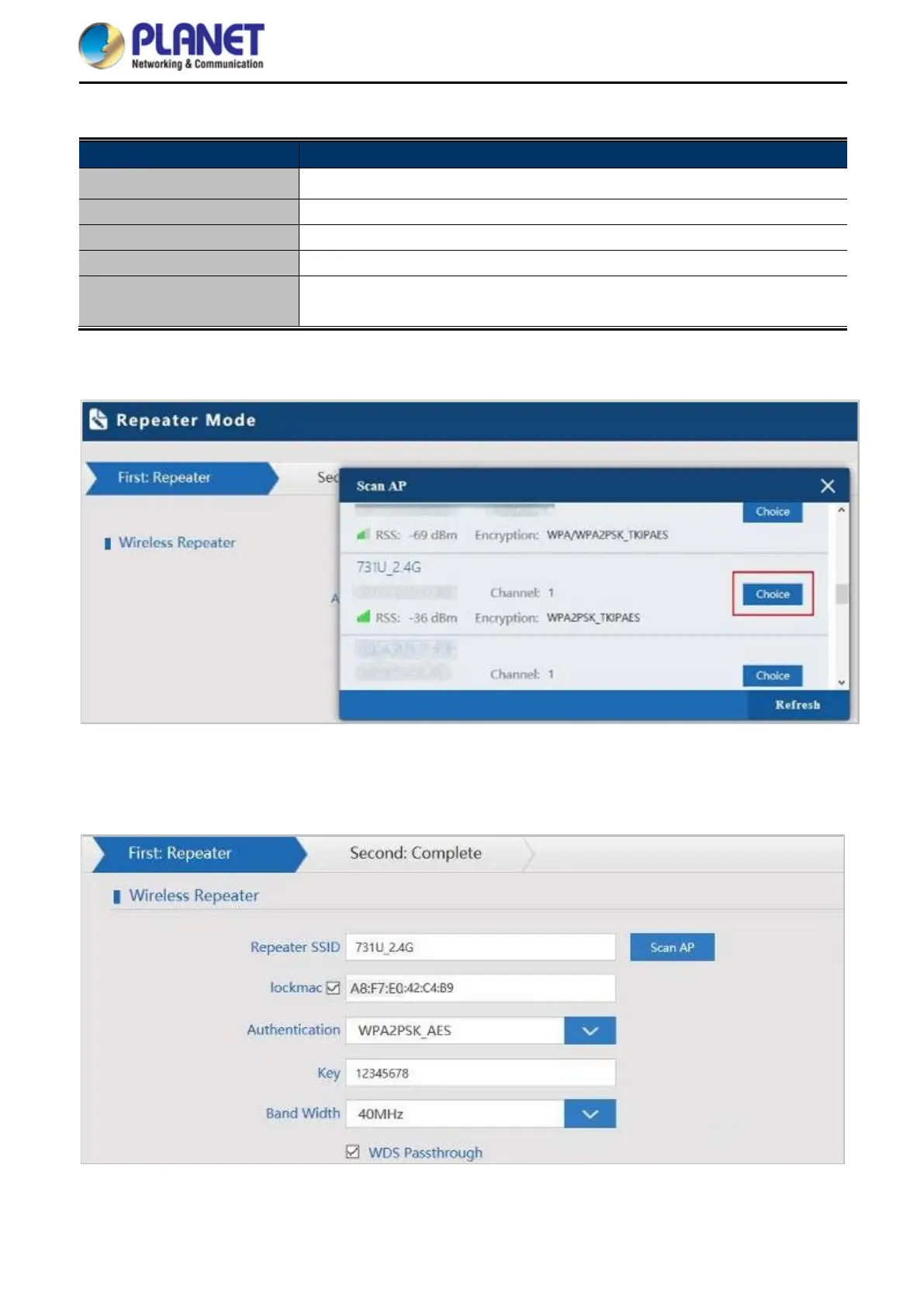
The page includes the following fields:
Object Description
Repeater SSID Enter the root AP’s SSID or press “Scan AP” to select
Lockmac
Check to lock the root AP’ MAC address
Authentication
Select the wireless encryption of root AP
Bandwidth Select the operating channel width, “20MHz” or “40MHz”
WDS Passthrough
Check to enable WDS to pass through if the root AP is the same model as
client
Press Scan AP to show the root AP that you need to repeat and press Choice to select the AP.
Figure 5-9 Repeater Mode - Scan AP
Select the authentication and bandwidth which are the same as root AP to establish the connection.
Figure 5-10 Repeater Mode - Select AP














 To Next Page