User Manual of WAP-252N/WAP-552N
-79-
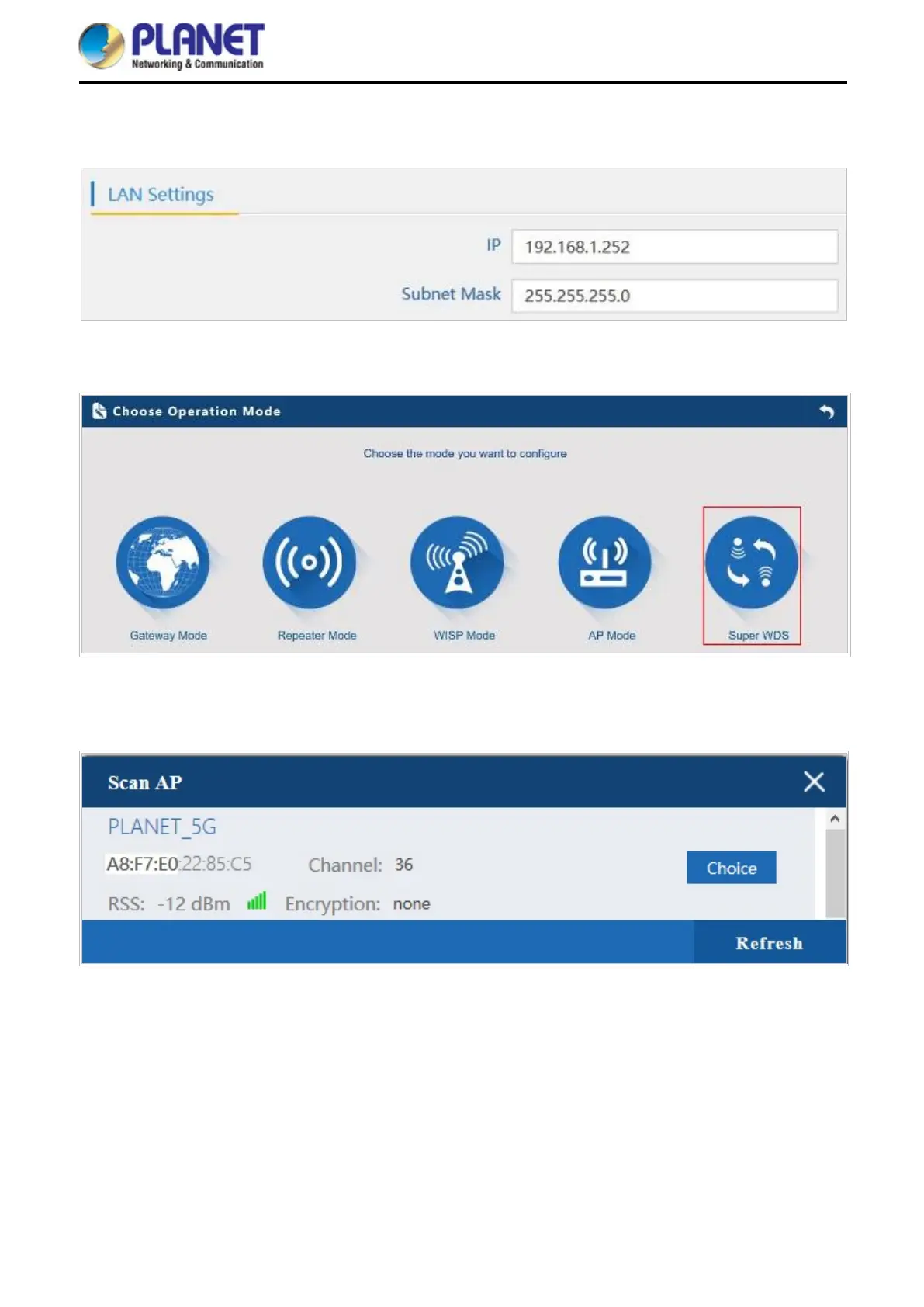
Step 2. In AP-2, change the default IP to the same IP range but different from AP-1. In this case, the IP is
changed to 192.168.1.252.
Step 3. In both APs, go to “Wizard” to configure it in Super WDS Mode.
Step 4. Go to “Wireless” and press Scan AP to search the other AP. You can also enter the MAC address and
SSID if you know what they are.














 To Next Page