User’s Manual of WGSW-24040 / WGSW-24040R
SGSW-24040 / SGSW-24040R
71
4.3.3 SNMP System Information Configuration
The switch system information is provided here.
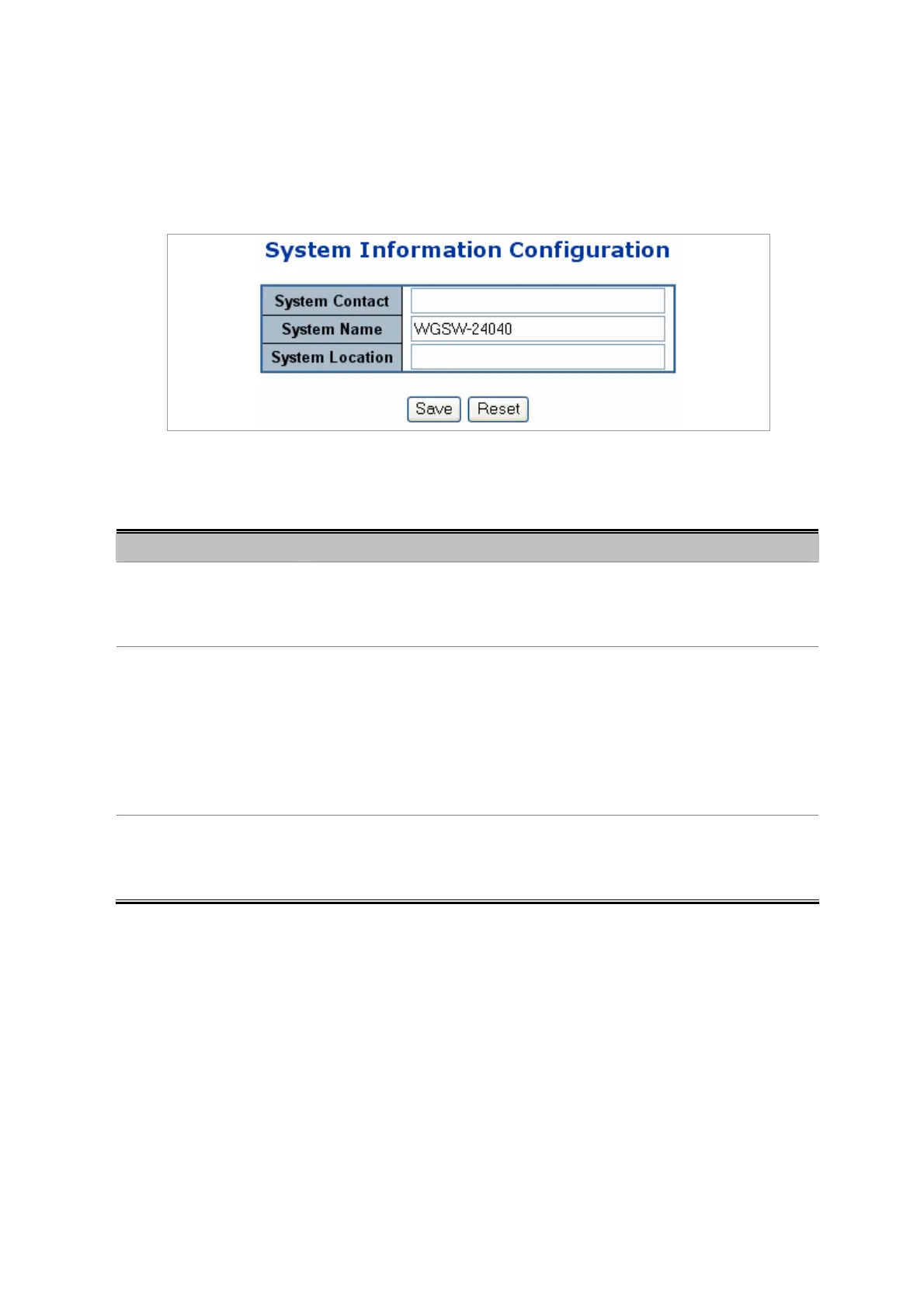
The System Information Configuration screen in Figure 4-3-2 appears.
Figure 4-3-2 System Information Configuration page screenshot
The page includes the following fields:
Object Description
• System Contact
The textual identification of the contact person for this managed node, together
with information on how to contact this person. The allowed string length is 0 to
255, and the allowed content is the ASCII characters from 32 to 126.
• System Name
An administratively assigned name for this managed node. By convention, this is
the node's fully-qualified domain name. A domain name is a text string drawn
from the alphabet (A-Za-z), digits (0-9), minus sign (-). No space characters are
permitted as part of a name. The first character must be an alpha character. And
the first or last character must not be a minus sign. The allowed string length is 0
to 255.
• System Location
The physical location of this node(e.g., telephone closet, 3rd floor). The allowed
string length is 0 to 255, and the allowed content is the ASCII characters from 32
to 126.
4.3.4 SNMP Trap Configuration
Configure SNMP trap on this page.
The SNMP Trap Configuration screen in Figure 4-3-3 appears.



 To Next Page
 Loading...









