User’s Manual of WNRT-627
-136-
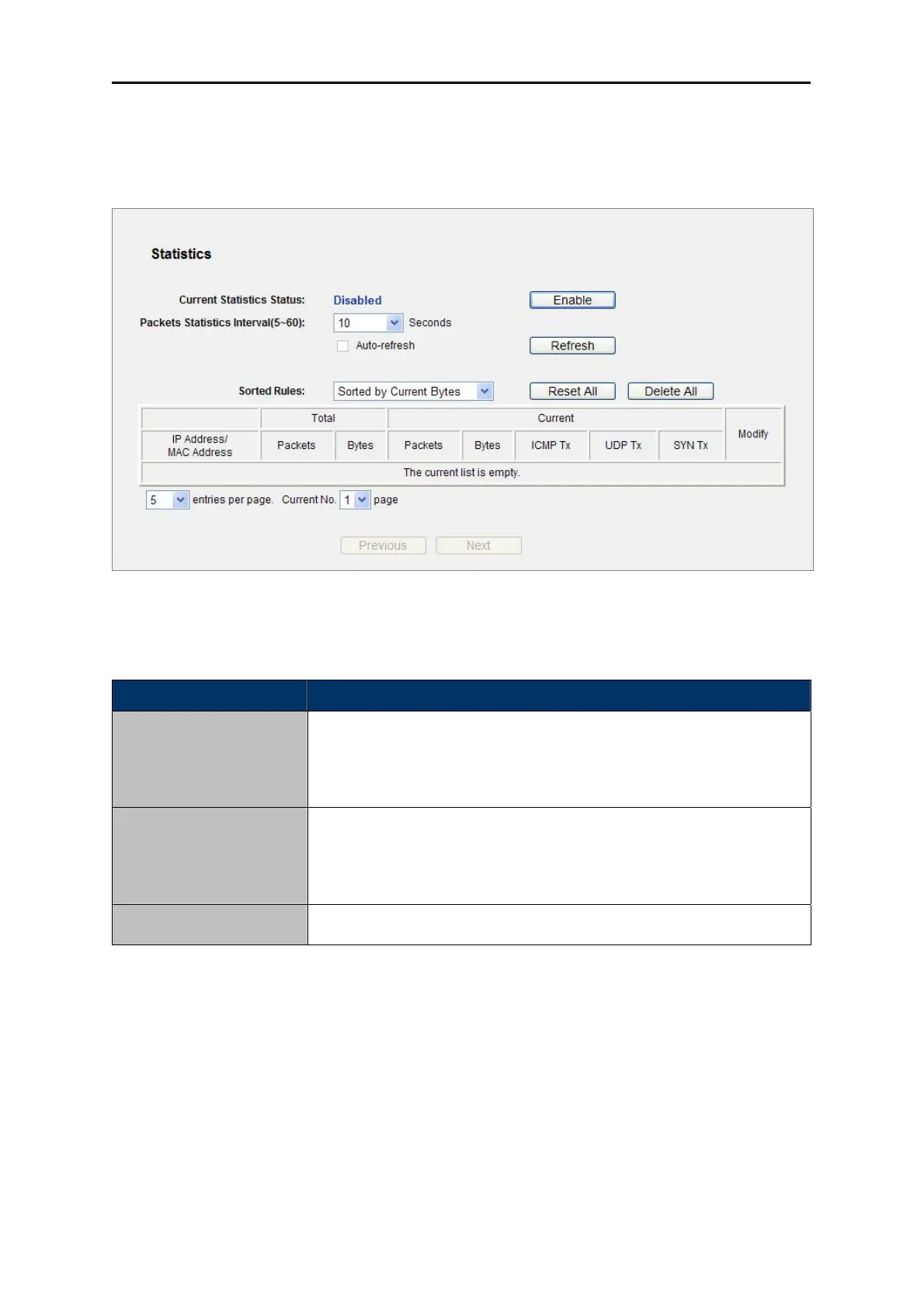
5.17.9 Statistics
Choose menu “System Tools → Statistics”, and you can view the statistics of the Router, including
total traffic and current traffic of the last Packets Statistic Interval.
Figure 5-97 Statistics
The page includes the following fields:
Object Description
Current Statistics Status
Enable or Disable. The default value is disabled. To enable, click the
Enable button. If disabled, the function of DoS protection in Security
settings will disabled.
Packets Statistics Interval
(5-60)
The default value is 10. Select a value between 5 and 60 seconds in the
pull-down list. The Packets Statistic interval indicates the time section of
the packets statistic.
Choose ho
w displayed statistics are sorted.
Sorted Rules
Table 5-46
Select the Auto-refresh checkbox to refresh automatically.
Click the Refresh button to refresh immediately.
Click Reset All to reset the values of all the entries to zero.
Click Delete All to delete all entries in the table.



 To Next Page