User’s Manual of WNRT-627
-91-
Click the Save button to save your settings.
If your PC is blocked but you want to access the Router again, use a pin to press
and hold the Reset Button (hole) on the back panel for about 5 seconds to reset
the Router’s factory defaults on the Router’s Web-Based Utility.
5.10.4 Remote Management
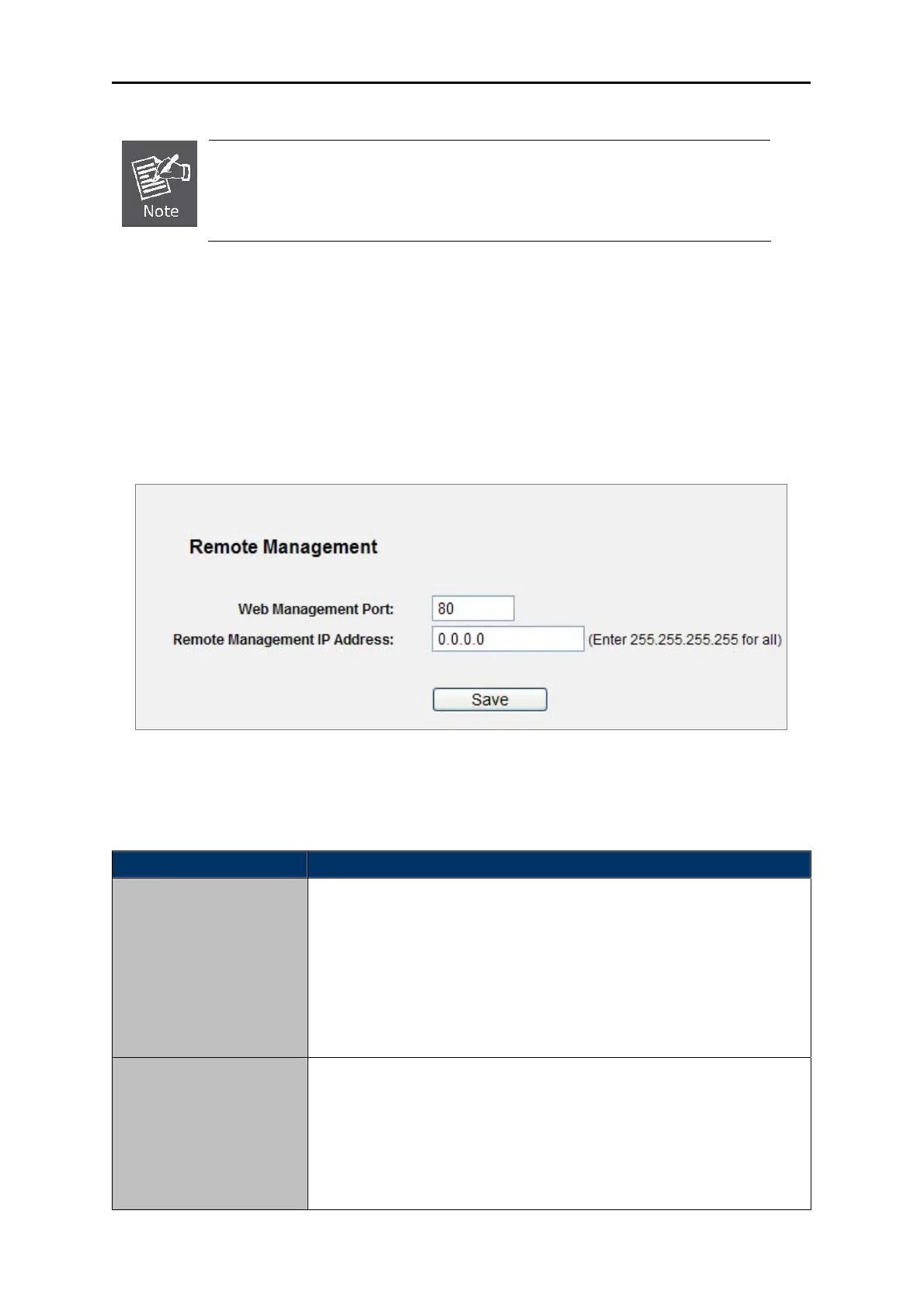
Choose menu “Security → Remote Management”, and you can configure the Remote Management
function in the screen as shown in Figure 5-47. This feature allows you to manage your Rou
ter from a
remote location via the Internet.
Figure 5-47 Remote Managem
ent
The page includes the following fields:
Object Description
Web Management Port
Web browser access normally uses the standard HTTP service port
80. This Router's default remote management web port number is 80.
For greater security, you can change the remote management web
port to a custom port by entering that number in the box provided.
Choose a number between 1 and 65534 but do not use the number of
any common service port.
Remote Management IP
Address
This is the current address you will use when accessing your Router
from the Internet. This function is disabled when the IP address is set
to the default value of 0.0.0.0. To enable this function change 0.0.0.0 to
a valid IP address. If set to 255.255.255.255, then all the hosts can
access the Router from internet.



 To Next Page