User’s Manual of WNRT-627
-17-
Chapter 2. Hardware Installation
Please follow the instructions below to build the wireless network connection between WNRT-627 and your
computers.
2.1 Hardware Description
2.1.1 The Front Panel
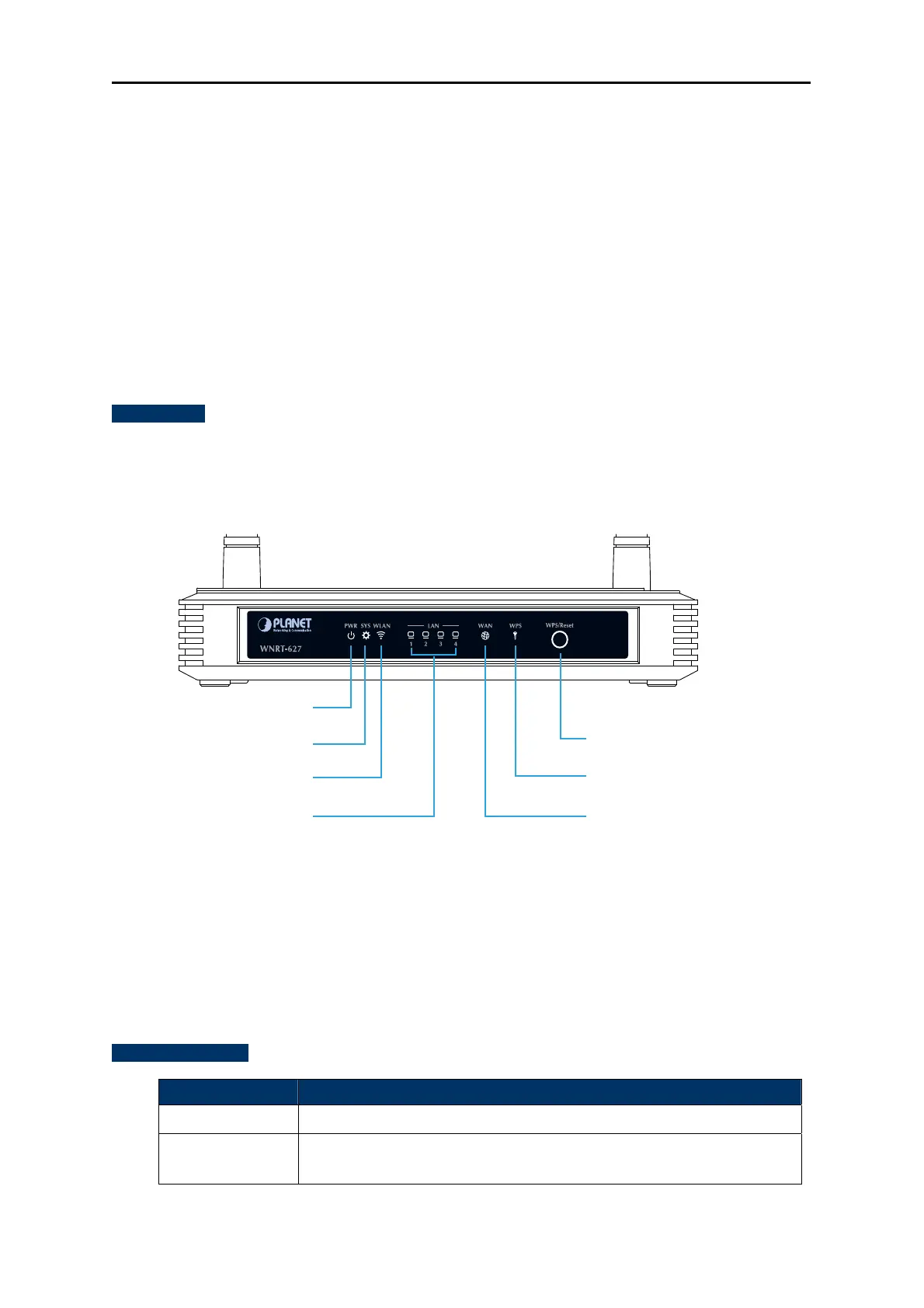
The front panel provides a simple interface monitoring the router. Figure 2-1 shows the front panel of
WNRT-627.
Front Panel
Figure 2-1 WNRT-627 LED
WPS/Reset Button
ACTIVE TIME
WPS
Press and hold the button for less than 5 seconds for WPS configuration
Reset Press and hold the button for more than 8 seconds for the factory default
setting
Power LED
System LED
Wireless LED
WPS Function LED
WPS/Reset Button
WAN Port Status LED
LAN1~LAN4 LED



 To Next Page