User’s Manual of WNRT-627
-138-
6.1
Chapter 6. Quick Connection to a Wireless Network
Windows XP (Wireless Zero Configuration)
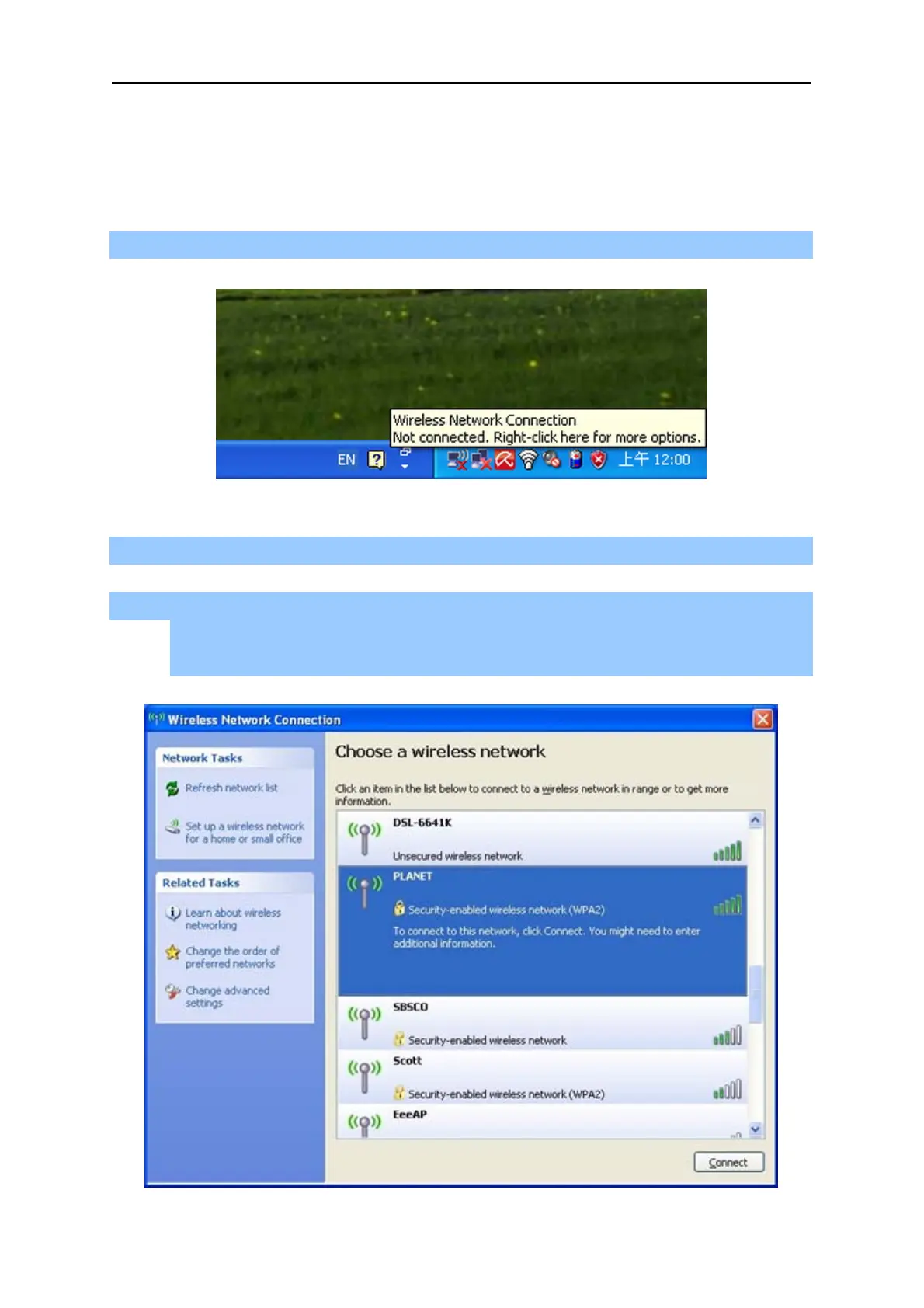
Step 1: Right-Click on the wireless network icon displayed in the system tray
Figure 6-1 Wireless Zero Configuration
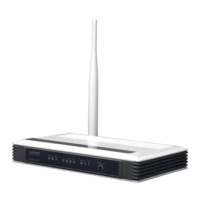
Step 2: Select [View Available Wireless Networks]
Step 3: Highlight and select the wireless network (SSID) to connect
(1) Select SSID [PLANET]
(2) Click the [Connect] button
Figure 6-2 Choose a wireless network



 To Next Page