User’s Manual of WNRT-627
-140-
Some laptops are equipped with a “Wireless ON/OFF” switch for the internal
wireless LAN. Make sure the hardware wireless switch is switch to “ON” position.
6.2 Windows 7 (WLAN AutoConfig)
WLAN AutoConfig service is built-in in Windows 7 that can be used to detect and connect to wireless
network. This built-in wireless network connection tool is similar to wireless zero configuration tool in
Windows XP.
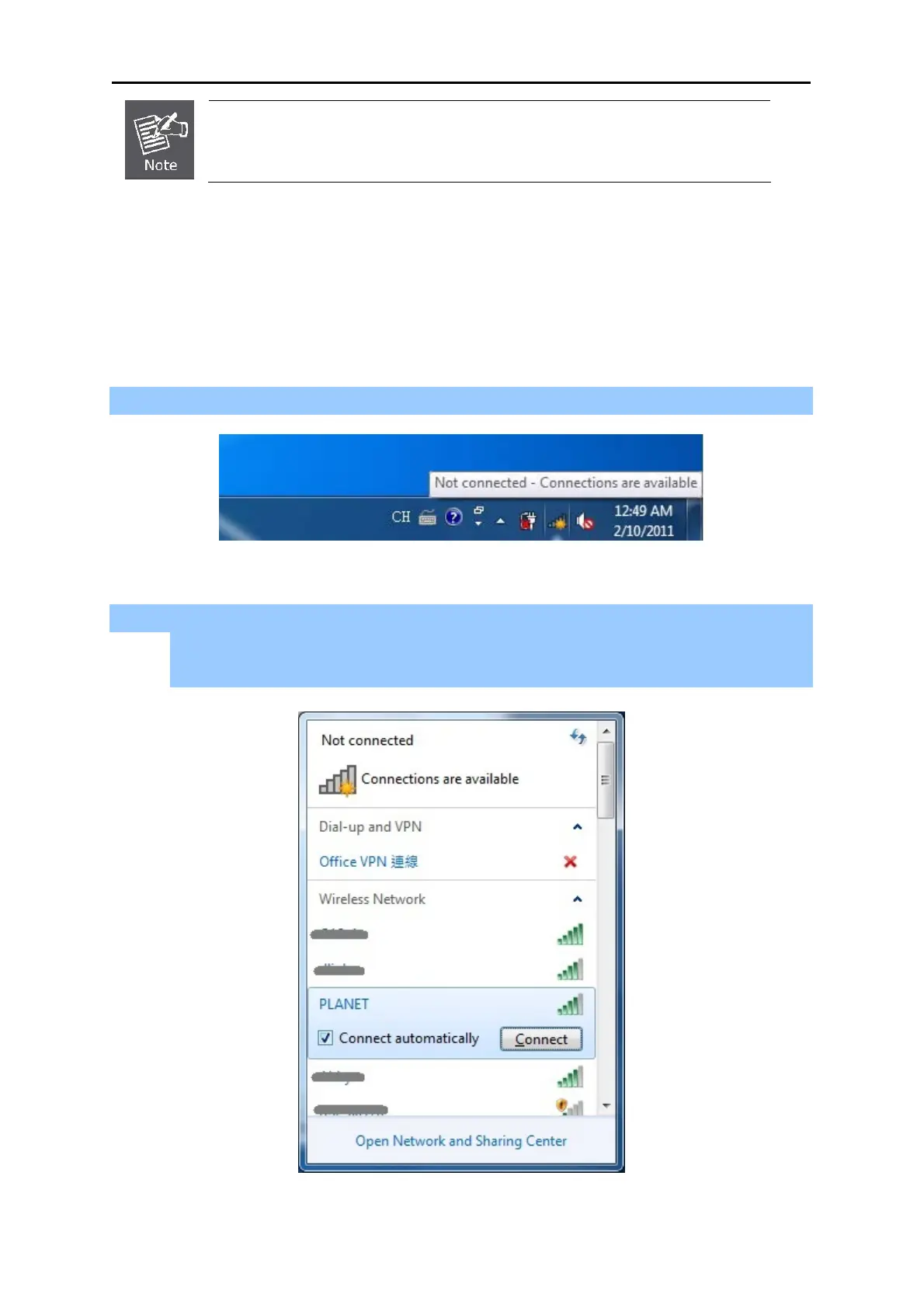
Step 1: Right-Click on the network icon displayed in the system tray
Figure 6-5 WLAN AutoConfig
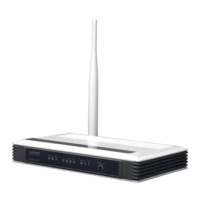
Step 2: Highlight and select the wireless network (SSID) to connect
(1) Select SSID [PLANET]
(2) Click the [Connect] button
Figure 6-6 WLAN AutoConfig window



 To Next Page