User’s Manual of WNRT-627
-146-
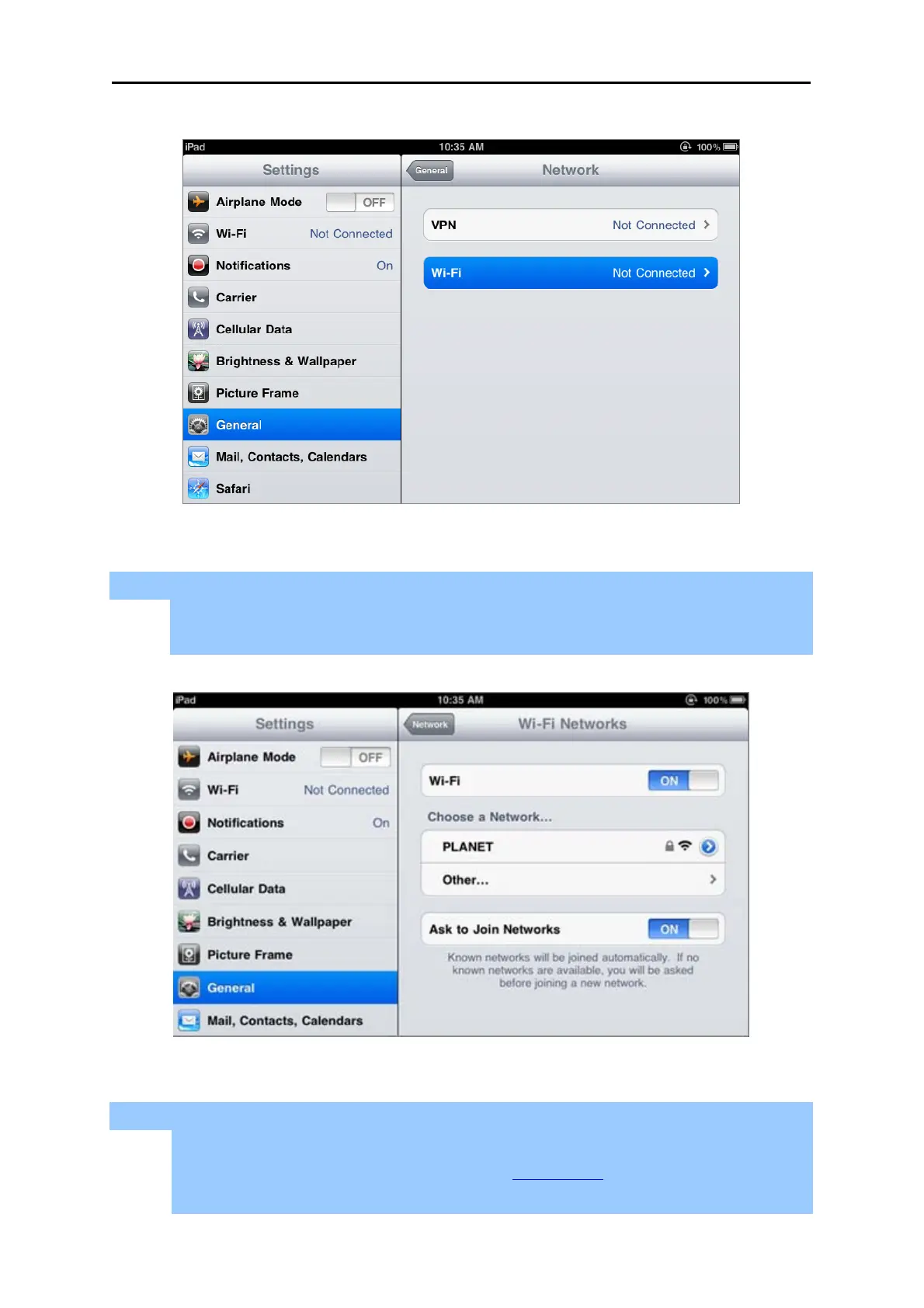
Figure 6-16 General Settings – Not Connected
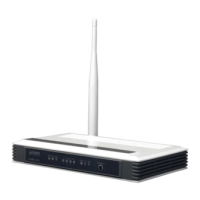
Step 3: Tap the target wireless network (SSID) in “Choose a Network…”
(1) Turn on Wi-Fi by tapping “Wi-Fi”
(2) Select SSID [PLANET]
Figure 6-17 General Settings – Wi-Fi On
Step 4: Enter the encryption key of the Wireless Router
(1) The password input screen will be displayed
(2) Enter the encryption key that is configured in Section 5.6.2
(3) Tap the [Join] button



 To Next Page