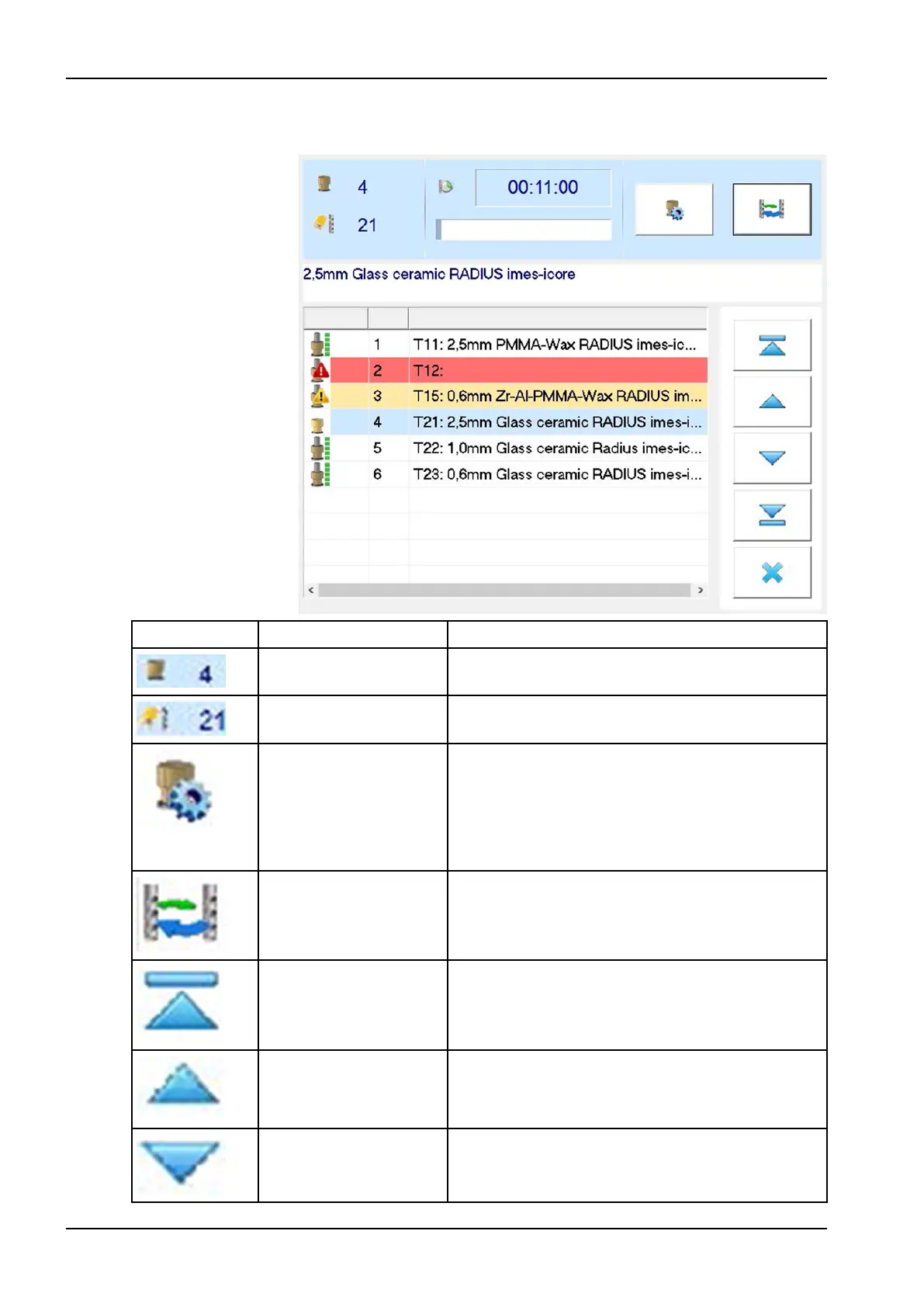
The representation of the tools in the software takes place by means of the
tool fields which exhibit the following functions and representations:
Symbol Designation Description
Tool position The tool position number is shown in this field.
Tool type The tool type is shown in this field.
Edit tool field For editing the respective tool field.
If the milling tool is in use, this symbol is deactivated.
This button opens a new window where information,
such as tool length, service time, etc. is displayed
(see section "Edit tool field" on page 71 for more
information).
Change tool Performs a tool change. The tool in the collet chuck is
replaced by the selected tool.
Navigation arrow (ten
steps up)
For navigating upwards through the tool list, ten steps
at a time.
Navigation arrow (one
step up)
For navigating upwards through the tool list in single
steps.
Navigation arrow (one
step down)
For navigating down through the tool list in single
steps.
9 Control software
68 Planmeca PlanMill 50 S User's manual














 To Next Page