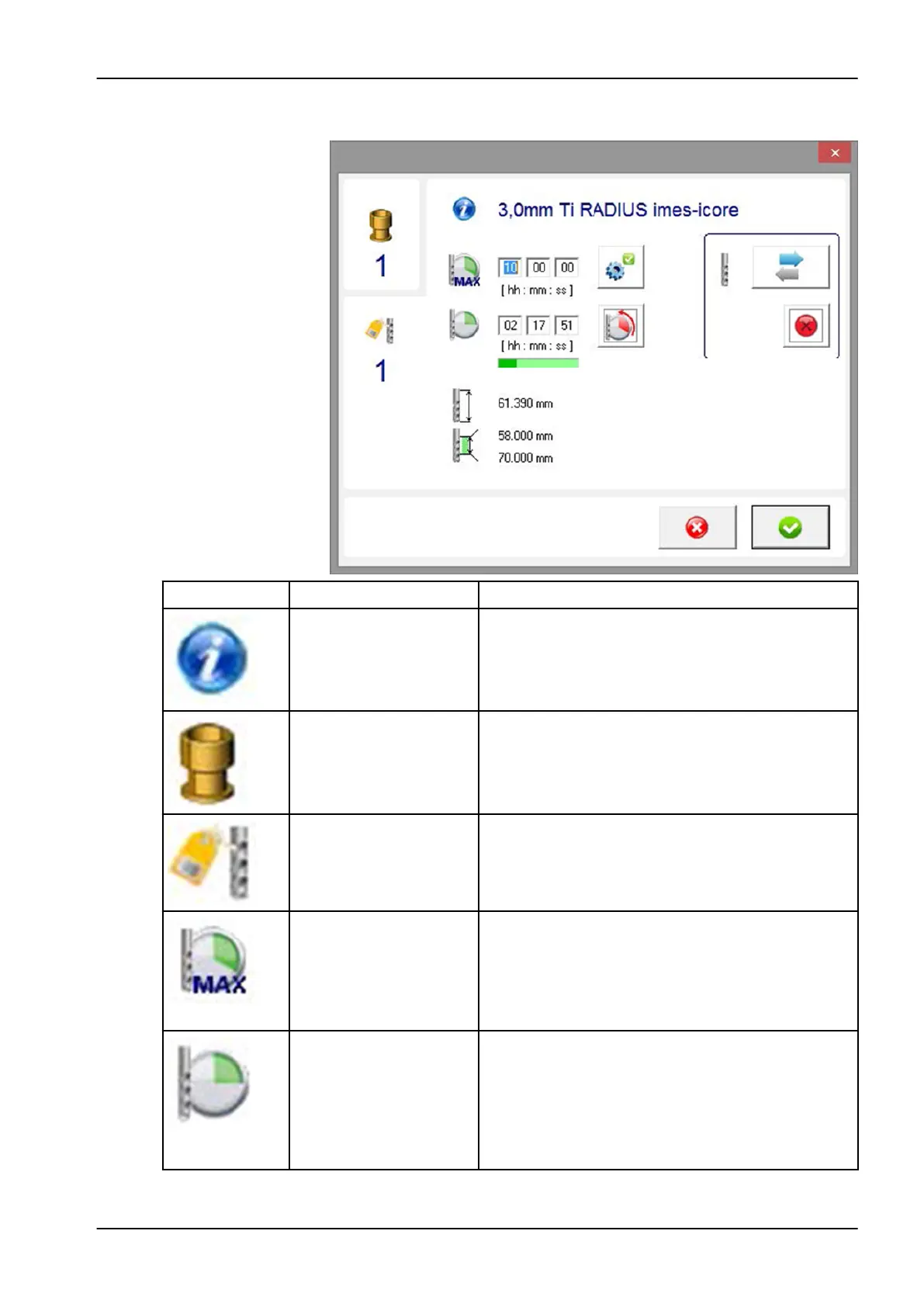
9.5 Edit tool field
Symbol Designation Description
Tool information Indicates the current tool type.
Tool position Shows the current assigned tool position.
Tool type Shows the current tool type number.
Maximum tool life (tool
service life)
It is possible to change the maximum service life of a
tool here. Planmeca specifies a suitable tool service
life. This service life is based on many years of
experience and should not be changed. However, the
service life can be specifically adjusted here under
your own responsibility.
Tool life (tool service life) The service life displayed is the actual service life of
the tool. The service life can be manually adjusted
with an entry. However, overrunning this time can
lead to an increase in quality problems when milling
(e.g. chipping on zirconium dioxide). After making an
entry in the Tool type field, the service life is reset
automatically.
9 Control software
User's manual Planmeca PlanMill 50 S 71














 To Next Page