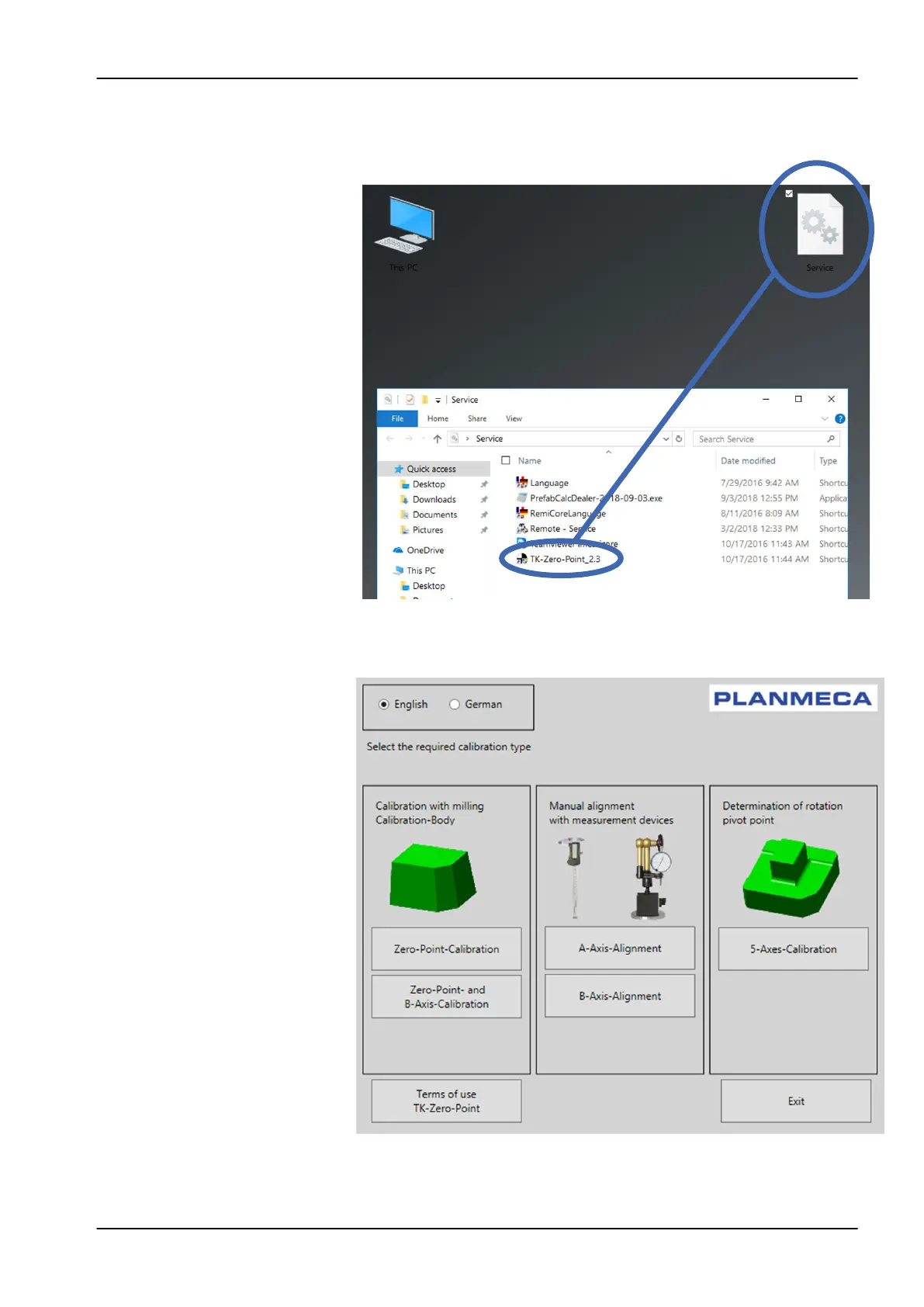
4. Inside the Service folder you will find some shortcuts to different service
layers and service tools.
5. Double-click the TKZeroPoint option.
6. In the appearing Select the required calibration type window, click Zero-
Point-and-B- Axis-Calibration button.
11 Preventive maintenance
User's manual Planmeca PlanMill 50 S 91














 To Next Page