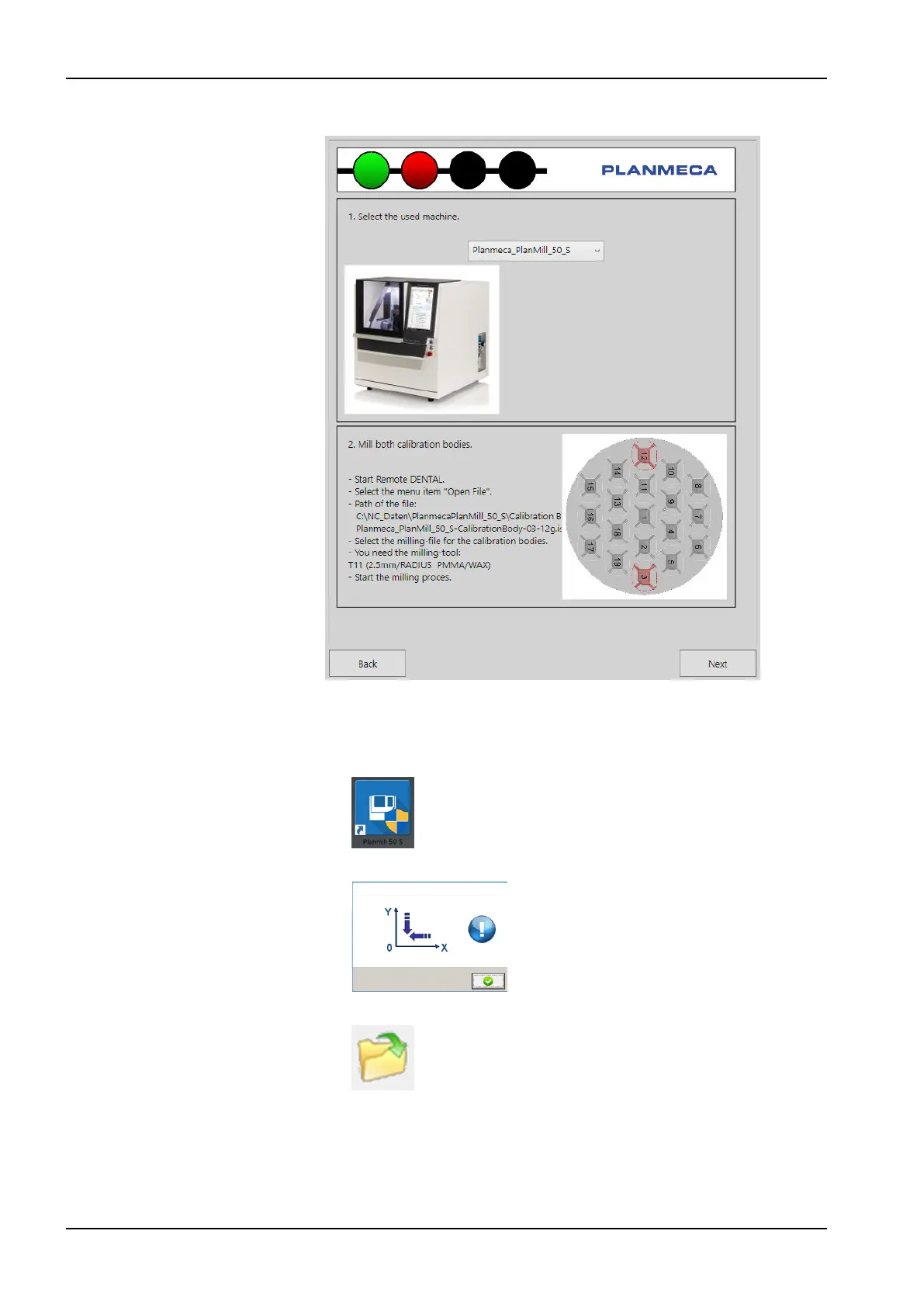
7. Select PlanMill 50 S from the Select the used machine drop-down menu.
As instructed in under the 2. Mill both calibration bodies phase, do the
following before continuing this dialog:
1. Start Remote DENTAL by double-clicking the PlanMill 50 S icon on
the desktop.
2. Click the green Confirm button to start the automatic reference run.
3. Select the Open button from the tool bar.
4. Browse and select the file:
C:\NC_Daten\Planmeca Plan Mill 50 S\PlanMill50-S-
CalibrationBody\PlanMill50-
CalibrationBody-03-12g.iso
11 Preventive maintenance
92 Planmeca PlanMill 50 S User's manual














 To Next Page