48
POSEIDON M28 USER MANUAL
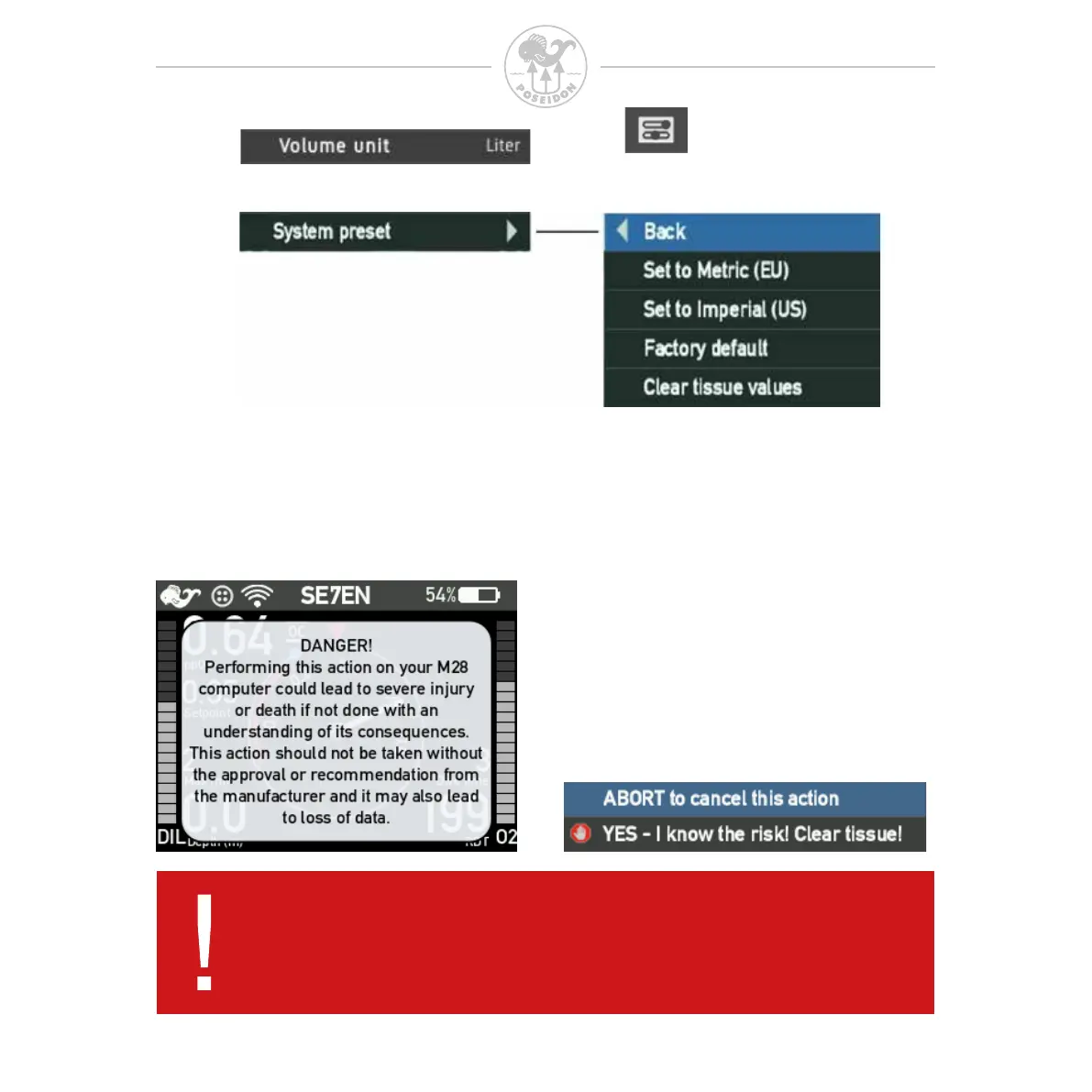
This is a quick way to set all the unit to be displayed into either Metric (EU)
or Imperial (US) units.This will only affect the displayed unit settings.
Use the “Factory default” to reset the settings back to factory settings.
This will not erase any dive log, redbox log or any pictures, only set the
settings back to default.
Clear tissue values resets the decompression model data.
Switch displayed tank volume unit between liter (metric) and cubic feet (imperial).
DANGER:
Resetting tissues on your M28 computer could lead to severe injury
or death if not done with an understanding of its consequences. This
action should not be taken without the approval or recommendation
from the manufacturer and it may also lead to loss of data.



 To Next Page