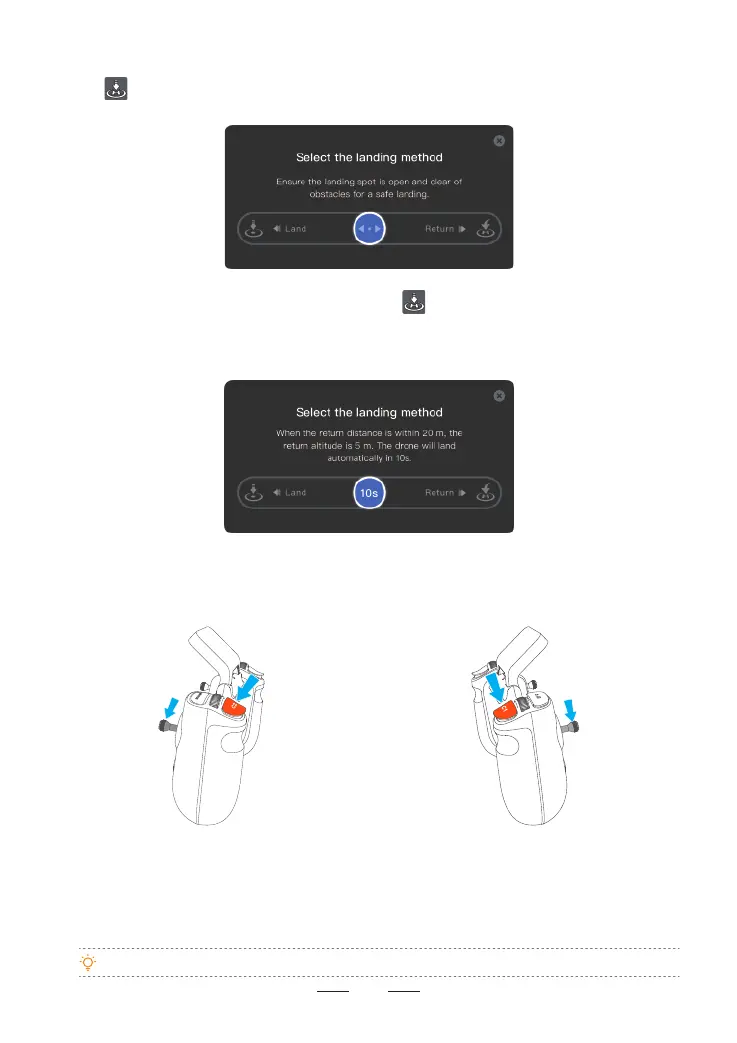
If the drone is within 20 m of the HOME point and you tap , a "Select the landing method" pop-up
window will appear. If you swipe left, the drone will land immediately. If you swipe right, the drone will initiate
RTH, with a minimum return altitude of 5 m. The drone will land automatically if no action is taken after a
countdown of 10 seconds. Please ensure safety during this process.
Auto Landing
Tap on the ight inteace of the Potensic Eve App, and a "Select the landing method" pop-up window
will appear. Swipe left to initiate auto landing and right to initiate RTH.
40
•Takeo with One Hand is unavailable when the control stick mode is Custom.
8.7.3 Takeo with One Hand
In the Potensic Eve App, go to Settings > Safety > General Settings to enable/disable the Takeo with One
Hand feature. After enabling, users can unlock the motors and take o the drone with one hand.
When the control stick mode is Mode 1 (right
hand throttle), press the C2 button and
simultaneously pull down the right control stick
for 2s to unlock the motors. Release the control
stick rst to take o; otherwise, release the C2
button rst to stop the propellers from spinning.
When the control stick mode is Mode 2 (left
hand throttle), press the C1 button and
simultaneously pull down the left control stick
for 2s to unlock the motors. Release the control
stick rst to take o; otherwise, release the C1
button rst to stop the propellers from spinning.



 To Next Page