Auto Takeo
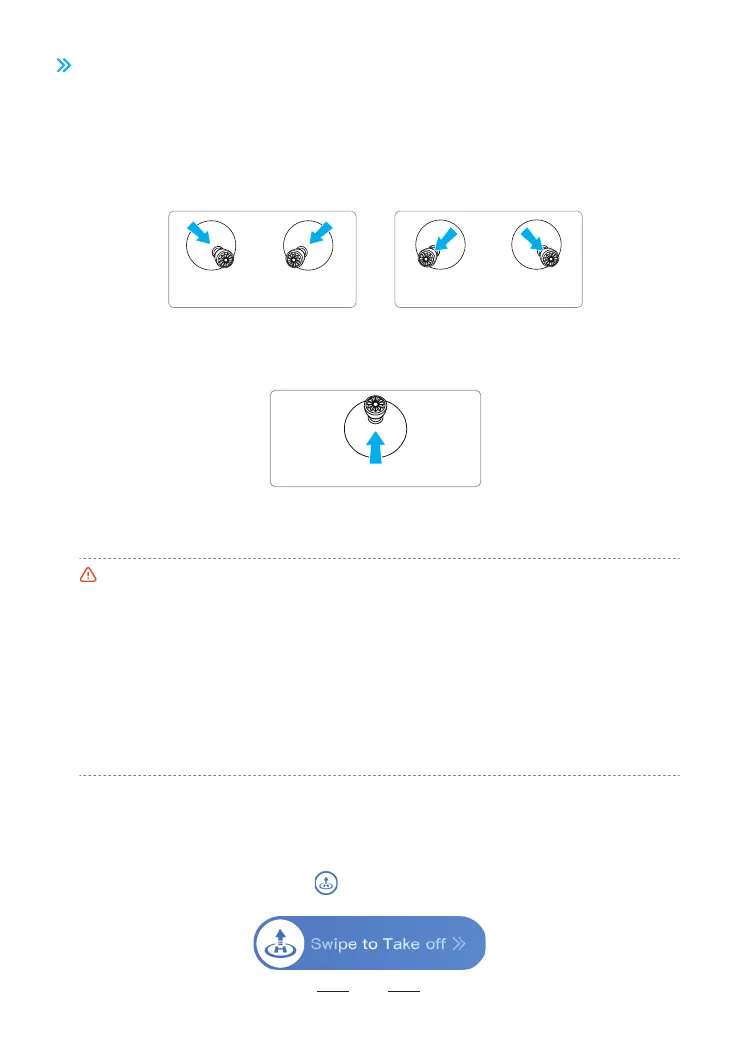
Press and hold any blank area on the ight inteace of the Potensic Eve App, and a "Swipe to Take o"
pop-up window will appear. After swiping , the drone will automatically take o, hovering at a height of
1.2 m.
8.7.2 Auto Takeo/Landing
8.7 Takeo/Landing/Hovering
8.7.1 Manual Takeo/Landing
Step 1: Sta the motors
Use a combination stick command to sta the motors. Push both sticks to the bottom inner or outer corner
depending on your control stick mode to sta the motors. Release both sticks simultaneously once the
motors are spinning.
•To ensure ight safety, avoid ying near airpos, highways, train stations, power towers, or densely
populated areas, and t to y within visual line of sight.
•For beginners, it is recommended to always stand or walk facing the rear of the drone, which helps
obsee the drone's ight status and respond to emergencies, improving safety during practice.
•When taking o, always place the drone on a stable, xed suace. Handheld or palm takeo and
landing are not suppoed.
•Avoid taking o with low batte level, as low-batte ights may reduce batte life. If you must
force takeo, proceed cautiously and accept any potential risks.
•When the drone is ve close to the ground, ailow may prevent stable hovering. Ensure the drone's
altitude exceeds 0.5 m.
•In the event of an emergency landing where the drone does not lock automatically, pull the throttle
down to its limit for 3 seconds to forcibly lock the drone.
Landing
Pull the throttle control stick until the drone lands on ground. Release the throttle control stick when the
motors are no longer spinning.
Throttle control stick
Left
control stick
Right
control stick
Left
control stick
Right
control stick
or
Takeo
Step 2: Push throttle control stick to take o
Push the throttle control stick upwards gently as shown in the picture, release the control stick when the
drone leaves ground and it will keep hovering.
39



 To Next Page