1. Launch the drone and take o.
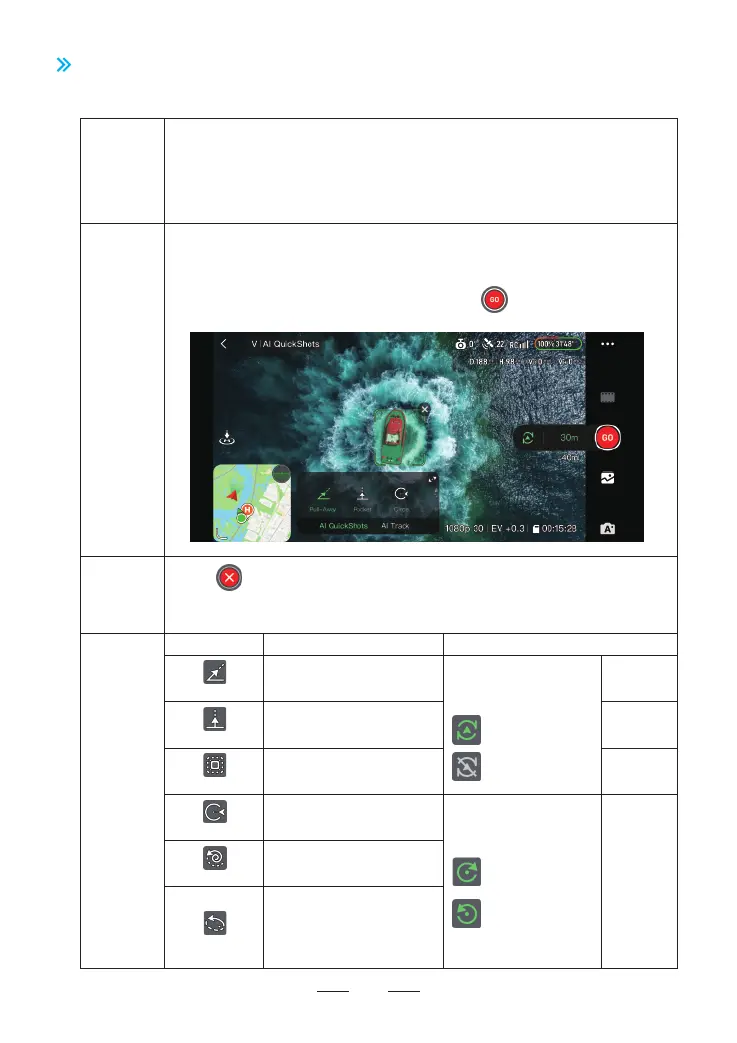
2. In video recording mode, drag-select the subject in the ight inteace of the Potensic
Eve App and a pop-up window will appear at the bottom, tap AI QuickShots.
3. Select a shooting mode and set the parameters. Tap and the drone will begin
recording.
44
8.9.1 AI QuickShots
8.9 Intelligent Flight Mode
Introduction
How to
Activate
How to Exit
AI QuickShots shooting modes include Pull-Away, Rocket, Circle, Spiral, Boomerang and
Dolly Zoom.
The drone records the target according to the selected shooting mode and automatically
generates a sho video. Users can preview the video in low resolution in Album and view
the high resolution version after downloading.
1. Tap on the right of the ight inteace to exit AI QuickShots.
2. Toggle any control stick or press once the RTH button on the remote controller to
exit AI QuickShots.
Explanation
Mode Description Adjustable Parameter
Pull-Away
Rocket
Circle
Spiral
Boomerang
The drone ies backward and
ascends with the camera locked
on the subject.
The drone ascends veically with
the camera pointing downward
at the subject.
The drone circles around the
subject staing from current
position.
Return to the staing point
after nishing recording?
Yes
No
Distance
Relative
altitude
Number of
laps (choose
from 1-3)
Flight direction
(clockwise/counterclockwise)
Clockwise
Counterclockwise
The drone ascends and spirals
around the subject.
The drone ies around the subject
in an oval path, ascending as it
ies away from its staing point
to the fahest distance and
descending as it ies backward.
Backward
distance
Dolly Zoom
The drone ies backward
horizontally while increasing
the digital zoom ratio.



 To Next Page