18
PowerBox-Systems − World Leaders in RC Power Supply Systems
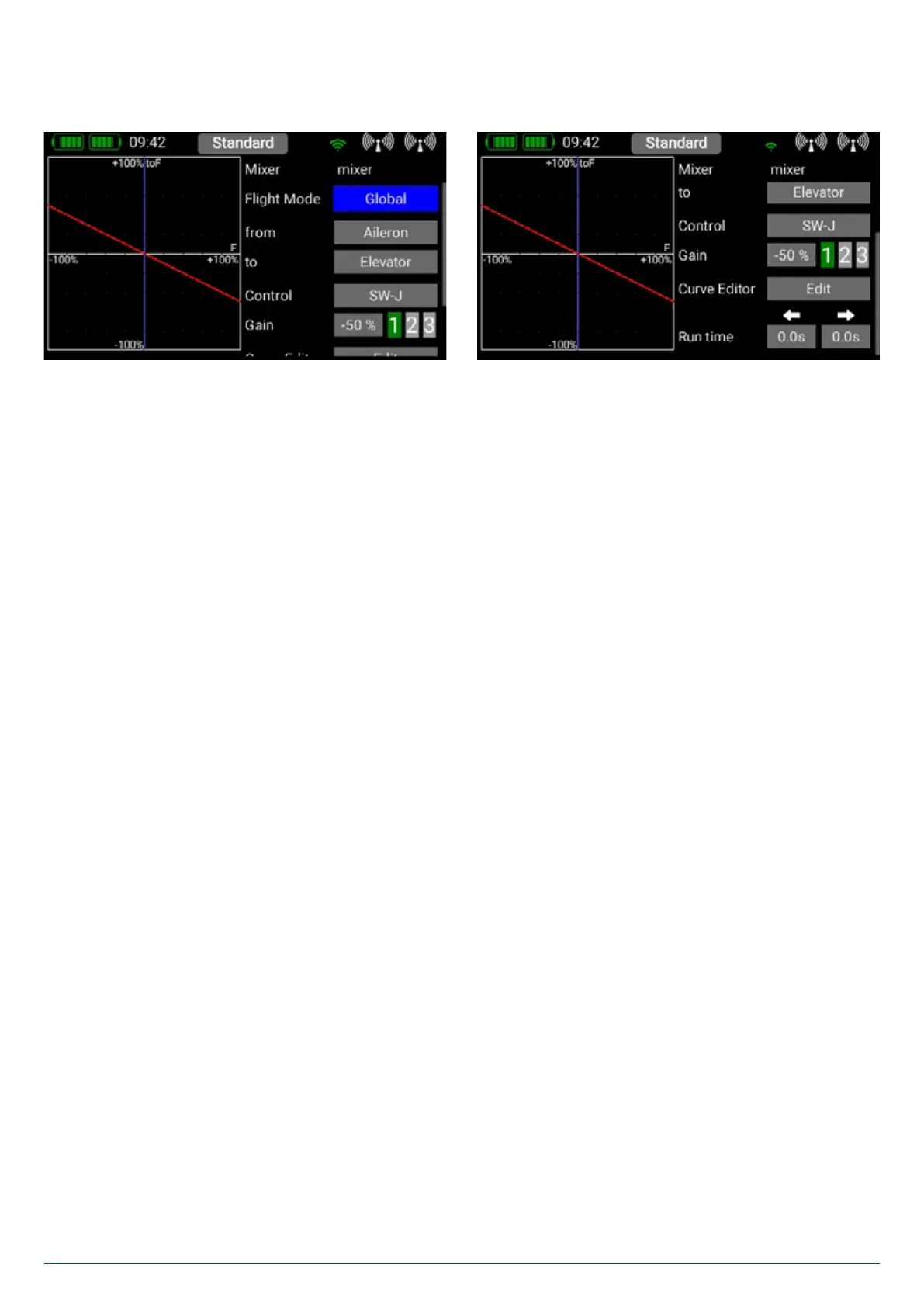
You can create a new mixer by selecting the Mixer menu and pressing +. You can also immediately rename the Mixer to your own
choice by touching the Mixer button. Press the Setup button on the right in order to program the mixer. The following display
appears:
3.5.1. Flight Mode
As is the case with the transmitter controls and trims, the mixers also include the option of programming mixed functions from one
transmitter control to another separately for each flight mode. If you select the Global setting, the mixer will be identical in all flight
modes, and also if you are not using flight modes. Select Single if you wish the mixer to be effective only in particular flight modes.
3.5.2. From/To
The first step is to select the source function under From, and the target function under To.
3.5.3. Transmitter control
At this point you should select a switch, stick or proportional control. You can then use it to activate the mixer, switch the input to
the three available levels (1-2-3), or set it to linear response. The default entry here is On, which means that a fixed mixer input is
set.
3.5.4. Gain
The Gain button is used to set the magnitude of the mixer. Selecting On at Transmitter control sets a fixed value. If you
assign a switch or proportional control at transmitter control, you can set different values on three levels; the level selected by the
transmitter control is shown in green. If you select a proportional control as transmitter control, the values are applied in a linear
fashion between the three levels.
3.5.5. Curve editor
The curve editor enables you to set up special mixing curves.
• Points
Select the number of points – up to a maximum of 33 points.
• Select Point
Use the arrow buttons to select the point you wish to adjust. The selected point turns green.


 To Next Page