49
www.powerbox-systems.com
8. Connections
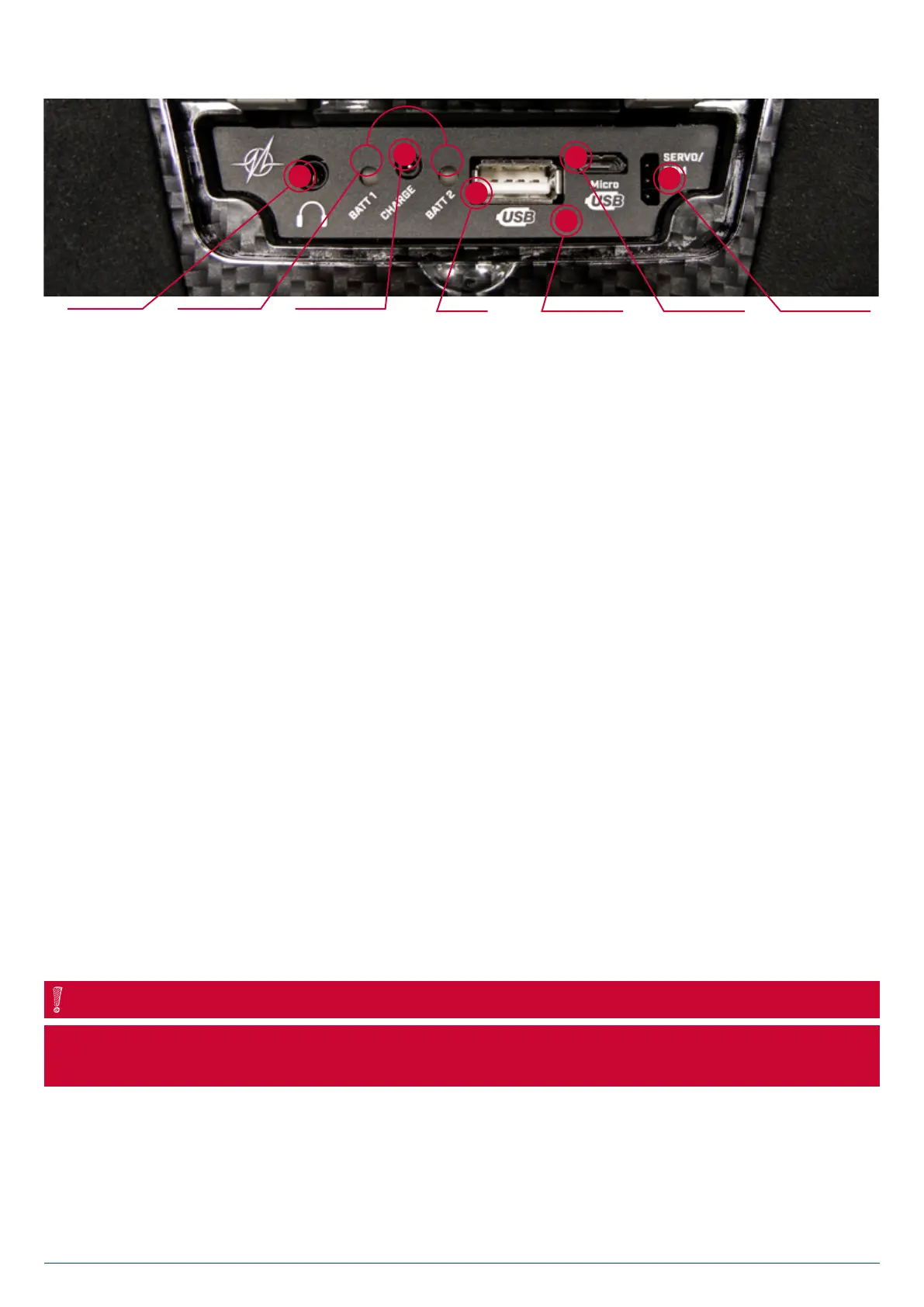
Under the flap you will find additional sockets:
• Headphone socket
You can connect stereo headphones to this socket for spoken Vario and telemetry messages.
• USB-A socket
A USB stick can be plugged in here. It can be used to update the radio control system, or copy data from the CORE to the
USB stick.
• Micro USB socket
For future applications
• Servo/PPM
This socket can be connected to servos, which then respond directly to the inputs of a transmitter stick. This can be very use-
ful for centering servos before installation, or subjecting them to a quick function check. This output is protected by a 1A fuse,
so it is not suitable for servo load tests! The socket can also be switched to P²-BUS output, in order to power external Varios or
recording devices with real-time telemetry from the model.
If the Teacher / Student function is activated, this output switches to act as input for the Student receiver‘s SRXL or S.BUS
signal.
9. Mechanical transmitter adjustments
• Removing the handrests
The handrests fitted to the CORE can be removed quickly and easily: simply undo the four socket-head screws in the feet, and
the handrests can be slid down and off.
Alcantara is not, as often supposed, natural leather, but a micro-fibre material. Alcantara is incredibly tough and durable, and
is very easy to maintain. If your handrests become soiled, simply rinse them clean using warm water and ordinary hand soap.
NOTE
Caution: If you clean the handrests, it is essential to allow them to dry out completely before re-attaching them to the transmitter,
otherwise damp could enter the transmitter and cause corrosion damage!
Headphone
socket
Charge status
LED
Charging socket
(10-16V)
USB-A socket Mikrophone input Micro USB
socket
Servo/PPM


 To Next Page