45
www.powerbox-systems.com
5. Update
5.1 CORE
The CORE transmitter can be updated using either a USB memory stick (1GB – 32GB) or WiFi.
5.1.1. USB Update
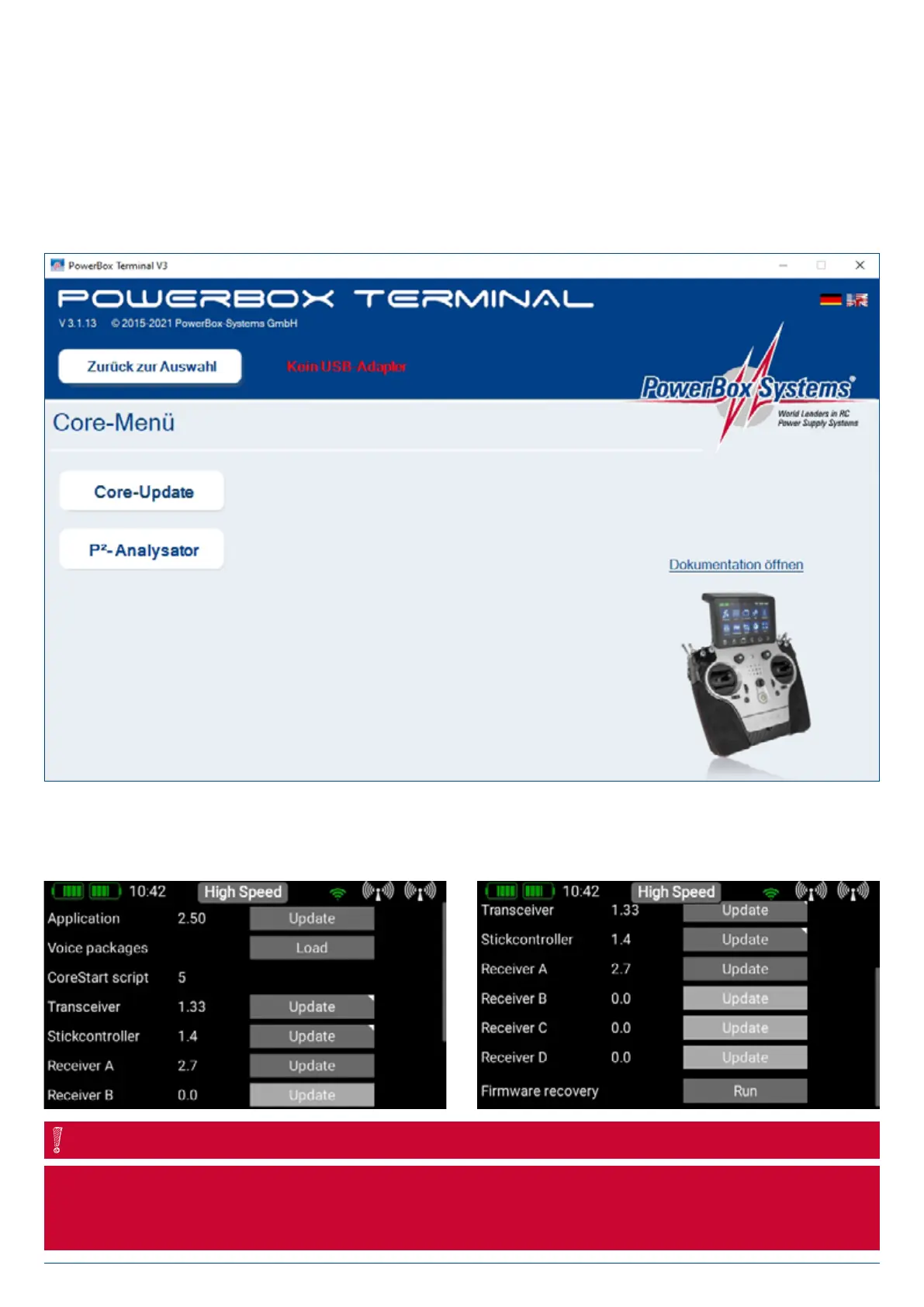
If you wish to update the transmitter, the first step is to download the PowerBox Terminal program from our website, and install
the program on your PC or laptop. Start the program and select CORE Update at top left.
Insert a USB stick in your PC, and follow the on-screen instructions. The USB stick will now be formatted, and all the essential data
copied onto it. Once that is finished, switch your CORE transmitter on and wait until it has booted up. Now insert the USB stick in the
CORE transmitter, move to the Settings > System > Software.
Check menu, and briefly press Update. Depending on which version is currently loaded in your CORE transmitter, it is ab-
solutely essential to observe the following procedure, otherwise the Linux system may crash, and you will need to return the
transmitter to our Service department. This problem has been cured with Version 1.6.
NOTE


 To Next Page