43
www.powerbox-systems.com
4.3 Servo display
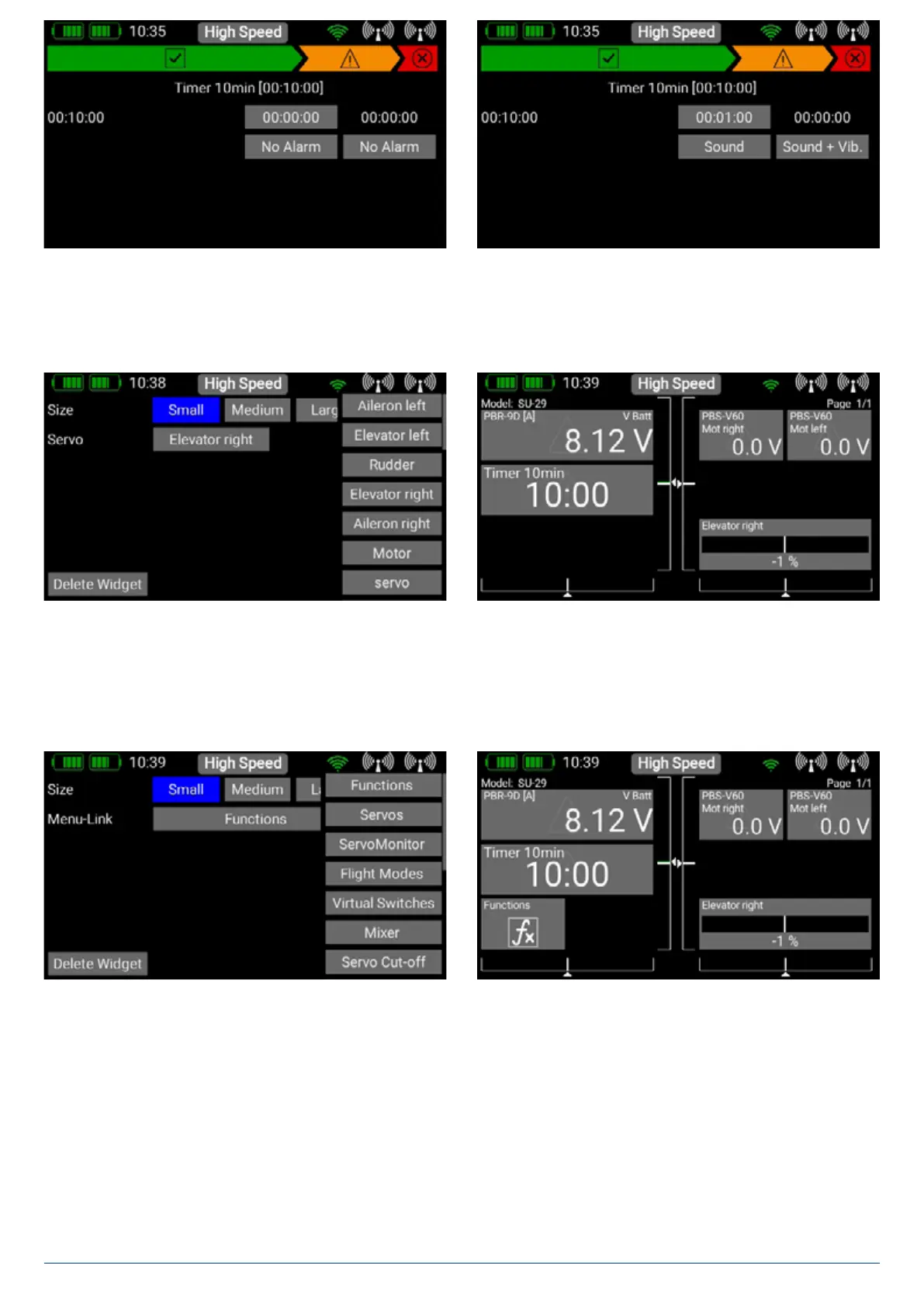
This widget can show the servo output position. An useful display for flaps or gyro gain.
4.4 Quick select menu
This widget type can give you a quick entry in menus which are used frequently.
If you want the timer to start once, and continue running until it is reset, you do not need to assign a transmitter control to
Stop. If the timer is required to start and stop alternately using a single transmitter control, simply set the same transmitter
control for Stop as you set for Start, then reverse the switching points.
NOTE
At Timer Name in the right-hand field you can give the timer any
name you like. Press the < button to return to the Overview.
Important: If you set up multiple timers, the widget only dis-
plays the timer with the light blue background.
The timer alarm is set in the field at far right. The first alarm can
be set to any time you wish: enter the time at which the initial
alarm is to be triggered. In the next field down, you can choose
between sound and vibration.
In the field at far right you can set the type of alarm which is to
be generated when the alarm period has elapsed.
The timer‘s speech output is set up in the Speech Output menu!
NOTE


 To Next Page