8
PowerBox-Systems − World Leaders in RC Power Supply Systems
• Language
The Language setting affects the output of speech and telemetry data. When the sensors are scanned, the selected language
is sent to the sensor, which then sends back the telemetry values using the terminology in that language - if implemented.
• Units
It is also important to set your preferred units of measurement: the system sends your choice of Metric or Imperial to the tele-
metry sensors, and the sensors then deliver all telemetry values using your preferred units, such as kilometers / miles or liters /
gallons.
• Software
The Software menu will be discussed later; the transmitter and receivers can be updated at this point.
• Servo/Data
The Servo / Data setting determines whether the 3-pin output under the cover generates a PWM servo signal to act as a servo
tester, or a real-time telemetry output in the P²BUS format. The latter makes the telemetry data from the model accessible at the
transmitter itself for further processing. Typical uses of this would be for recording devices or variometers with expanded functi-
ons used for Triangle competitions.
Since Version 2.35 this socket has acted as S.BUS or SRXL input for the Teacher / Student system. These two protocols can
be generated by the receivers used by virtually all radio control systems. This allows the Core’s Teacher / Student system to be
very flexible in operation, even in conjunction with low-cost Student transmitters made by a variety of manufacturers.
• FastStart
This feature stores the currently loaded model settings in the real-time computer when the transmitter is switched off. Next time
you switch on, you immediately have control of the model. The Linux computer boots in the usual way. Settings and trims are
only available once the Linux computer is running. This feature is extremely practical for competition work, or if you simply want
to extend or retract the undercarriage when rigging or dismantling the model.
• Calibration
Another important point is the Calibration menu; this is described in full at a later stage.
3.1.2. Screen
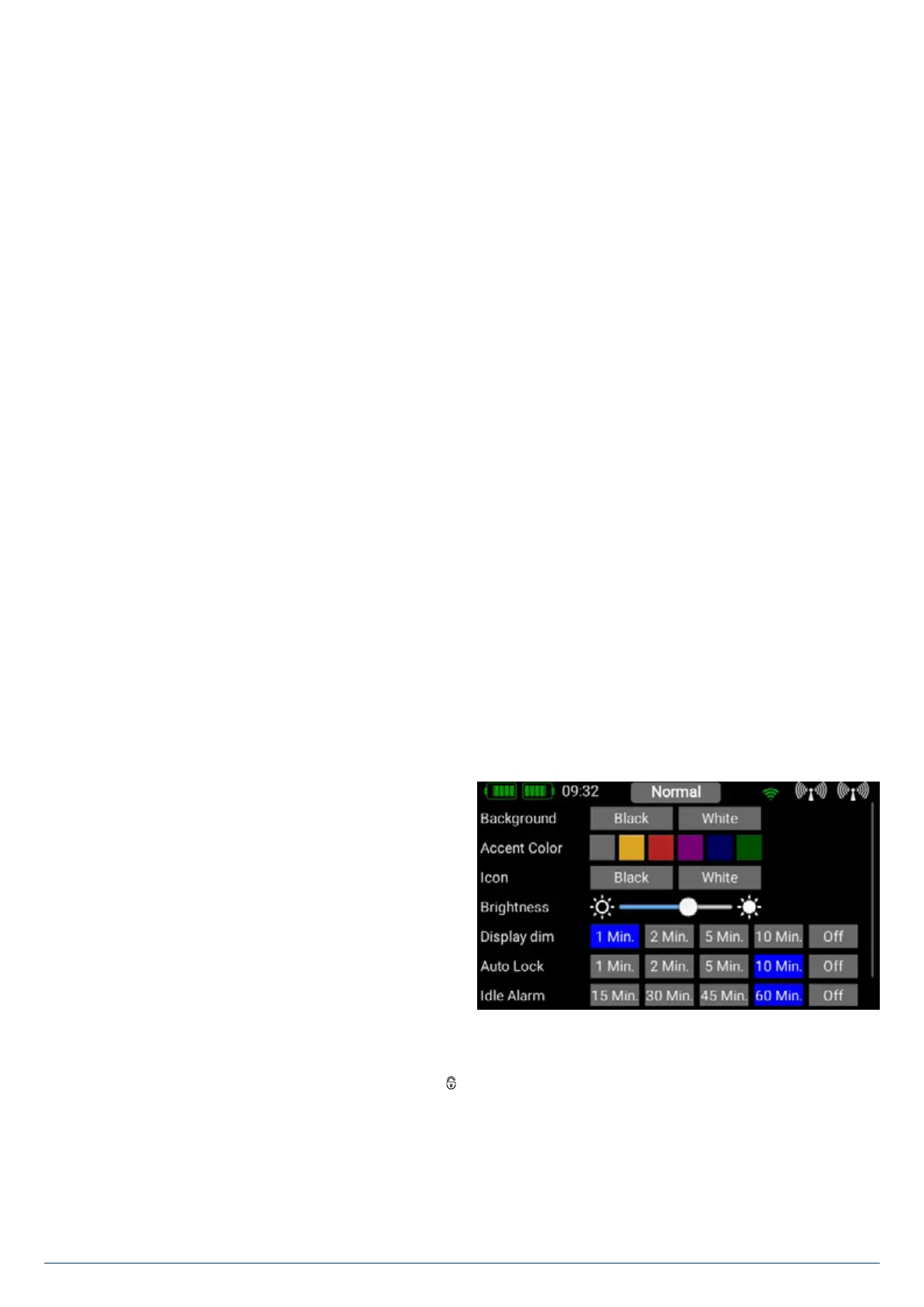
• Background, Color, Icons, Brightness
You can select your preferred color scheme here. The
brightness control should be set to a value which enables you
to see the screen content clearly and distinctly. Please note
that the screen brightness does have a perceptible effect on
battery duration!
• Dimmer
The Dimmer time setting determines the point at which the
screen is automatically darkened.
• Automatic lock
The automatic screen lock can be released again using the
- button.
• Idle Alarm
Enter a time here after which you wish the transmitter to generate an alarm if the sticks have not been moved. The purpose of
this feature is to help you to avoid leaving the transmitter switched on accidentally.


 To Next Page