9
www.powerbox-systems.com
• Intro
The Intro Video setting enables you to switch the brief CORE logo sequence on or off when the system is switched on. Disa-
bling it shortens the initial boot time by a few seconds.
3.1.3. Audio
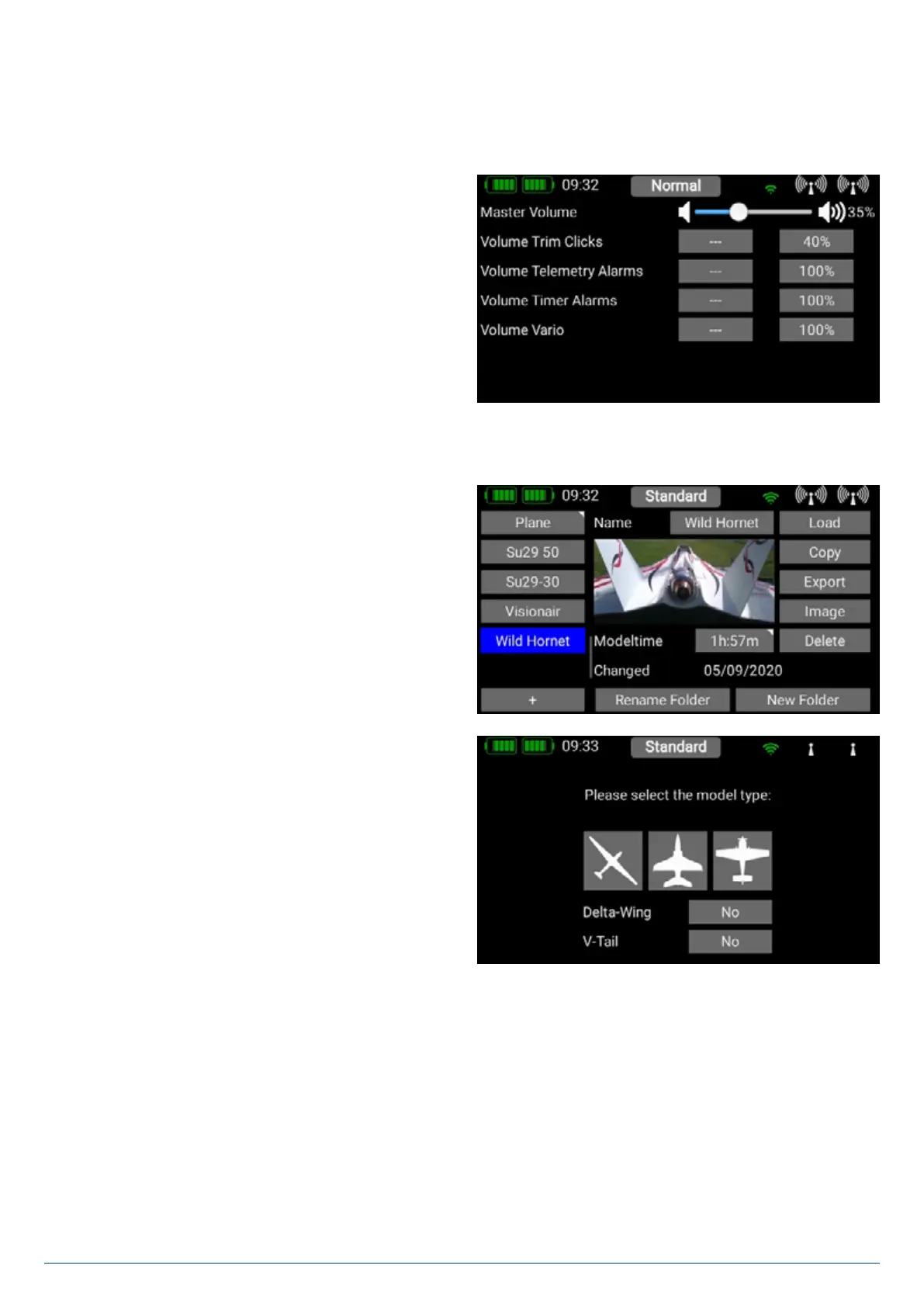
The Audio menu enables you to set different volume levels. In
the right-hand field you can set the volume to a fixed value.
However, you also have the option of assigning a rotary control
or switch for this purpose. The first step is to click on the central
field, which causes a further context window to open where
you can assign a transmitter control. All you have to do here
is move the rotary control or switch which you wish to use for
volume adjustment. When you leave the Context menu in which
you assigned the control, you will see directly in the Audio
menu how the rotary control or switch alters the volume level.
3.2 Model Menü
Select the Model button in the Main menu, and you will see
an overview of all models stored in the transmitter. You can also
set up, rename or erase models and model folders.
A At this point you can also store pictures (215 x 100 pixels,
*.jpg or *.png) for your model, and reset the model operating
time. The Export function makes it swift and simple to export a
model file onto a USB memory stick.
To create a new model, briefly touch the + button at the bottom
of the screen. Assign a name to your model, and confirm your
choice with OK. You will now see the Select screen for the
model type. At this point you can select the appropriate model
type, with the additional options of delta wing and V-tail.


 To Next Page