20
PowerBox-Systems − World Leaders in RC Power Supply Systems
Yet another option is to use the output of a previously defined logical switch in turn as a transmitter control input.
In this way you can set up a logical link between three or more switches!
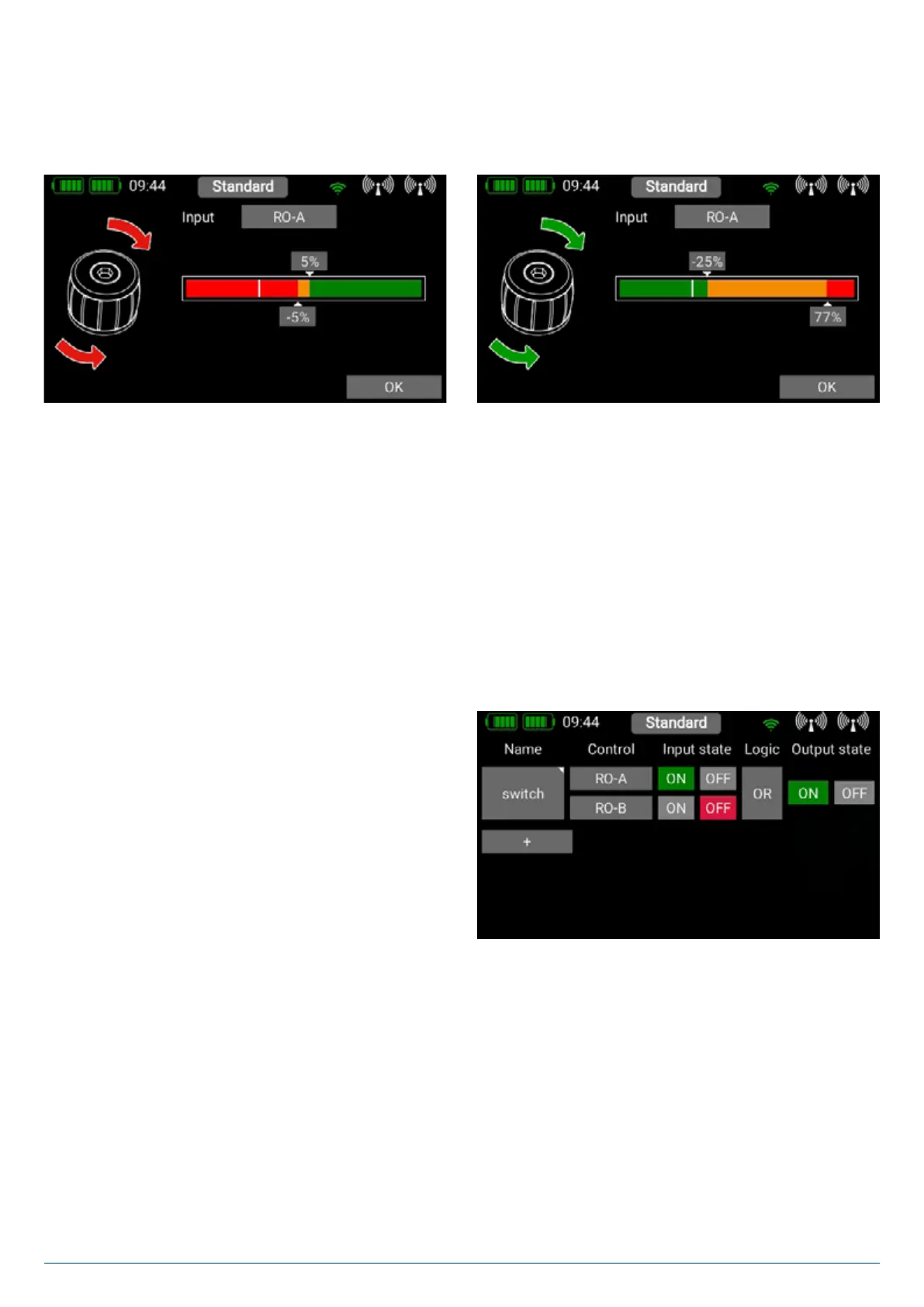
In this example a linear rotary control has been selected. In the following section you will see your transmitter control on the left,
and a bar display on the right showing two switching points.
The two switching points can now be placed in any position you like by moving them with your finger. The red area indicates the
“Off state”; the green area the “On state”. The orange area indicates “hysteresis”, i.e. the area in which no switching takes place.
You can very easily reverse the “Off state” and the “On state” by moving one of the two switching point sliders in front of or behind
the other. This adaptability provides maximum flexibility and simplicity, and you can immediately check the effect of your settings
by moving the switch or linear control. The transmitter control symbol on the left changes color to indicate the switched state.
If you wish to use a switch, you can very easily set the desired switch position to ON. If you select a 3-position switch it is also
possible to set two ON positions. Press OK once you have completed your settings.
You are now returned to the virtual switch overview, and you can define the second input using exactly the same procedure as
the first.
Selecting AND or OR logic defines the switching characte-
ristics you wish to use. At far right under Output you will see
the result of the two inputs. The virtual switch is immediately
available in order to control Functions, or switch a Mixer or a
Servo Cut-Off.
3.7 Servo Cut-OFF
This feature provides a very easy means of switching a servo output to a fixed, previously defined value. An example of this might
be a motor arming switch, or a fixed, pre-defined nosewheel position when the undercarriage is retracted. Select the Servo Cut-
Off menu, then press + in order to create a new cut-off function. At this point select the servo which you wish to move to a fixed,
pre-defined position, then press OK.


 To Next Page