39
www.powerbox-systems.com
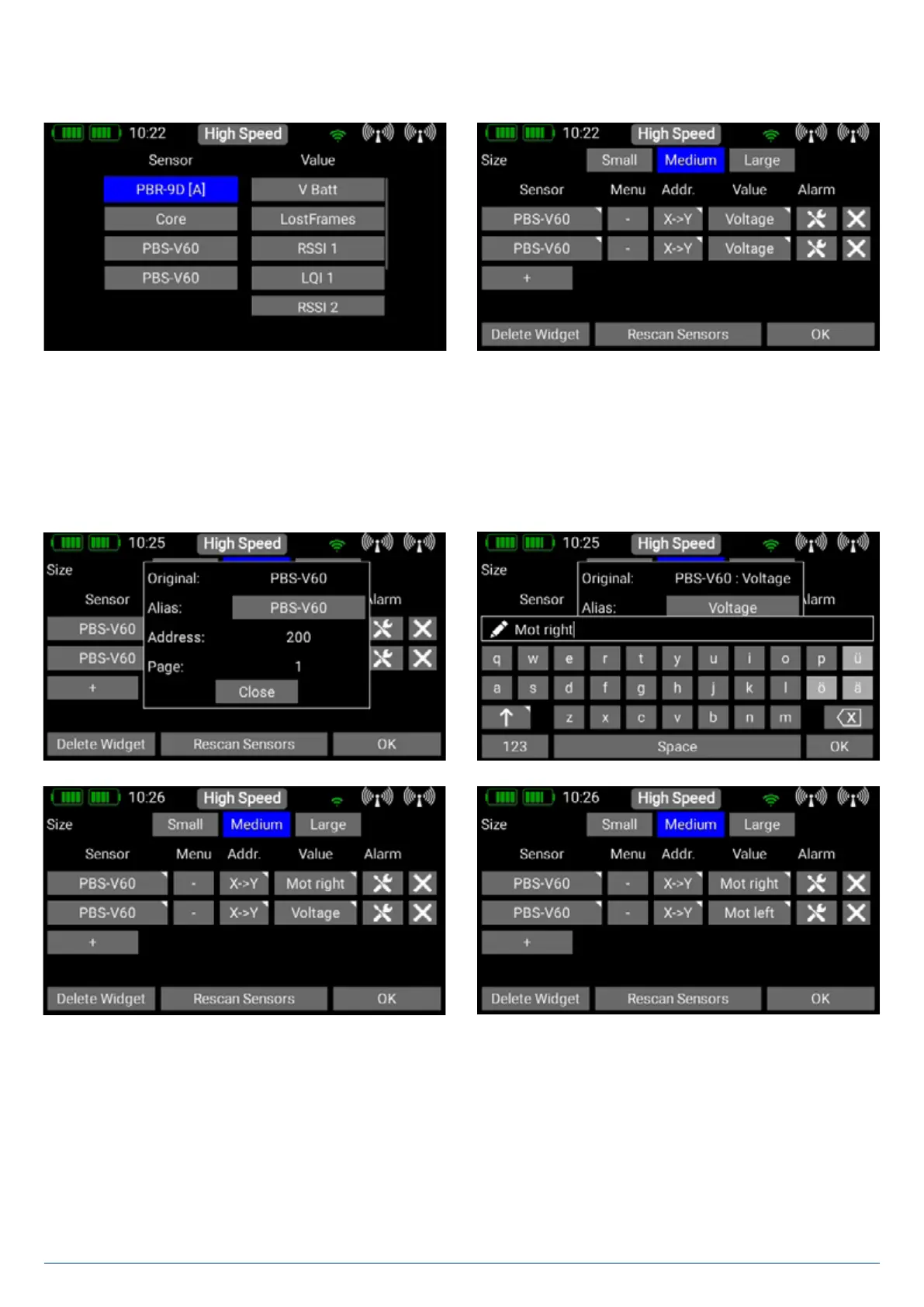
• Now connect the next sensor, and carry out another Sensor Rescan process. Press + to accept the second sensor into the
system.
• - Proceed as before if more sensors of the same type are to be connected.
4.1.8. Value
In the column below Value, you will see the name of the sensor value. If you press the name briefly, the screen will display all
available values generated by the sensor.
If you keep your finger on the button, a new window appears which displays the name and the current address of the sensor
value. If you wish to change the name of the value, press the grey field after Alias.
This procedure lets you give the sensor value a new name – and it also lets you adjust the speech outputs to your personal
preference.


 To Next Page