19
www.powerbox-systems.com
• Value
Move the point up or down by altering the percentage value.
• Smooth
The Smooth option can be used to even out the curve, thereby causing the servo to move smoothly over its travel.
• Raw
Raw eliminates curve smoothing.
• Reset Curve
Reset curve sets the curve back to linear travel.
3.6 Virtual switches
The virtual switches can be used to digitize linear transmitter controls by setting up a switching threshold to generate a switched
state. It is also possible to set up a logical link between two or more switches or linear controls. This facility can be used as a very
easy method of implementing functions such as safety switches for electric power systems.
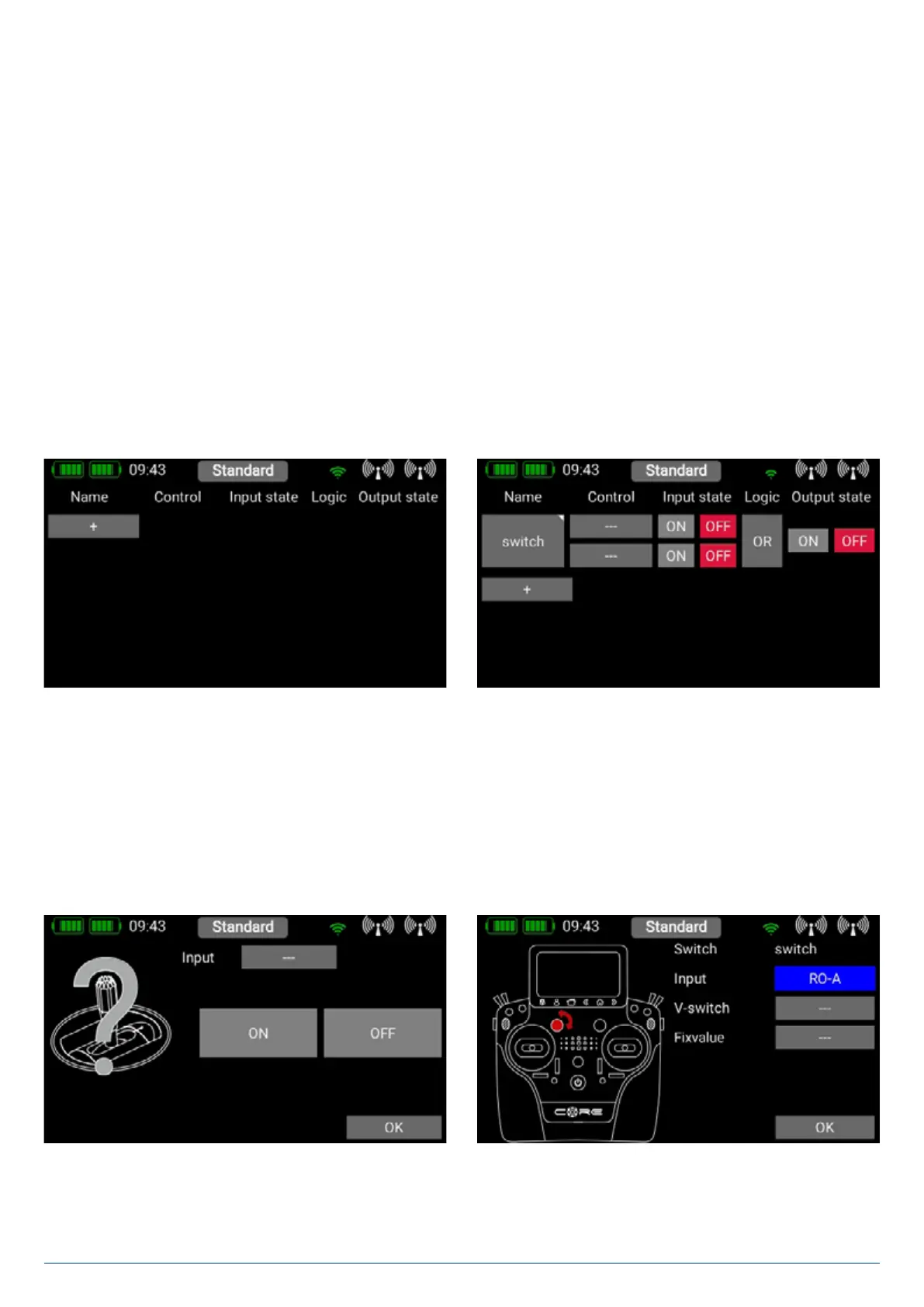
Select the Virtual Switch button in the menu, then press + to set up a new virtual switch. You can rename the virtual switch
by pressing the switch button. As you can see, this field includes a small triangle at top right. This means that a function can be
selected here by holding your finger on it. In this case the virtual switch can be erased again by holding your finger on the switch
button.
First select a transmitter control by briefly pressing the blank field (three dashes) under Control; press Control again at the next
screen. You can now select a switch or linear control as transmitter control by operating it..
A further alternative is to define a fixed value - On or Off. This is necessary, for example, if you only wish to assign a switching
threshold to one linear control. In this case select one transmitter control as fixed value, and define a linear control for the other
transmitter control.


 To Next Page