34
PowerBox-Systems − World Leaders in RC Power Supply Systems
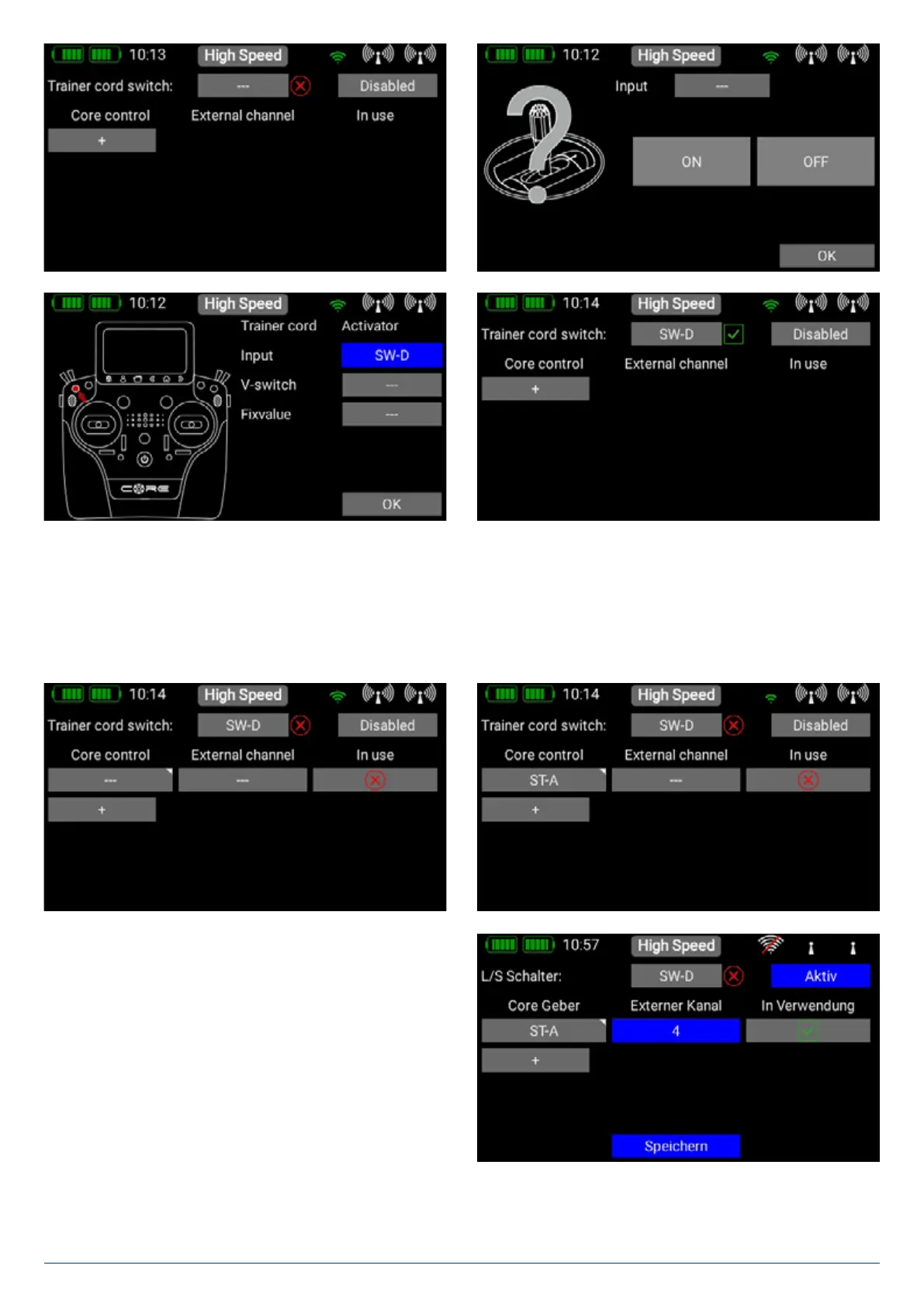
The next step is to assign a pair of transmitter controls by pressing the + symbol at Core transmitter control. Here you can as-
sign one of the Student’s transmitter controls to a transmitter control at the Teacher transmitter. If you operate the switch assigned
in this way, the control signals from the Student transmitter replace the transmitter control from the Teacher transmitter.
The two transmitter controls are detected automatically simply by moving the sticks or switches. At Core transmitter controls
press the empty field in order to select a transmitter control in the usual way.
Repeat the procedure with the transmitter control from the
Student transmitter: press the empty field under External
channel and move the appropriate stick or switch at the
Student transmitter. The Core automatically detects which
channel has been moved, and assigns this channel to the
transmitter control at the Core.


 To Next Page