UPS with Bypass Electrical Installation
31
Powerware
®
9170
+
UPS User’s Guide S Rev B www.powerware.com
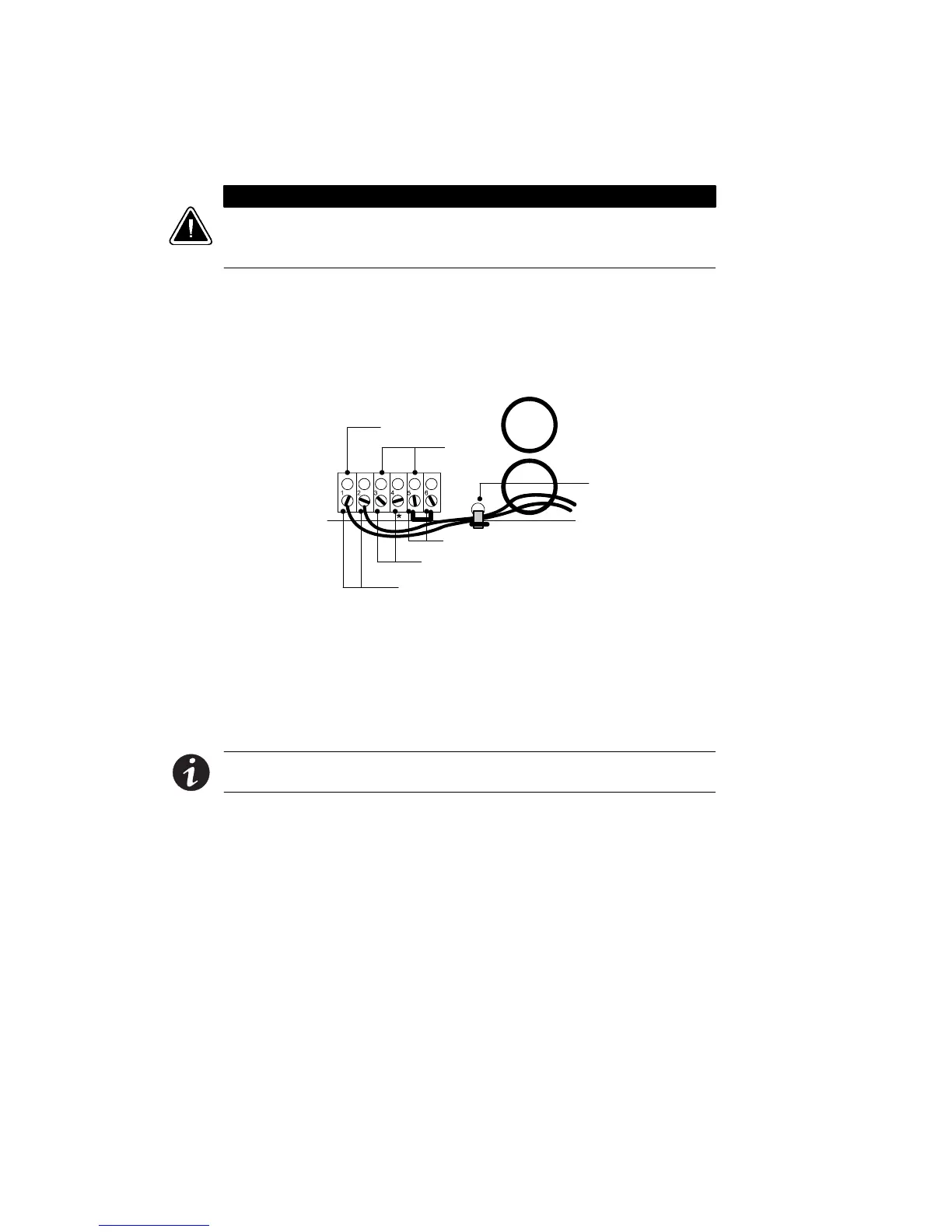
12. If any external hardwired control signals are required (EPO or
Generator On), unscrew and remove the top rear panel of the
cabinet and locate the terminal b lock (see Figure 21).
CAUTION
EPO and external bypass circuits are not isolated from line voltage, and wiring
must be installed according to local codes using conduit or suitable primary
supply cables.
The Generator On signal is isolated from line voltage and can be
treated as NEC Class 2 wiring.
Use 14–20 AWG, 600V wire (UL) or 14–26 AWG, 300V wire
(CSA) for all input control signals.
Generator On
(Normally Open)
Signal
Common
Emergency Power-Off (Normally Closed)
External Bypass *(Short to Common When Active)
Generator Set
Plastic Cable Tie
Figure 21. Input Control Signal Wiring
13. Place the signal wires through the proper conduit or grommet
above the terminal block and attach to appropriate terminals.
Secure each connection by torquing terminal screws to a
maximum 3.5 in lb (0.4 Nm). Provide strain relief for cables by
installing plastic cable ties.
NOTE Do not strain relieve EPO or external bypass wiring with the same
cable tie used for Generator On wires.
14. Remove the jumper between terminals 5 and 6 only if you are
wiring from an EPO switch. (See “Changing Parameter Settings”
on page 81 for information about accessing menu 4, submenu 3,
item 2 to view or change the EPO switch type.)












 To Next Page