50
Adding a Media File to the Library
1
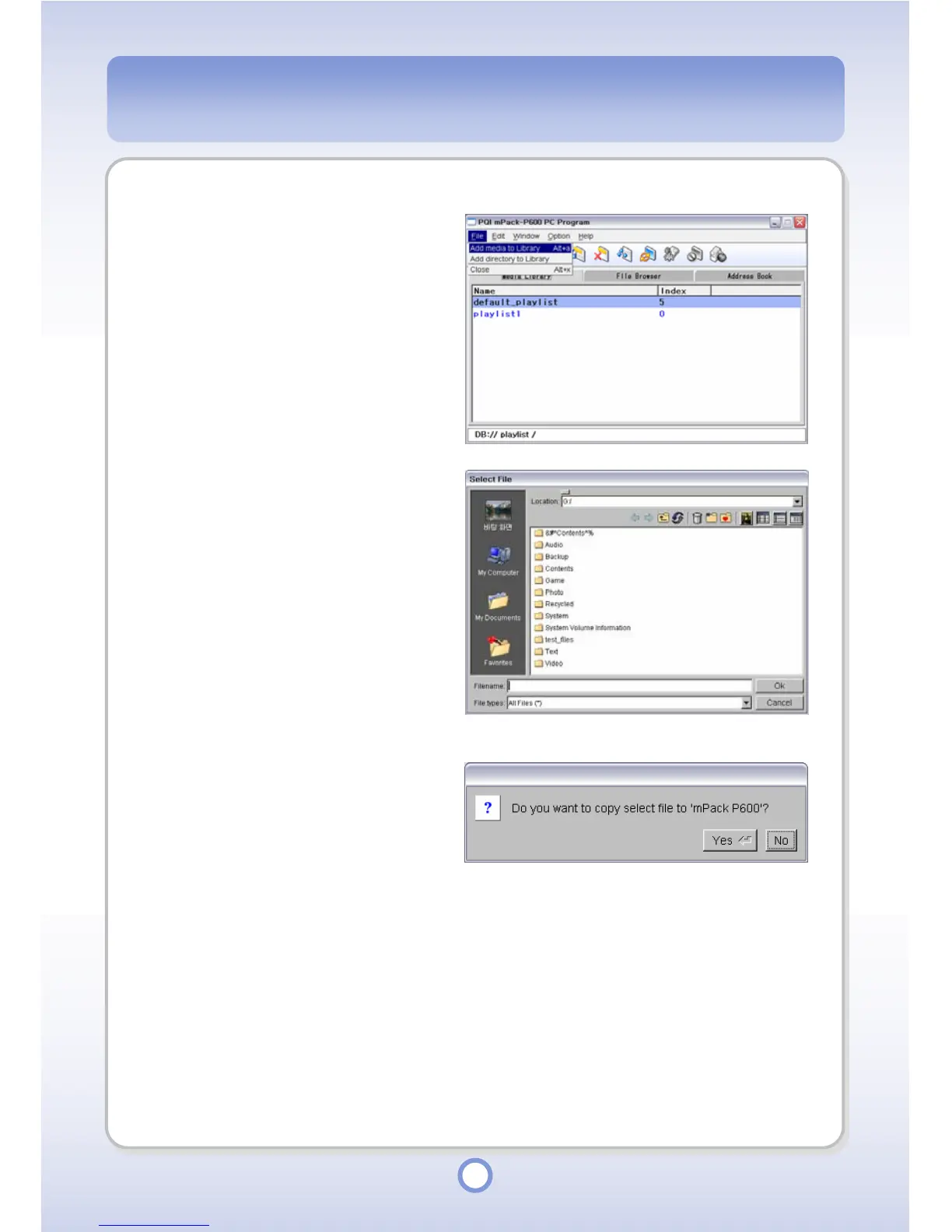
Click the <File> from the menu.
2
Select <Add media to Library>.
3
Select a media file to be added to
the library in the Select File
window.
4
Click <OK> button.
- The Copy confirmation message
appears.
5
Click <Yes> button.
- The “Select Directory” window
appears.



 To Next Page