EasyManua.ls Logo

Precision Digital Corporation Loop Leader PD6600 Series - User Manual

Default Icon
44 pages
Print Icon
To Next Page IconTo Next Page
Loading...
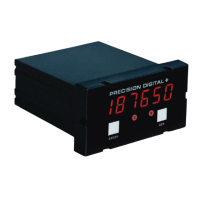
Loop Leader PD6600 Series Loop-Powered Meters
Instruction Manual
PRECISION DIGITAL CORPORATION
233 South Street • Hopkinton MA 01748 USA
Tel (800) 343-1001 • Fax (508) 655-8990
www.predig.com
1/8 DIN Loop-Powered Process Meters with NEMA 4X, IP65 Front
4-20 mA Input Displayed with ±0.02% FS Accuracy
1.5 Volt Drop (4.5 Volt Drop with Backlight)
0.7" (17.8 mm) 5 Alphanumeric Characters Top Display
0.4" (10.2 mm) 8 Alphanumeric Characters Bottom Display
20-Segment Bargraph with Numeric Percent Indication
Shallow Depth Case Extends Only 3.6" (91 mm) Behind Panel
(2) Open Collector Outputs Standard; Programmable as Pulse, Alarm, Timer, Stopwatch
(2) Optional Loop-Powered Solid State Relays; Programmable as Alarm, Control, Timer, Stopwatch
Stopwatch & Timer Functions to Drive Relays & Open Collectors
Optional Isolated 4-20 mA Analog Output
Relay Pump Alternation Based on Level and Runtime
Display Relay Runtime & Cycle Count via Relay Info Menu
Free PC-Based MeterView XL USB Programming Software
HART
®
Protocol Transparent
Loop-Powered Backlight with Red Backlight for Alarm Conditions
Safe Area Operating Temperature Range: -40 to 167°F (-40 to 75°C)
Conformal Coated PCBs for Dust & Humidity Protection
Password Protection
UL & C-UL 61010 Listed for Electrical Safety
UL & C-UL Listed as Intrinsically Safe and Nonincendive
ATEX and IECEx Certified as Intrinsically Safe
Wide Assortment of NEMA 4X Enclosures for up to Ten Meters
Light / Horn & Reset Button Accessory
Control Station Accessory for Remote Operation of Digital Input
3-Year Warranty
IECEx
PD6606 & PD6608 Only

Table of Contents

Questions and Answers

  • S
    sjacobsAug 17, 2025
    What to do if my Precision Digital Corporation Loop Leader PD6600 display shows MAX or MIN and a number?
    • M
      Mark McbrideAug 17, 2025
      If your Precision Digital Corporation Measuring Instruments display is showing 'MAX' or 'MIN' followed by a number, simply press the Menu button to exit the max/min display readings.
  • M
    Misty DanielAug 20, 2025
    What to do if my Precision Digital Corporation Loop Leader PD6600 Measuring Instruments display locks up or does not respond?
    • L
      Luke AlvaradoAug 20, 2025
      If the display of your Precision Digital Corporation Measuring Instruments locks up or becomes unresponsive, try cycling the power to reboot the microprocessor.
  • J
    James DuranAug 22, 2025
    Why is my Precision Digital Corporation Loop Leader PD6600 display reading not accurate?
    • B
      Bruce PierceAug 22, 2025
      There are a couple of things you should check if your Precision Digital Corporation Measuring Instruments display is showing inaccurate readings: * Verify the signal input conditioner selected (Linear, square root, etc.). * Check the scaling or calibration settings.
  • T
    Todd ChenAug 26, 2025
    How to fix unstable display on Precision Digital Corporation Loop Leader PD6600?
    • M
      markwrightAug 26, 2025
      To stabilize the display on your Precision Digital Corporation Measuring Instruments, check the following: * Input signal stability and value. * Display scaling versus the input signal. * Filter and bypass values; consider increasing them.
  • J
    Julie CraigAug 28, 2025
    What to do if my Precision Digital Corporation Loop Leader PD6600 Measuring Instruments relays do not respond to signal?
    • J
      Jennifer BoyerAug 28, 2025
      If the relays in your Precision Digital Corporation Measuring Instruments aren't responding to the signal, please check the following: * Relay action in the Output menu. * Set and reset points. * Manual control menu.
  • D
    Dennis WilsonAug 30, 2025
    What to do if my Precision Digital Corporation Measuring Instruments display does not respond to input changes?
    • A
      Angela GatesAug 31, 2025
      If your Precision Digital Corporation Measuring Instruments display isn't responding to input changes and shows a fixed number, check the display assignment; it might be set to display max, min, or set point instead of the input.
  • R
    riverabarrySep 2, 2025
    Why I am not able to change setup or programming on Precision Digital Corporation Measuring Instruments?
    • M
      mwrightSep 2, 2025
      If you can't change the setup or programming on your Precision Digital Corporation Measuring Instruments and 'LOCKED' is displayed, the meter is password-protected. Enter the correct five-digit password to unlock it.
  • K
    Keith MooreSep 5, 2025
    How to resolve reversed relay operation in Precision Digital Corporation Loop Leader PD6600 Measuring Instruments?
    • M
      Mary MeadowsSep 5, 2025
      To correct a reversed relay operation in your Precision Digital Corporation Measuring Instruments, check the fail-safe settings within the Output menu.
  • O
    orozcojessicaSep 8, 2025
    Why is my Precision Digital Corporation Loop Leader PD6600 Measuring Instruments display response too slow?
    • J
      Jose MitchellSep 8, 2025
      If the display response of your Precision Digital Corporation Measuring Instruments is too slow, check the filter and bypass values.
  • B
    Barbara HallSep 12, 2025
    What to do if my Precision Digital Corporation Loop Leader PD6600 display flashes 1.99999 or -9999?
    • L
      Larry JacksonSep 12, 2025
      If your Precision Digital Corporation Measuring Instruments display flashes 1.99999 or -9999, check if the number of digits required for the scaled value exceeds the maximum digits allowed for the display line. If it does, adjust the decimal point location for less precision or change the PV display to the bottom line.

Precision Digital Corporation Loop Leader PD6600 Series Specifications

General IconGeneral
BrandPrecision Digital Corporation
ModelLoop Leader PD6600 Series
CategoryMeasuring Instruments
LanguageEnglish

Related product manuals