S3.45 Assembly and Maintenance Guide
page 29
1 2 3 4 5 6
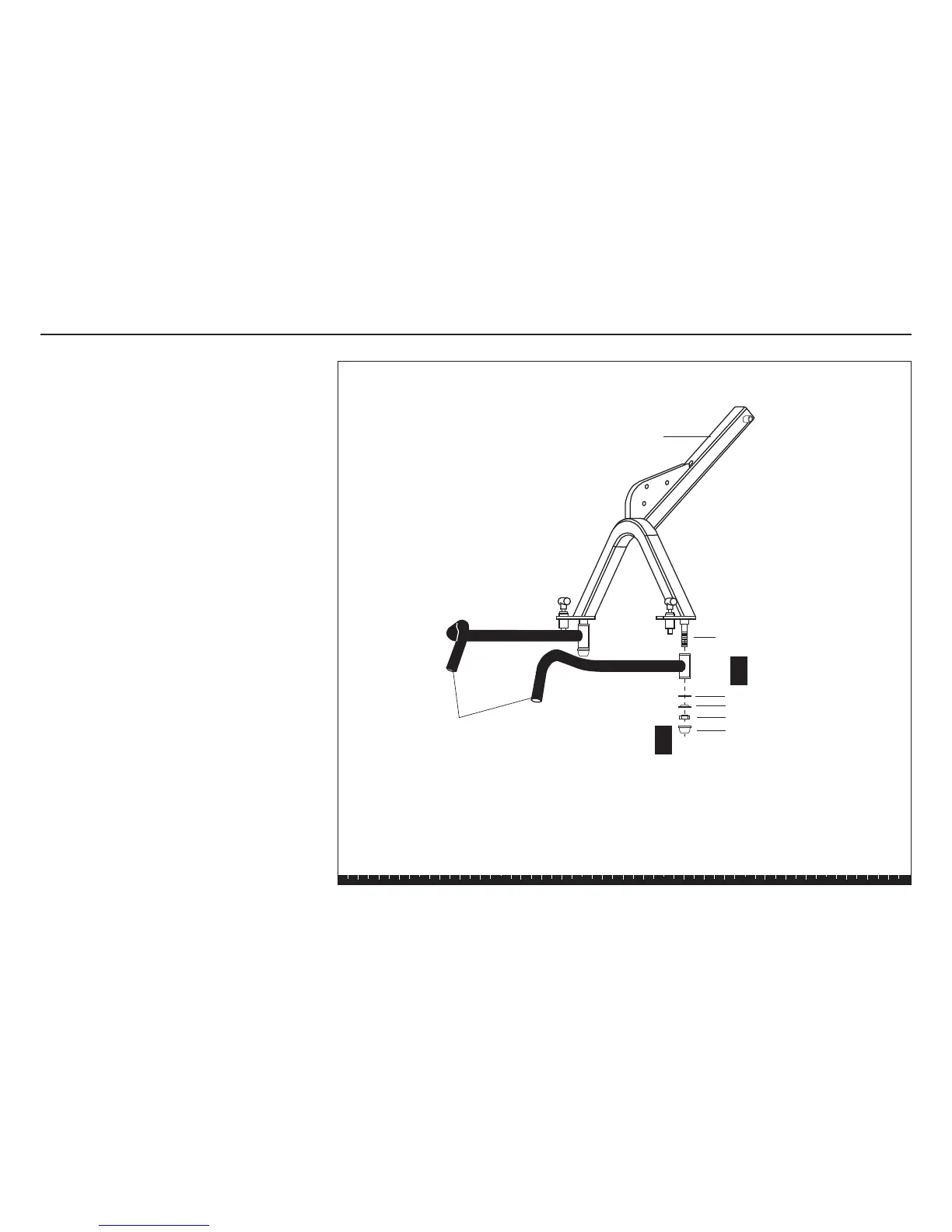
16. Attach Handlebars
A. Slide each Handlebar (one at a time) onto the Pivot
Shaft and attach it using
one ½-inch washer
one ½-inch hat washer
one locknut
Note: Tighten the locknut until the Handlebars
don't move. Then, loosen the locknut about one-
half turn until the arms pivot freely. Note that a few
threads should show beneath the Pivot Shafts, if
you have tightened it properly.
B. Secure the plastic caps over the locknuts.
A rubber mallet may be useful to lightly tap the
caps into place.
Step 16. Attach Handlebars
Press Arm
Assembly
1 - plastic cap
Handlebars
Pivot Shaft
1 - ½" washer
1 - ½" hat washer
1 - ½" locknut
A
B




 To Next Page