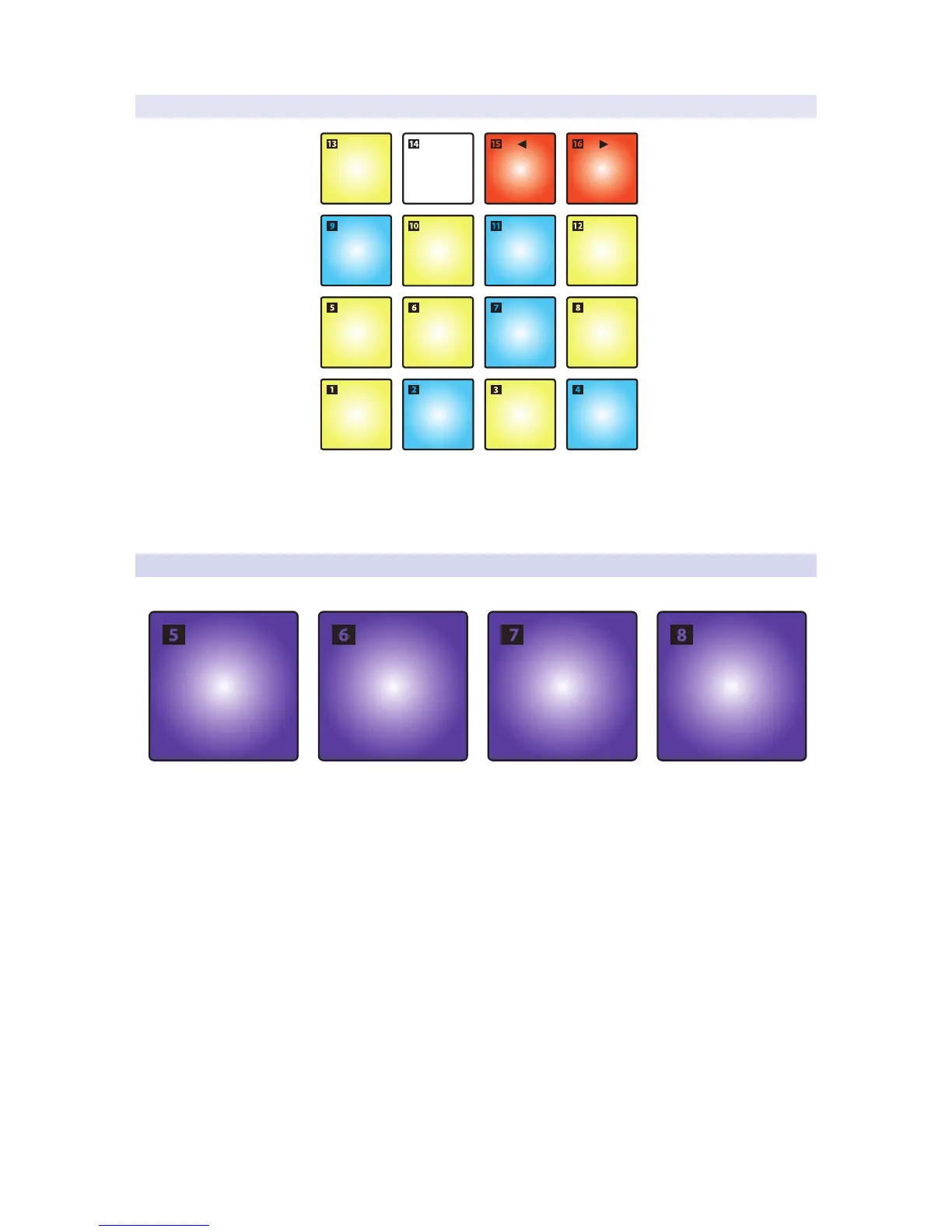
2.2.1.1 MIDI Keyboard Mode.
C D
G
BA
FE
C
C#
F#
G# A#
D#
OCTAVE
DOWN
OCTAVE
UP
While MIDI Keyboard Mode is active, your ATOM pads will function
as a single octave keyboard from C to C in each octave. Pads
15 and 16 adjust the octave down or up respectively.
Note: Banking is disabled in this mode.
2.2.2 Pressure Type
You can select the type of message that is sent by pressure as follows:
• Off. This turns off pressure messages.
• CC. Post-strike pressure sends CC22.
- MIDI Drum Mode. CC22 is sent on Bank 1 only. Pressure messages are
disabled on all other banks. You must be on Bank 1 to select this option.
- MIDI Keyboard Mode. CC22 is sent on all octaves.
• Aftertouch. Post-strike pressure sends Aftertouch
(also known as polyphonic aftertouch).
• Channel Pressure. This is the default setting for your ATOM. Post-strike pressure
sends Channel Pressure messages (also known as monophonic aftertouch).


 To Next Page