1.6 Firmware Updates
PreSonus is committed to constant product improvement. As part of
this commitment, we offer periodic firmware updates that add features,
improve functionality, and resolve issues that are discovered in the field.
Because of this, it is highly recommended that you download Universal
Control from your My PreSonus account after registering your ATOM.
Note: At the time of this manual’s publication, a firmware update is required for full
functionality of your ATOM. You must download and install Universal Control and run the
firmware update on your unit.
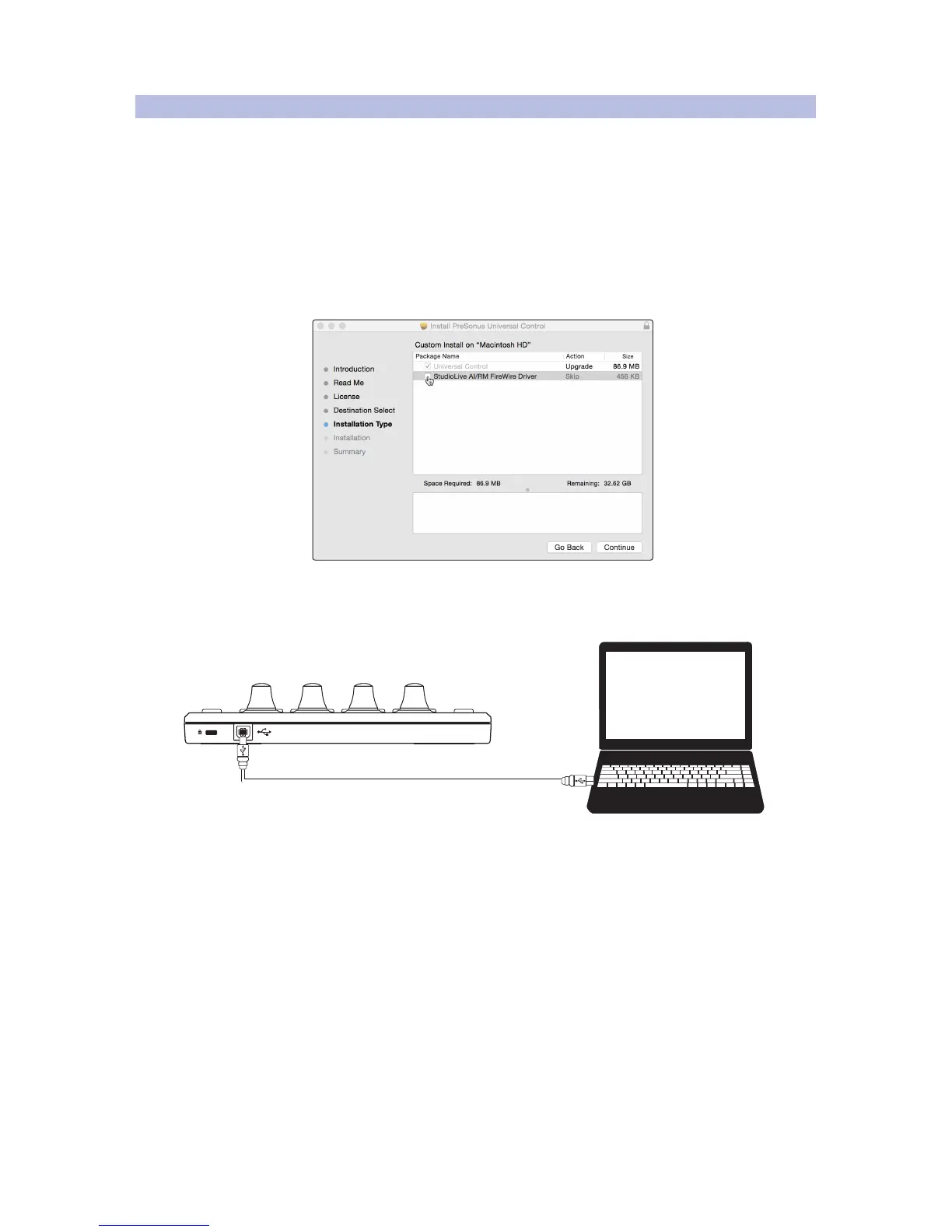
During installation, you will be given the option to install various PreSonus
audio drivers. No driver installation is required to use the ATOM.
Once installed, connect your ATOM to your computer. Your
ATOM is entirely bus powered. If you are using a USB hub, make
sure you are connecting your ATOM to a powered port.
Universal Control will alert you if there is new firmware available for your ATOM.
Clicking on the Update Firmware button will begin the update process. When
the firmware update is complete, your ATOM will reboot automatically.


 To Next Page