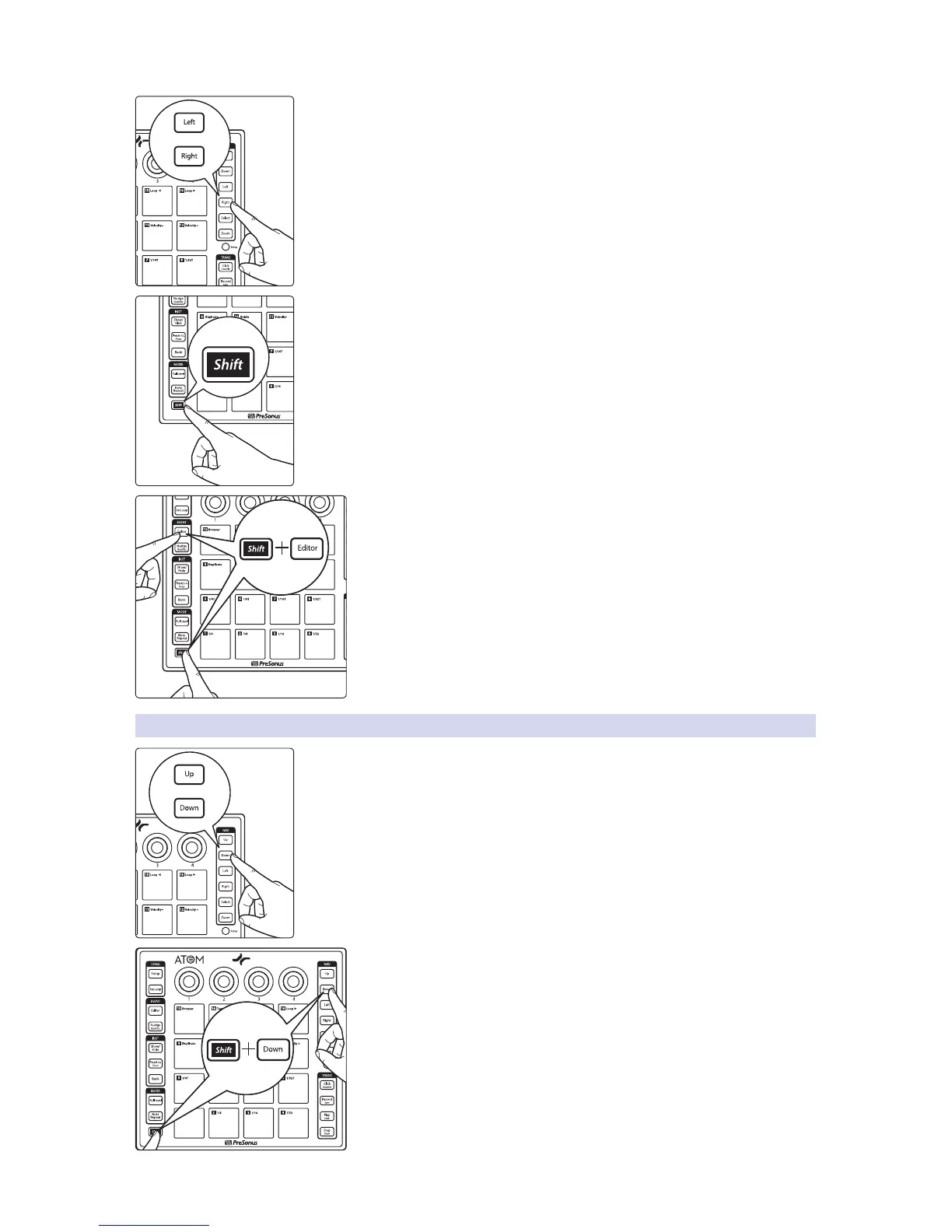
Use the Left and Right buttons to select the previous or next note in the timeline.
Power User Tip: To select multiple notes, press and hold the Shift button with the Left or
Right buttons to navigate through the timeline.
To close the Music Editor, press Shift and Editor simultaneously.
3.3.1 Adjusting Pitch
Use the Up and Down buttons to raise or lower the pitch by one half-step.
Press the Shift button with the Up or Down buttons to change the pitch by
an octave.


 To Next Page