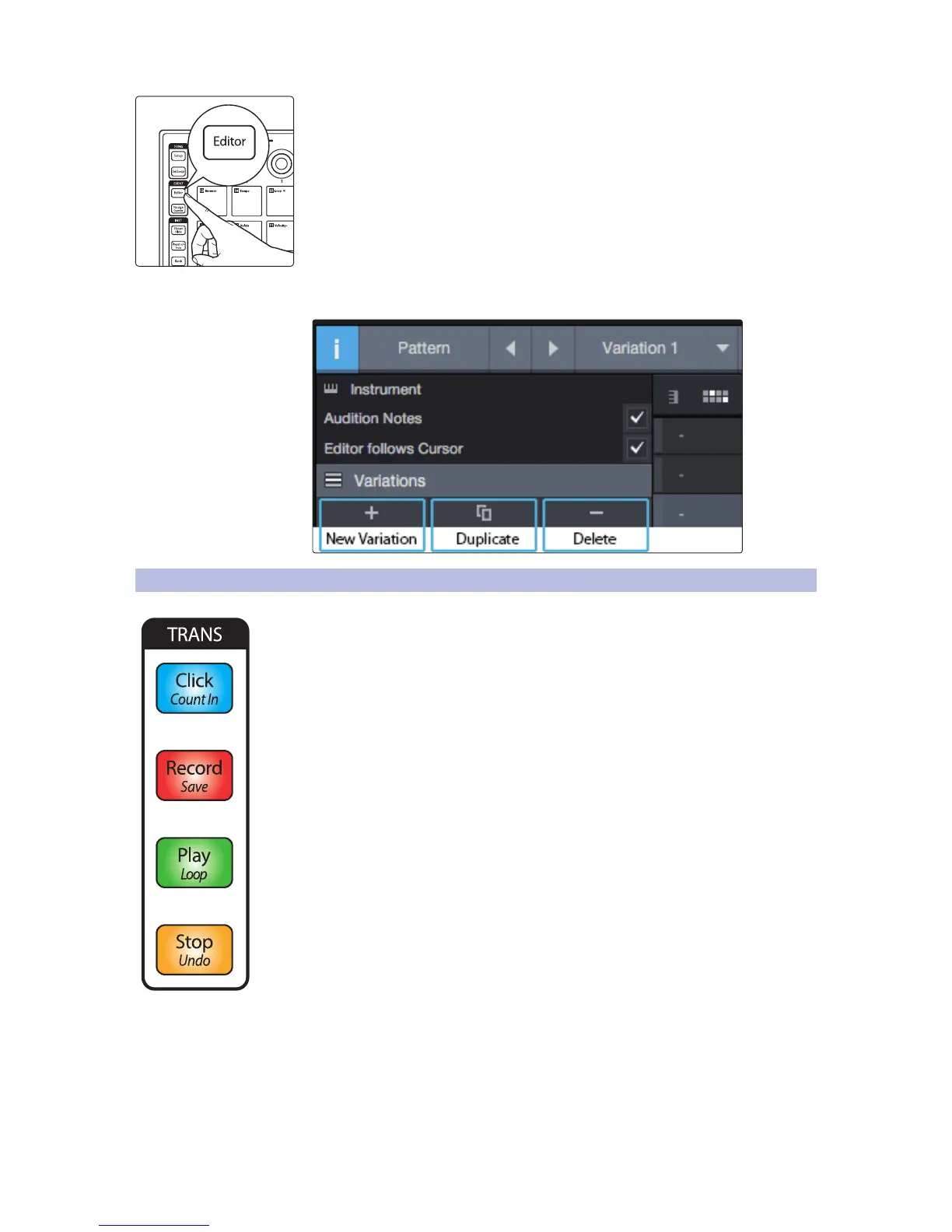
Press Nudge to use the Left and Right buttons to shift all the notes in the active lane
by one step.
Power User Tip: To Duplicate, Create, or Delete a new variation, open the Inspector by
click on the “i” in Studio One’s Pattern Editor and select the desired command.
3.6 Transport Controls
Click
• Press the Click button to enable/disable the metronome.
• Press Shift + Click to turn the preroll on and off.
Record
• Press the Record button to engage recording at the current playback position.
• Pressing Record again will disable recording but continue playback
Play
• Press the Play button to begin playback at the current position.
Loop
• Press Shift + Play to toggle loop mode on and off.
• Press the Stop button twice to return playback to the loop start.
Stop
• Press Stop once to stop playback at the current position.
Return to Zero
• Press Stop three times to return playback to the start position.
Save Session
• Press Shift + Record to Save your session.
Undo
• Press Shift + Stop to undo the last action.


 To Next Page