3 Advanced Studio One Integration
3.1 Song Setup Mode
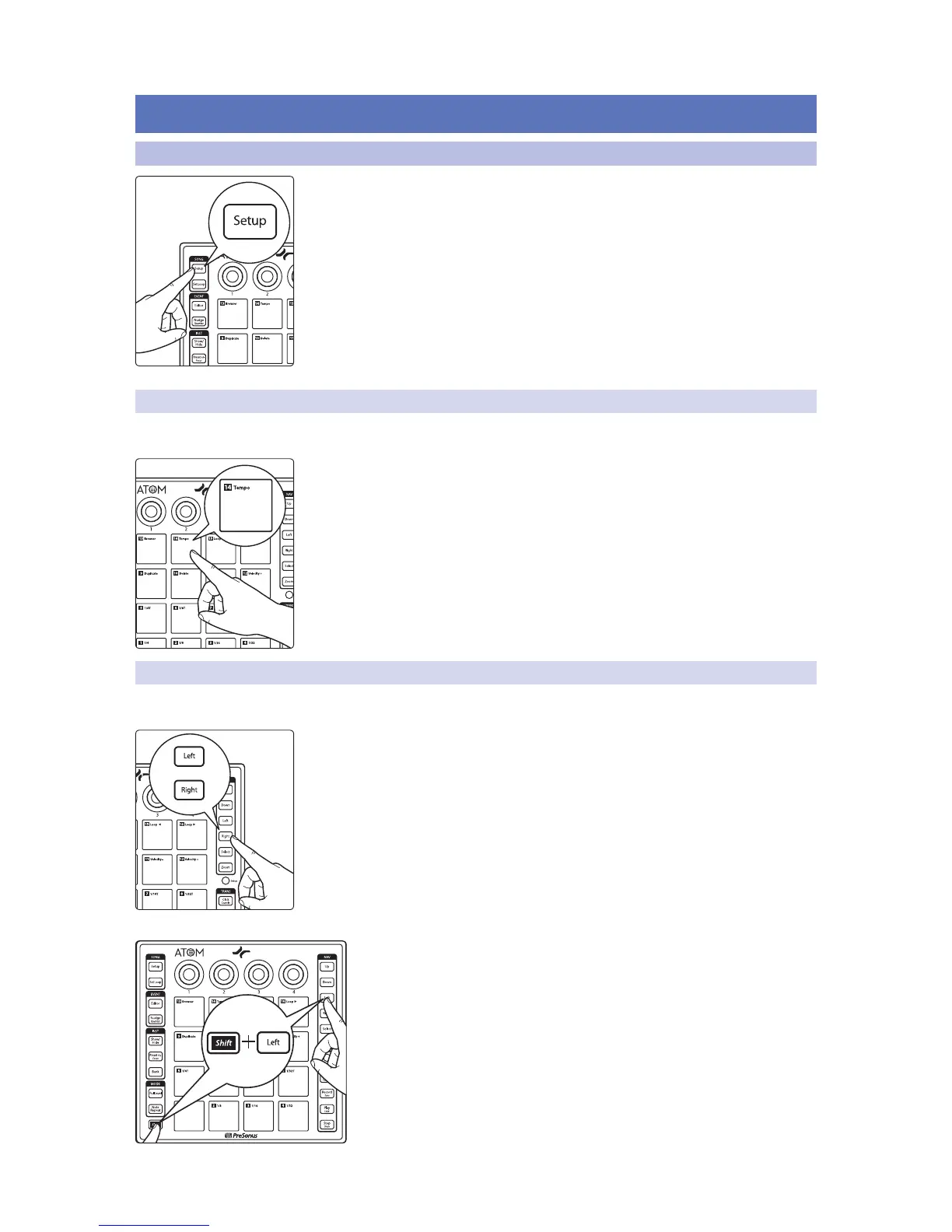
Pressing the Song Setup button allows you quickly open up the Instrument browser
in Studio One, select your Instrument plug-in, choose your desired preset, and create
a track, all from your ATOM controller as well as provide quick navigation functions.
While in Song Setup mode, the 16 pads on your ATOM will not function as controllers
for instruments.
Note: If a plug-in is currently in focus and the Browser is already open when you press the
Song Setup button, the knobs will control the plug-in and not function as described in
this section. To use the controls as described below, simply close the currently focused
plug-in window.
3.1.1 Controlling Tempo
Tap Tempo
While Song Setup mode is active, Pad 14 functions as the tap tempo control for your
Studio One session.
Power User Tip: You can also use Knob 2 to adjust the tempo. Turning the knob clockwise
will increase the tempo. Turning the knob counterclockwise will decrease it.
3.1.2 Event Controls
Selecting Events
While Song Setup is active, press the Left and Right buttons to select the previous
and next events on the currently selected track’s timeline.
Holding the Shift button while pressing the Left or Right buttons will select
multiple events.


 To Next Page