A26361-K878-Z102-2-7619 49
Preparation for Use and Operation Hot-Swap HDD Modules
Removing the dummy module
Free slots are provided with a dummy module that must be removed before
installing an additional HDD module.
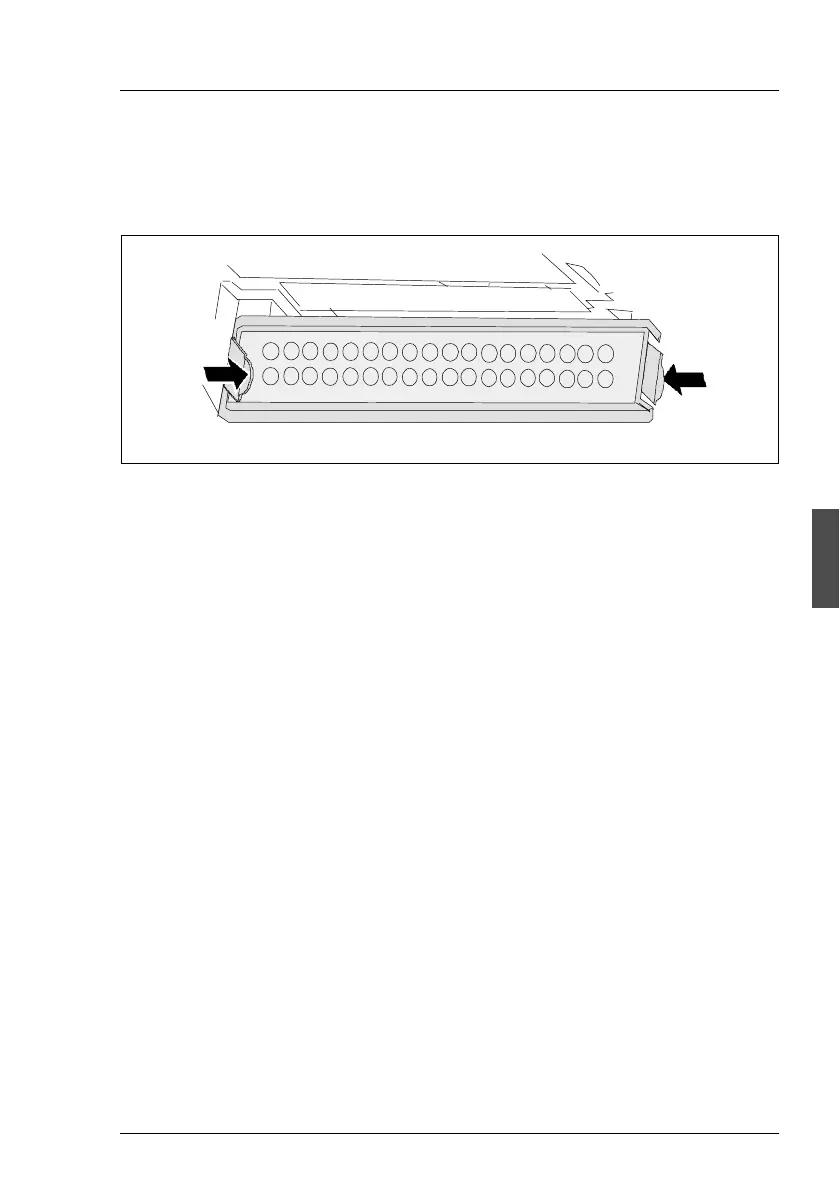
Figure 19: Unlocking dummy module
Ê Press both tabs on the dummy module together (see figure 19 on page 49)
until the locking mechanism disengages and remove the dummy module
from the mounting location.
The dummy module is installed in the reverse order.
V CAUTION!
Keep the dummy module for future use. If the HDD module is removed
again and not replaced with a new module, the dummy module must be
reinstalled due to cooling, to comply with applicable EMC regulations
(regulations on electromagnetic compatibility) and to protect against fire.



 To Next Page