Chapter 4: Pro Tools | MTRX II Front and Back Panels 16
Chapter 4: Pro Tools | MTRX II Front and Back Panels
Pro Tools | MTRX II is controlled over Ethernet by DADman software on your computer. Some controls are also available on the
front panel of the unit. Two rows of LED indicators show the AD and DA signal level, and an LCD display that shows various set-
tings of the MTRX II. The four front panel buttons let you access the settings shown in the display.
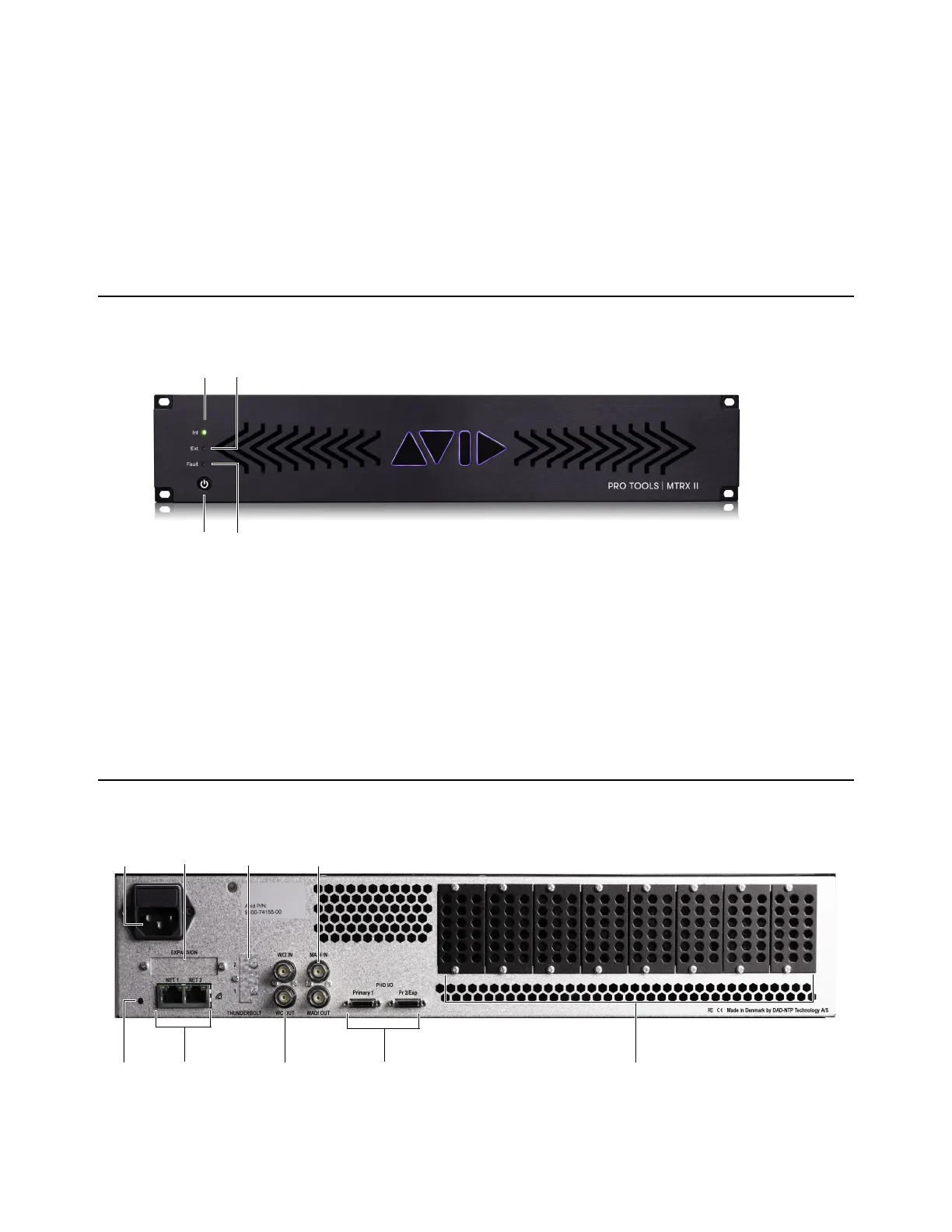
Pro Tools | MTRX II Front Panel
1 Internal sync indicator. Green LEDs shows internal or external sync source.
2 External sync source two-color indicator. Green LEDs shows external sync source OK, red LED indicate that no or bad
sync signal
.
3 On/Standby button. Note that the unit automatically returns to the last power state (on or standby) if it is power cycled via the
mains power.
4 Error indicator, Red LED. Indication in related to hardware performance and can be temperature overload, Fan error, DAD I/O
card failure or general internal boot error. A more specific error indication will be visible in DADman.
Pro Tools | MTRX II Back Panel
Pro Tools | MTRX II front panel
Pro Tools | MTRX II back panel



 To Next Page