70
Appendix C: Installing Thunderbolt 3 Option Module
The optional Avid Thunderbolt 3 module with two Thunderbolt 3 ports can be installed in Pro Tools | MTRX II for up to 256 channels
of I/O (256 channels with either port) between your computer and MTRX II. The Thunderbolt 3 module is designed to work with
MTRX II and MTRX Studio. The module has two Thunderbolt 3 ports and a PCIe connector for the audio interface hardware.
Overview of Installation
Installing expansion cards involves the following steps:
1 Preparing for the installation
2 Installing the Thunderbolt 3 module
3 Installing and configuring the Thunderbolt 3 driver
4 Installing and configuring DADman software.
The bus format of the PCIe interface works only with MTRX II and MTRX Studio chassis, and not as a module in a computer. The Thun-
derbolt 3 module however enables PCIe extension to a computer providing fast transfer (DMA) of digital audio data over Thunderbolt
from the computer audio application to the audio interface.
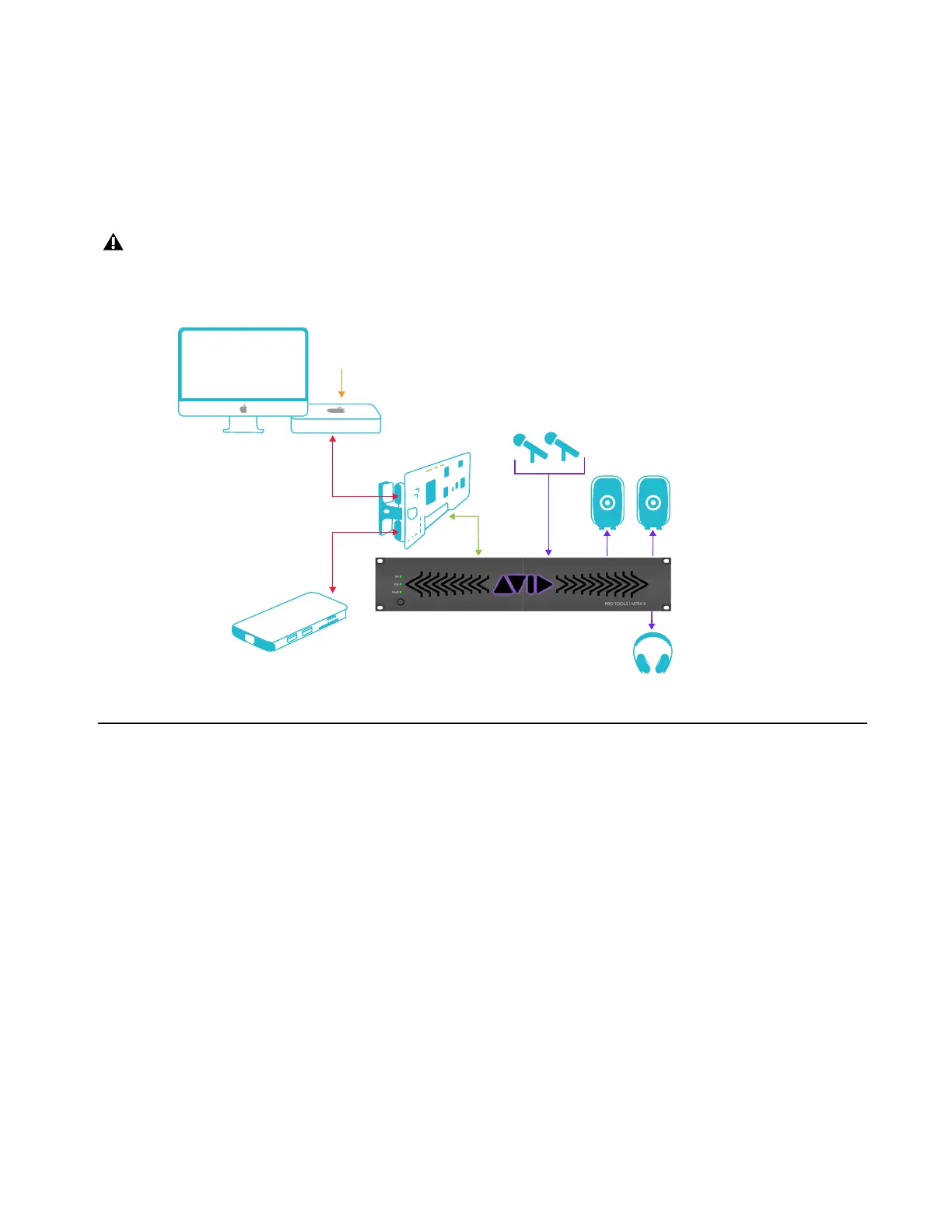
Example music studio configuration
Computer
Docking/
Expansion
Thunderbolt 3
card
MTRX II
AUDIO I/O
PCIe
DAD COREAUDIO
DRIVER SOFTWARE
USBC THUNDERBOLT
DAISY CHAINCONNECTION



 To Next Page