73
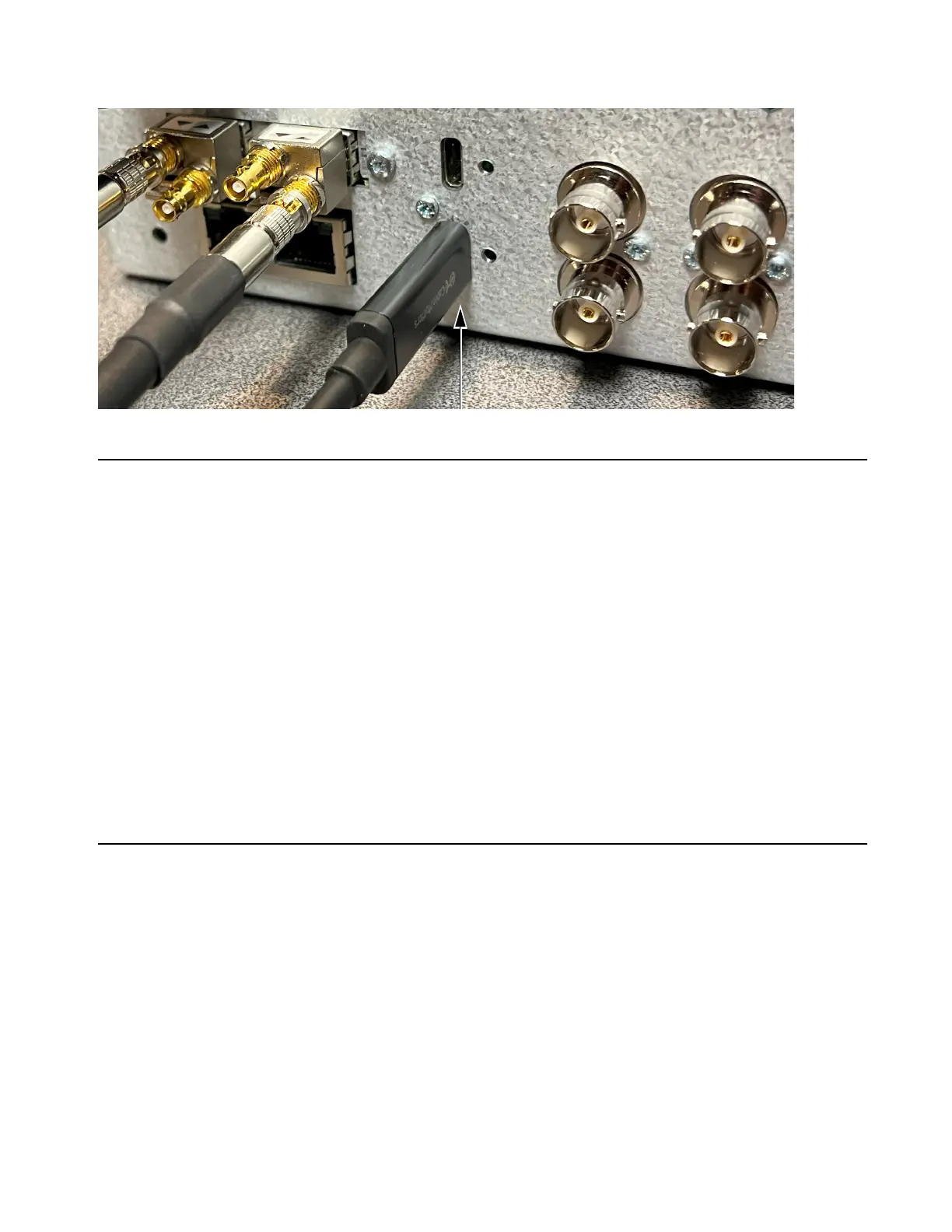
11 Using a Thunderbolt 3 cable, connect an available port on the Thunderbolt 3 module to your computer.
Driver and DADman Installation
On macOS, the driver interacts with CoreAudio and there is an ASIO driver for Windows. The capacity of the design provides bi-di-
rectional transfer of up to 256 32-bit floating point audio channels with a sample rate of 96 kHz. This gives a maximum data rate of ap-
proximately 1 Bbps. The macOS driver supports OS11 and 12 and Apple Silicon without Rosetta, and the ASIO driver supports Win-
dows 10.
In order to install and work with the system the following is required:
1 Thunderbolt 3 module installed in MTRX Studio hardware audio interface
2 High Speed Thunderbolt 3 20 Gbps or 40 Gbps USB-C cable, preferably Intel Certified (not included)
3 On macOS
• DAD Thunderbolt 3 Core Audio Driver, v.1.1.22 or later
• DADman for Mac, v.5.6.7.1 or later
On Windows
• DAD Thunderbolt 3 ASIO Driver, v.1.0.8 or later
• DADman for Windows, v.5.6.7.1 or later
Install and Configure Drivers
On macOS, the driver interacts with CoreAudio and there is an ASIO driver for Windows. The capacity of the design provides bi-di-
rectional transfer of up-to 256 32-bit floating point audio channels with a sample rate of 96 kHz. This gives a maximum data rate of ap-
proximately 1 Bbps. The macOS driver supports OS11 and 12 and Apple Silicon without Rosetta, and the ASIO driver supports Win-
dows 10.
In order to install and work with the system the following is required:
1 Thunderbolt 3 module installed in MTRX II hardware audio interface
2 High Speed Thunderbolt 3 20 Gbps or 40 Gbps USB-C cable, preferably Intel Certified
3 On macOS
• DAD Thunderbolt 3 Core Audio Driver, v.1.1.22 or later
• DADman for Mac, v.5.6.7.1 or later
Thunderbolt 3 option module installed in MTRX II, Thunderbolt 3 cable connected



 To Next Page