Chapter 7: Monitor Profiles 35
Chapter 7: Monitor Profiles
A monitor profile is a control room or cue system using the available analog and digital I/O MTRX II. You can add sources, out-
puts, fold downs, and meters to define a monitor within DADman. A single monitor can contain multiple sources (inputs) and out-
put sets, including stereo, surround, and expanded Atmos configurations using analog or digital I/O. You can efficiently switch be-
tween near-field stereo, 5.1 or 7.1 surround, as well as Atmos speaker configurations using a EUCON-compatible control surface
(such as S1, S6, or the Avid Control app).
Monitor Profile Files
To use the monitoring and cue functionality of MTRX II, you need to create or import a Monitor Profile (.dmprof files).
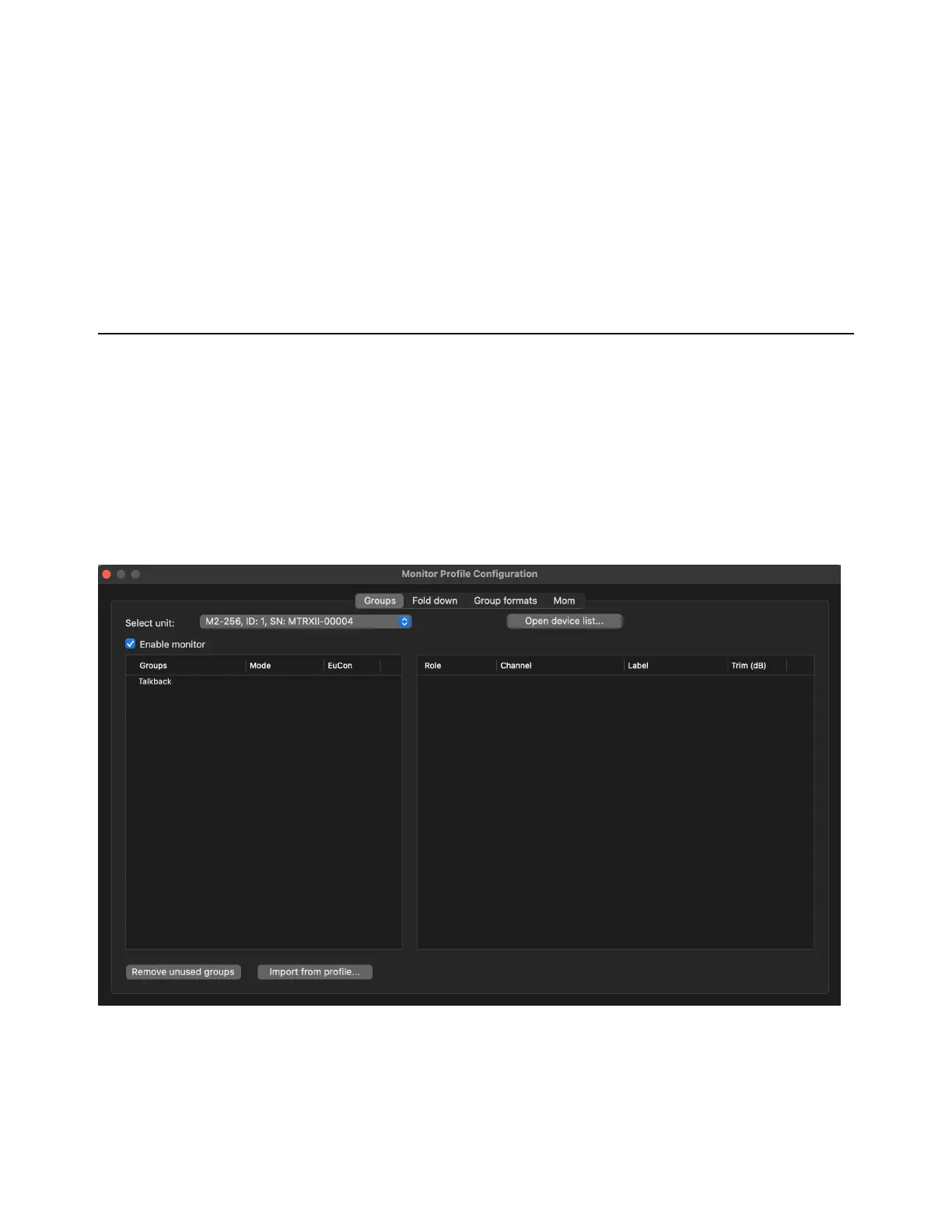
Monitor Profile Configuration Window
The Monitor Profile Configuration window lets you create and edit monitor profiles for MTRX II. It is organized into multiple
pages:
Groups, Fold down, Group formats, Mom, and MTRX II. Click the corresponding tab to view each page.
To open the Monitor Profile Configuration window:
Choose Settings > Monitor Profile.
Monitor Profile Configuration window



 To Next Page