Chapter 8: SPQ Processing 53
Chapter 8: SPQ Processing
MTRX II provides 1,024 filters for up to 128 channels of SPQ processing to tune your speakers for monitoring.
EQ
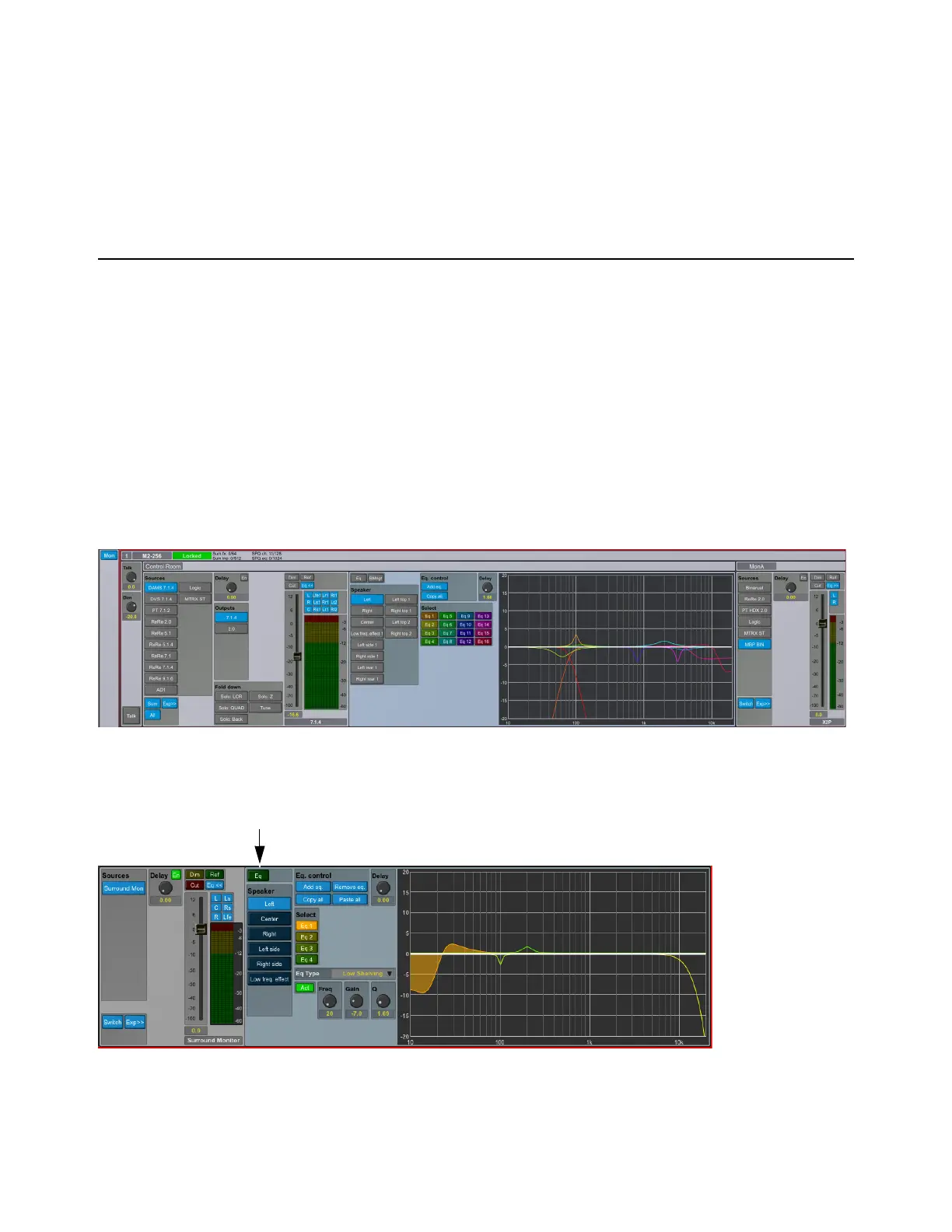
The EQ for all speaker channels in the control room speaker set can be edited and viewed by activating the EQ>> button. Note that
the button does not enable or disable the filters, it just changes the view.
EQ Filter Resources
SPQ processing resources required by the EQ vary depending on configuration and sample rate. As with the summing engine
viewer, the SPQ viewer shows the available and used resources for the filters (out of 1,024 filters and 128 channels).
DADman EQ Management Window
EQ view shows the assigned EQ for the selected speaker channel of the selected output speaker set. The channel delay knob con-
trols the delay of the selected channel. This delay can be set between 0–600 ms in resolution of samples down to 10 milliseconds,
equivalent to the resolution of the general delay setting.
The figure below shows the left channel with four EQs configured. They are shown in the graph with matching colors. The resulting
EQ response for all the enabled filters is shown as a white line. In the example below, the EQ is not enabled for the channel so the
response is flat.
Monitor section with expanded EQ view



 To Next Page