Chapter 6: DADman Software
25
Preferences and Options
To set Preferences (Mac) or Options (Windows) for DADman:
1 Choose DADman > Preferences (Mac) or Settings > Options (Windows).
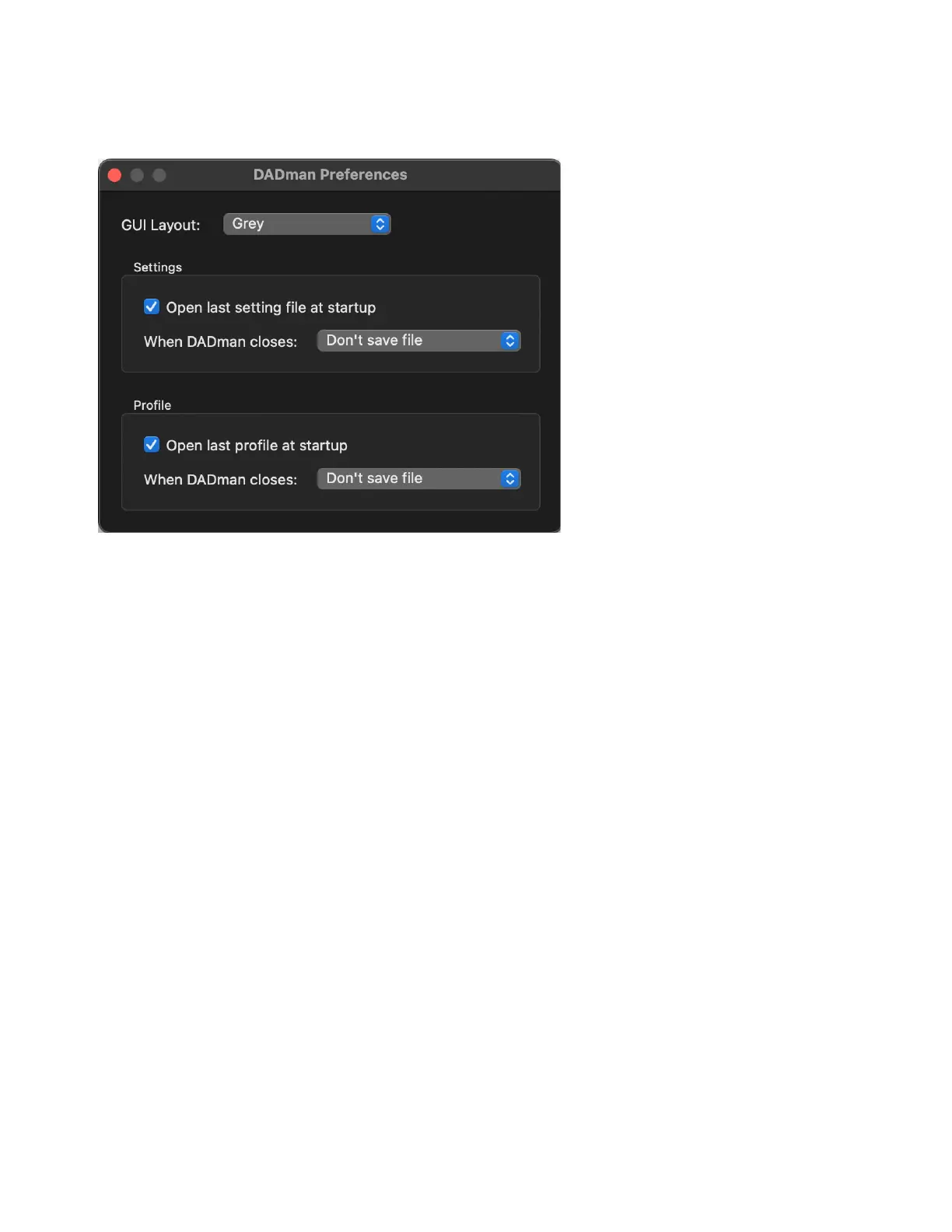
2 Configure the MTRX II Preferences (Mac) or Options (Windows) as desired:
GUI Layout
Select a color scheme for DADman.
Open last setting file at startup
When enabled, DADman automatically loads the latest configuration file and downloads it to the
MTRX II. This provides a well-defined starting point in case other users have changed the configuration of the MTRX II. However, as
multiple users can operate the MTRX II simultaneously, be careful to not disturb the work of other MTRX II users on the network.
Open last profile at startup
When enabled, DADman automatically loads the latest profile and downloads it to the MTRX II. This pro-
vides a well-defined starting point in case other users have changed the configuration of the MTRX II. However, as multiple users can
operate the MTRX II simultaneously, be careful to not disturb the work of other MTRX II users on the network.
When DADman Closes
Select what DADman should do with the setting file and the profile when you close DADman.
3 Click OK.
Options dialog (Windows)



 To Next Page