Chapter 6: DADman Software
33
Optical 1 / Optical 2 Interface
When a MTRX II Dual MADI IO option card or MTRX II MADI option card is installed, the Optical MADI interfaces can be config-
ured for compatibility with different MADI implementations.
Mode
Can be set to Disabled, MADI, or NTP HotLink. The optical interface board can be fitted with one or two SFP optical interface
modules. It is recommended that you set the optical interface to
Disabled if no SFP optical module is installed. Select MADI to use the
interface with a MADI signal.
Frame rate
Can be set to Legacy or High, but only if the sample rate is higher than 48 kHz. If the sample rate is 44.1 kHz or 48 kHz,
the Frame rate is always
Legacy. In Legacy mode, the MADI Frame length is maintained and adjacent channels are “merged” into one
channel. In High mode, the MADI Frame length is reduced rate and consequently the Frame rate is increased. Because of this difference,
High mode has lower latency than Legacy mode. Please note that some third-party MADI products may not support High mode.
Frame size
Can be set to Normal or Extended. Normal mode supports up to 56 channels whereas Extended mode supports up to 64
channels.
Ch. status
Can be set to Default or Transparent. This setting is only relevant when routing incoming AES/EBU or MADI channels to
a MADI output. In Default mode, the MADI Channel status bits are
defined by the MTRX II, whereas in Transparent mode the channel status bits from the relevant source (AES/EBU or MADI) are trans-
ferred to the outgoing MADI signal. In most cases it is best to leave it in
Default mode.
Input rate
Can be set to Auto or As AD. In Auto mode, the MTRX II determines the sample rate of the incoming MADI signal. In As
AD mode, the MTRX II assumes that the incoming MADI has the same sample rate as the MTRX II. It is usually recommend to leave
this set to
Auto. However, there may occasionally be compatibility issues with third-party products, in which case, setting it to As AD
may solve any problems.
SDI
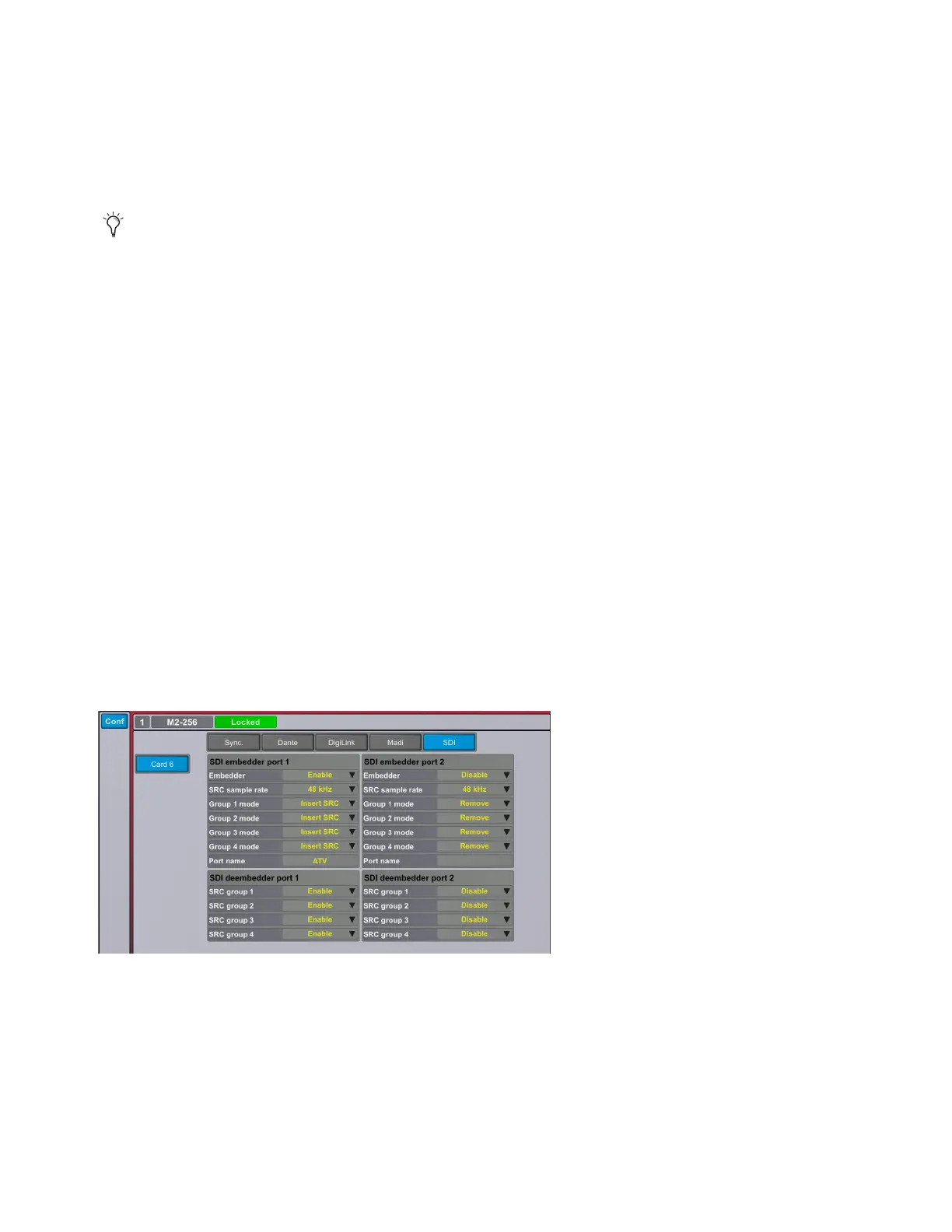
The SDI tab is only present if an SDI expansion card is installed in MTRX II. The SDI expansion card is audio embedder/deembedder
card that has two sets of embedders and deembedders compliant with the relevant SMPTE standards for SD, HD and 3G video SDI sig-
nals, and audio embedding and deembedding.
SDI Embedder Ports 1 and 2
Embedder
Enable or disable. When disabled the SDI output is transparent from the input.
SRC Sample Rate
Defines the sample rate of the embedded audio for the complete SDI frame.
Group 1–4 Modes
Insert SRC, Remove, Sync, or Async.
Port Name
Displays the port name.
Hotlink supports 128 channels at 48 kHz. MTRX II can support up to 10 Hotlink connections with a MADI Expansion card installed in
each of the 8 Expansion card slots and a Dual MADI IO module installed in the mini-module slot (which supports 2 Hotlink connections).
This is useful in broadcast audio workflows. Hotlink is only supported at the sample rate of 48 kHz.
SDI configuration options



 To Next Page