N93-572-88 Issue 12 NH Page 15 of 52 © Protec Fire Detection plc 2020
6.4 Removal of the Control PCB Housing
Before handling the 6100 panel control PCB housing it is important that any operatives
discharge themselves of any static charge that may have built up. This can be done by
momentarily touching a solid earth point ( a non-painted part of a radiator, for example
).
The Control PCB housing is a sealed unit and must not be opened. Tampering with this
unit will invalidate the warranty. If the unit becomes faulty it must be returned for repair.
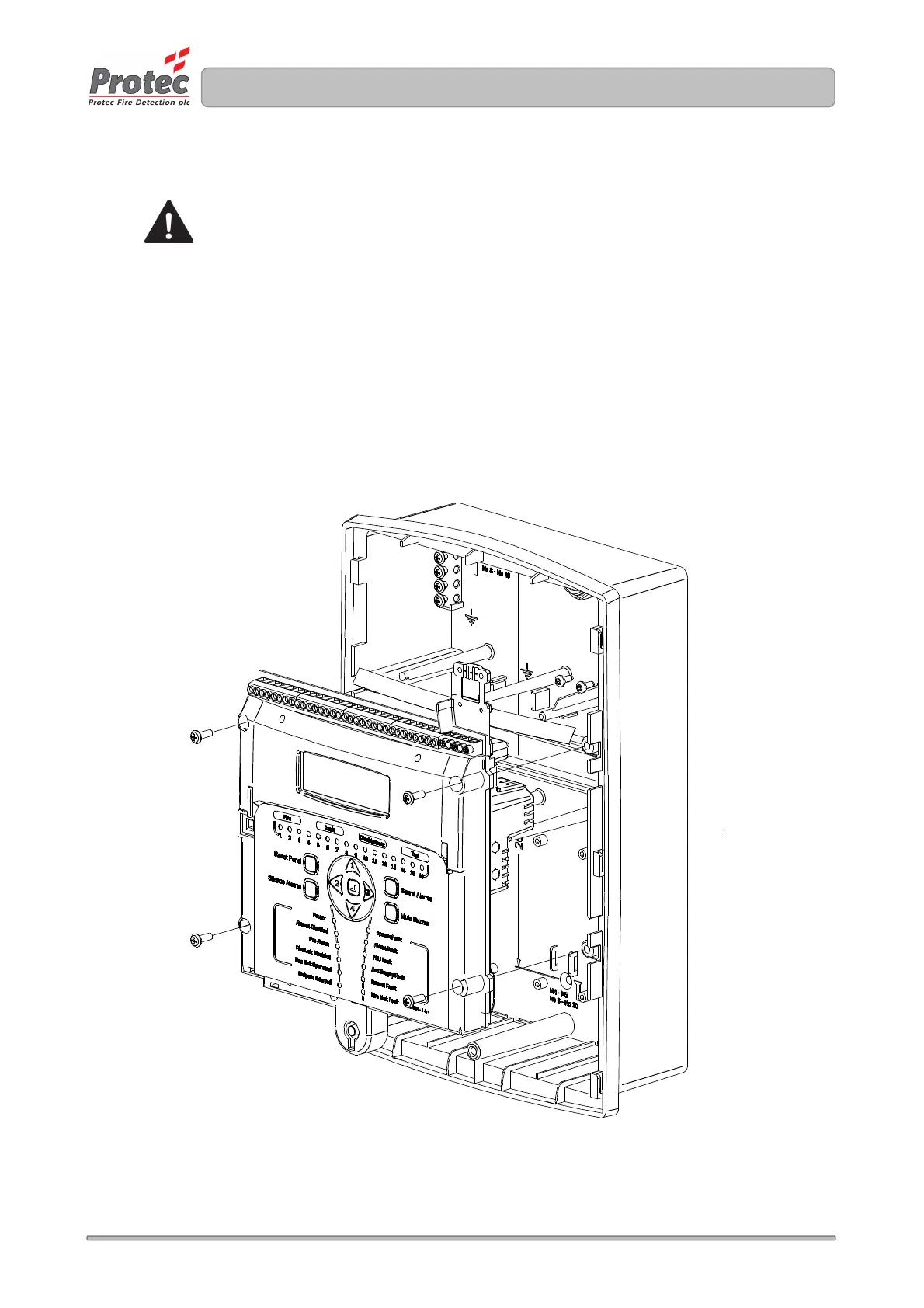
Unscrew and remove the four mounting screws on the control PCB housing. Carefully lift away the
control PCB housing from the plastic enclosure. See figure 6.2.
The 6100 control PCB housing and all screws should be stored in the cardboard carton away from the
place of work where they will not get damaged.
Figure 6.2 Removal of the 6100 Control PCB Housing



 To Next Page